
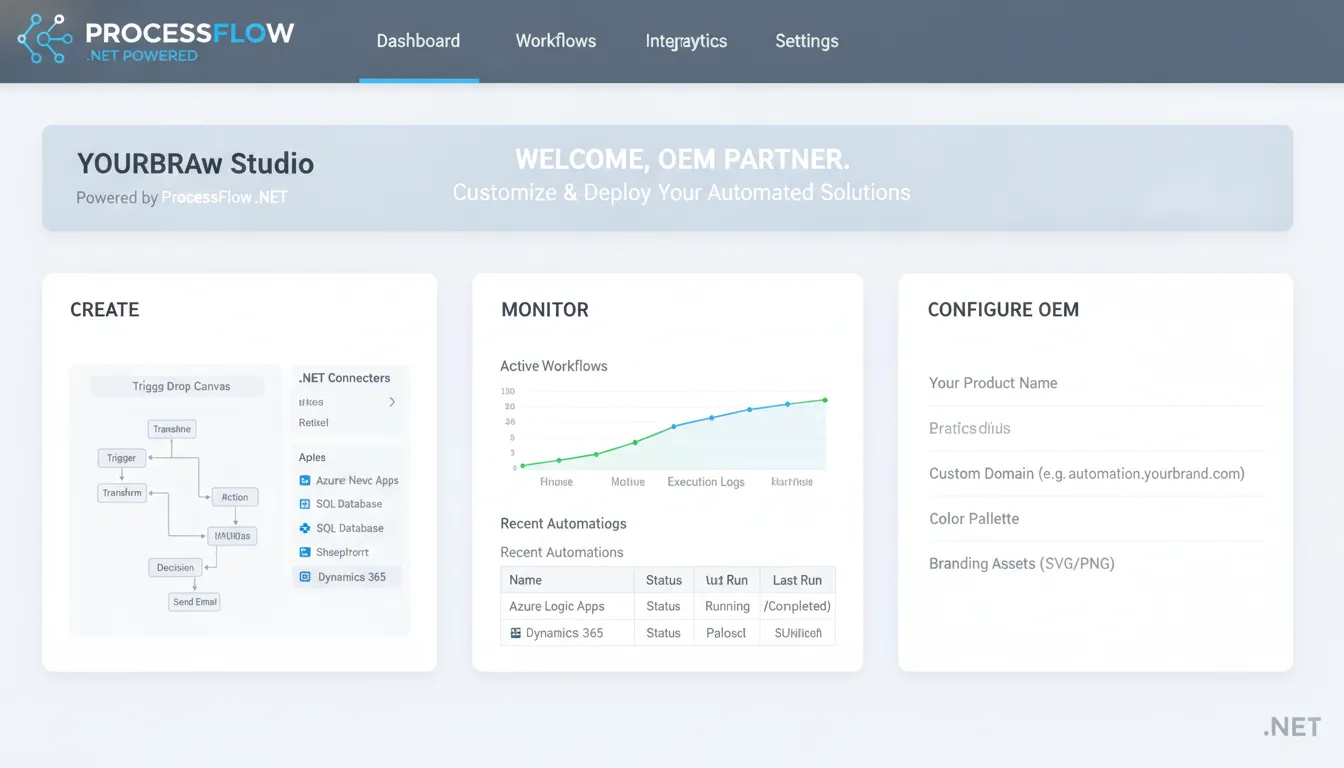
Diverting senior developers to build custom workflow engines from scratch often stalls core product roadmaps for several quarters. This hidden distraction drains engineering capacity away from your main value proposition.
Get a Demo of OEM White Label Workflow Software
OEM white label workflow software solves this resource drain by letting software vendors embed a fully functional process engine directly into their products. This pre-built system allows your product teams to deliver advanced digital forms and automated process tracking under your own brand without custom development. A University of Michigan publication notes that white-label partnerships expand platform offerings without increasing the engineering build burden on your internal staff. By using pre-made software, software firms can launch automated workflows in weeks instead of months, reducing total development costs by up to ninety percent. This ensures your developers remain focused on your core product features while delivering a seamless, high-performance process automation experience to all of your end users.
Deciding whether to build or buy these capabilities is the first major choice any software company faces. This guide walks through the economics, technical requirements, and real-world results of embedding workflow automation into your product.
What Is OEM White Label Workflow Software?
OEM white label workflow software is a pre-built business process management engine that software companies license, brand as their own, and embed directly into their applications. It gives ISVs and SaaS providers production-ready workflow automation, forms management, and process tracking without building a workflow engine from scratch.
Software vendors embed these engines under their own brand so end users never see a third-party label. The white-label approach keeps your product's user experience clean and consistent while delivering enterprise-grade process automation. These engines typically include visual process designers, form builders, dashboards, and REST API access so your developers can integrate deeply without rebuilding core workflow logic.
FlowWright provides a complete white-label engine with native .NET Core support, multi-tenant isolation, dynamic sub-workflows, and full API access. This lets your team focus on your core product differentiators while delivering robust process automation under your own brand.
The Cost of Building vs. Buying an Embeddable Workflow Engine
Building a custom workflow engine costs 90% more in development time and resources compared to embedding a pre-built white-label solution. ISVs that buy instead of build ship workflow features in weeks rather than months and reallocate up to 50% fewer developers to the effort.
When scaling a software product, you face a critical choice. Do you build workflow tools from scratch, or do you buy? Developing these tools in-house looks simple at first. But custom builds demand a huge amount of engineering time and money.
Choosing the right path shapes your product roadmap and your budget. Most software vendors find that building a custom engine drains vital resources. Integrating a pre-built engine lets your team focus on core product value.
The Hidden Toll of Building In-House
Software companies often struggle when trying to scale adjacent workflow features. It is hard to balance core growth with building secondary tools. Research shows that expanding platform offerings through partnerships helps companies grow without adding to their engineering build burden.
Building a custom engine from scratch is a massive task. Your team must design a visual builder, handle multi-tenant isolation, and write complex execution logic. These tasks drag developers away from your core product.
Maintenance adds more hidden costs over time. A custom workflow engine needs constant updates and bug fixes. You must patch security gaps and support new API versions.
This ongoing work creates a heavy burden for your support staff. Instead of creating new features, your team spends days fixing old code. Using a dedicated engine built for product companies eliminates this maintenance trap entirely.
Why Buying Accelerates Growth
Choosing to buy accelerates your development timeline. Embedding pre-built software cuts your time-to-market from months to weeks. This speed lets you sign new clients and beat competitors to market.
| Factor | Build In-House | Buy White-Label (FlowWright) |
|---|---|---|
| Time to market | 12-18 months | 4-8 weeks |
| Development cost | Full team, 2+ years of salaries | Up to 90% lower cost |
| Engineering team needed | 5-8 dedicated developers | 50% fewer developers |
| Ongoing maintenance | Full internal team required | 75% lower maintenance cost |
| Multi-tenant support | Build from scratch | Included, production-tested |
| Visual debugger | Must build custom tools | Included with breakpoints |
FlowWright's BPM engine for SaaS products provides a complete, tested platform from day one. You do not have to spend months testing code or fixing design tools before you launch.
The financial savings are clear and direct. OEM partners achieve a 90% reduction in development time and cost compared to building in-house. This massive saving comes from avoiding complex coding and testing phases.
Also, partners need 50% fewer developers to build and support their workflow features. You can reallocate those valuable developers to work on your core business features.
Buying also slashes your ongoing software upkeep. Partners see 75% lower ongoing maintenance costs compared with teams that built their own engine. With these savings, you can invest more resources in product development that drives your competitive advantage.
Architecture and multi-tenancy
A SaaS product needs true multi-tenancy to work well and stay safe. Software vendors must look for a workflow engine that keeps tenant data and processes apart. This structure protects user privacy while lowering hosting costs. You should also make sure that your team can deploy the engine in modern ways like containers.
Multi-tenant systems also need deep white-label options. The OEM embeddable BPM platform should blend into your app. You must be able to change logos, colors, and styles. This gives your users a single, clean look.
Integration depth and development tools
A strong SDK is key for deep software integration. This is why a complete SDK is included with all OEM licenses of platforms like FlowWright. Developers need full access to both .NET and REST APIs. These tools let developers connect workflow capabilities deep inside their own code.
Good workflow software should also come with pre-built pieces. It is best to choose a platform with over 300 out-of-the-box workflow steps. Having these steps ready means developers do not have to write basic tasks from scratch. Instead, they can focus on unique features for their own product.
A .NET-based architecture is a key factor for teams using Microsoft tools. Choosing a native BPM engine built for software vendors ensures high performance. This foundation lets you run the engine easily within your own .NET Core stack. It also makes setups easy and lowers resource use across your SaaS system.
Testing and visual debugging
Testing is a big challenge when building process tools. Workflow architects and process owners need a clear way to see how tasks run. A visual process debugger with breakpoints and data checks is a major help. It lets developers step through a process in real time to find and fix errors fast.
Using these tools helps define complex processes and makes them easy to repeat. This makes daily work run better, as noted in this academic study on workflow benefits. By choosing a system with a strong debugger, you can deliver a reliable product to your users much faster.
See How FlowWright's Dynamic Workflow Engine Works in Your Tech Stack
How FlowWright's Embeddable .NET Engine Powers OEM Products
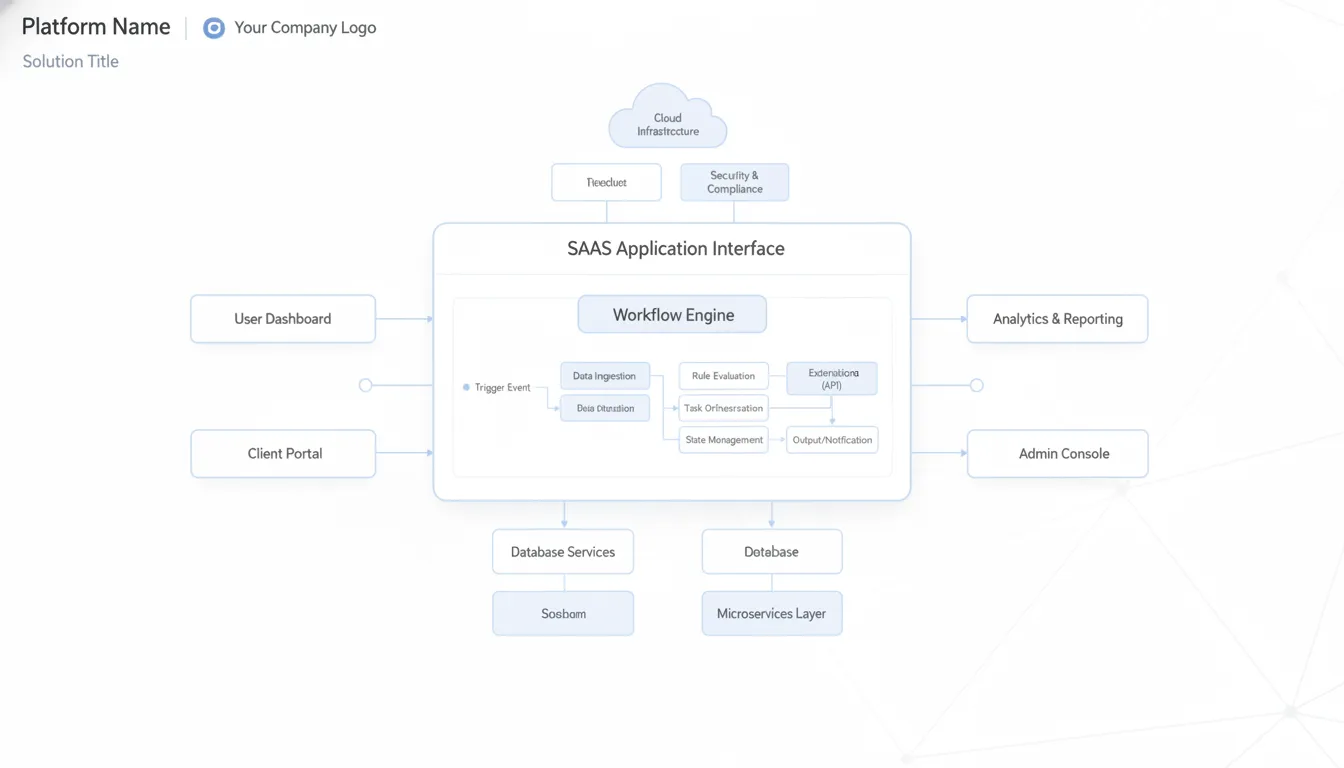
FlowWright's embeddable .NET engine gives software vendors a complete workflow runtime, visual process designer. And forms builder that integrates through native .NET SDK, REST API, NuGet packages, or iFrame embed. It supports dynamic sub-workflows with runtime branching, multi-tenant isolation, and container-based deployment.
Engine foundation and integration options
Software vendors need a strong and flexible engine to power their complex applications. When picking a white-label workflow runtime, you must look at how the core engine fits inside your system. FlowWright is built from the ground up on a modern .NET Core base. This clean structure allows you to embed workflow capabilities right into your code.
Our high-performance .NET engine gives software teams many ways to connect workflow features. You can use a native .NET SDK to write clean code right in Visual Studio. For web apps, you can use our simple iFrame tools or microservices. If your technology stack uses other languages, our full REST API connects your systems easily.
Using a pre-built engine avoids the high cost of building tools from scratch. Modern workflow systems make complex business tasks more defined and reproducible, which helps your software run. You can study these operational gains in the published ITANA process research. With FlowWright, you get these gains without the massive build burden.
Dynamic workflows and runtime changes
Enterprise software products must adapt quickly to meet real-world business needs. FlowWright offers dynamic sub-workflows with runtime branching, which is a unique differentiator in the market. This means a running workflow can spawn new sub-processes on the fly based on custom business rules. No other white-label workflow product lets you adapt processes on the fly in this way.
You can also push design changes to active workflows without a system restart. This live design update is critical for software partners who cannot afford system downtime. If a process must change mid-run, you can apply the update right away. Running processes will update on the fly, which prevents lost data and keeps work moving.
Older systems force you to stop all active tasks to make design changes. This pause hurts processing speed and upsets your end users. FlowWright solves this by letting you make live changes to running workflows safely. This unique power ensures your SaaS platform stays online and runs smoothly all day.
High performance and backwards compatibility
High throughput is vital for software vendors serving large businesses. FlowWright is proven at a throughput of more than 300,000 files per week. This strong engine can scale up to meet the demands of global enterprises. The system runs tasks in parallel easily so that your users never feel any lag.
Standard software upgrades can often break older features and disrupt your active users. FlowWright prevents this headache by offering 100% backwards compatibility since version 1.0. This means any workflow you build today will work on all future releases. You will never have to rebuild your processes when you upgrade our engine.
This focus on stable code saves you hours of coding work over time. Your development teams can focus on adding new features to your core product. You do not have to waste time fixing broken links after an update. Choosing a proven engine is the best way to scale your software product.
Multi-Tenancy and White-Label Customization for SaaS Providers
True multi-tenant architecture with logical tenant isolation lets SaaS providers run many clients on shared infrastructure while keeping data, workflows, forms, and configurations completely separate. Each tenant gets its own branded experience with custom logos, colors, and process definitions.
SaaS vendors must serve many clients from a single system. To scale fast, you need a tool that keeps client data safe and apart. Doing this work in-house takes too long. It diverts your team from your core product.
Writing your own multi-tenant code is hard. It requires deep security tests and constant updates. Most software teams spend months trying to build these tools from scratch. A case study on platform growth published by the University of Michigan shows that partnering for white-label features helps software vendors. This model lets you scale value without adding to your build burden.
Logical tenant isolation
SaaS apps must keep each client's data apart. You can deploy a white-label process engine with true SaaS multi-tenant architecture to protect tenant data. This setup lets you run many tenants on shared servers while keeping tenant walls tight. Each client gets its own workflows, forms, and tables. These custom setups help you support distinct business rules for each tenant.
They never see other client data. This keeps data safe and hosting costs low for the vendor. You can manage all tenants from a single admin panel. It is simple to push system updates to all users with one click. This saves your support team hours of work each week. Your clients get a safe, high-speed service.
Flexible deployment models
Software vendors need choices when they host their apps. Some clients want public cloud setups, while others demand private clouds or on-premise servers. You can run this software in any cloud or server setup. It runs in containers using Docker, Kubernetes, or OpenShift. The engine fits into your existing setup with no complex changes.
This lets you scale fast when web traffic grows. You can mix single-tenant and multi-tenant hosts. This open choice helps you win both small startups and large global firms. It helps you meet strict data laws in any region. Your team can deploy new versions in minutes. Your service stays stable and active.
Custom branding and licensing
Your users should see your brand, not the vendor's name. It is easy to change colors, fonts, and logos. This lets you present a clean white-label product. The software also helps you scale your user base. You can build trust by showing a seamless visual style.
It supports unlimited anonymous users with no per-user licensing limits, which you can read about in the licensing guide. This plan keeps your costs flat as your product grows. You can add thousands of users without paying extra fees. To learn more about how we work with vendors, you can join the OEM technology partner program. This program gives you the tools and support to win more market share.
Real-World OEM Success Stories
When you build a product, you need a system that works in the real world. Many software vendors choose an OEM BPM platform to power their core processes. FlowWright runs behind the scenes for top brands in many fields. It helps companies deploy software across 18+ countries to manage critical tasks without building an engine from scratch. This allows teams to focus on their main features while relying on a proven core.
Public sector process standardization
State agencies need to update old software to serve citizens well. A great example of this is the Kansas Department of Transportation. After a full review process, they chose FlowWright to replace an old 20-year system built on K2 and InfoPath. They needed a tool that was easy to manage and could scale over time. Research shows that workflow benefits include making complex business processes easy to repeat and track. This change helped the state agency cut waste and improve daily tasks. Now, their team can handle thousands of public records and work requests each day with no delay.
Regulated life science and legal systems
In highly regulated fields, software must be safe and follow strict rules. Software vendors use FlowWright to power systems that meet tight federal goals. For example, the biotech brand Lonza embeds FlowWright into its MODA-ES production software. Because drug making is tightly watched by the U.S. Food and Drug Administration, their system needed strict digital controls. FlowWright's embedded engine gives them exact process control with complete audit trails. Each process step across their supply chain is logged and tamper-proof.
Another example comes from large law firms and legal departments. They use OEM workflow software to automate intake, document routing, and compliance reviews across many offices and jurisdictions. This ensures that every document moves through the correct approval chain before it reaches a client or court.
These real-world stories show how a strong workflow engine for software vendors provides the stability and trust that enterprises need. By embedding FlowWright, you give your customers a proven solution used by government agencies, biotech firms, and legal teams worldwide.
How to Choose an OEM White Label Workflow Engine
When evaluating an OEM workflow engine, start with .NET compatibility, multi-tenant architecture, and API depth. Also look for dynamic workflow capabilities, white-label branding, and backwards compatibility. These criteria ensure your product scales without technical debt.
Choosing the right OEM engine is a strategic decision that affects your product architecture for years. You want a partner that provides the deepest technical integration and the most flexible licensing. Here are the technical evaluation criteria to focus on.
Core technical requirements
Your chosen engine must match your current tech stack. For .NET-based products, a native .NET engine eliminates translation layers and reduces integration friction. For polyglot stacks, full REST API coverage is mandatory. Look for an engine that ships with a complete SDK, NuGet packages, and client libraries.
Multi-tenancy must be architectural, not bolted on. Each tenant should get isolated workflows, forms, data tables, and configurations from day one. Flexible hosting options (on-premises, private cloud, public cloud, containers) let you sell to different enterprise segments without re-architecting your embed.
Differentiating features to look for
Dynamic sub-workflow support separates advanced platforms from basic ones. FlowWright's runtime branching lets workflows spawn new sub-process instances based on business rules, adapting to each use case automatically. This dynamic capability is a core differentiator for enterprise scenarios.
Visual debugging with breakpoints and step-through execution dramatically accelerates development cycles. Your team should be able to pause a running process, inspect its state, and identify bottlenecks without writing diagnostic code. Backwards compatibility guarantees protect your investment across version upgrades.
White-label depth matters more than most teams realize. The engine should let you rebrand not just the dashboard but the process designer, form builder, and email notifications so every touchpoint carries your product's identity.
Get a Demo of the FlowWright OEM Workflow Engine
Getting Started with OEM White Label Workflow Integration
Integrating a white-label engine into your product is a smooth process when you work with the right partner. The whole process moves from your first technical call to production deployment in weeks, not months. Your developers stay in their familiar tools and coding environment. Your team will not have to learn complex new coding languages.
We offer a robust workflow automation engine for software vendors to simplify this setup. Your team can connect to the engine using our API or embed visual tools right into your application. This gives your users a seamless way to design processes. They can build forms and view data without leaving your main system.
Step-by-step onboarding process
Our team helps you move from planning to live production in a few simple steps. We guide your design choices to ensure a smooth path. We work with you at every stage so your product launch is a success. This close partnership saves your team time and prevents common errors.
- Get SDK access: We give you full SDK access, which is included with all OEM licenses.
- Choose your hosting: Select from multiple deployment paths. The engine supports on-premises, cloud, or container setups using Docker, Kubernetes, or OpenShift.
- Connect the engine: Your developers will use our .NET API to link the workflow engine into your SaaS product.
- Design your workflows: Create process models using our visual tools that match your brand look and feel.
- Launch to users: Deploy your new features to tenants with full support from our expert team.
Architectural support for scaling
We do not just hand you the software and leave. Our team works with your architects to ensure success from conception to production. We help you design workflows that scale to meet high demand. Our experts are always ready to help you solve tough process challenges. This ongoing support ensures your platform runs smoothly at all times.
Frequently Asked Questions
How much development time can software vendors save by embedding white-label workflow software?
By choosing an OEM BPM platform instead of building in-house, software teams save up to 90% in build time. As shown in a report by the University of Michigan, working with a partner lets software companies expand their platforms without growing their build burden. This keeps engineering resources focused on core product goals.
Can white-label workflow software support multi-tenant SaaS deployment?
Yes. Top-tier workflow platforms support true multi-tenancy to keep tenant data and processes fully isolated. This allows you to manage multiple customers on a single instance securely. Using a modern embeddable engine for SaaS teams ensures you can scale across private or public clouds using container systems like Docker and Kubernetes.
How do developers integrate an embeddable workflow engine into an existing application?
Developers can connect workflow capabilities through robust .NET and REST APIs, NuGet packages, or visual iFrames. This allows your app to talk directly to the engine to start, manage, and debug processes. As noted in an Internet2 study, automated workflow engines make complex business steps easy to repeat and track, which improves how users get work done.
Can software vendors customize the user interface of embedded workflow software?
Yes. A true OEM embeddable BPM platform lets you fully brand the user interface. You can apply your own logos, colors, and styles so the workflow builder and dashboard look like native parts of your software. Users will never know a third-party engine is running under the hood, ensuring a seamless experience across your entire product.
Ready to Scale Your SaaS with a White-Label Workflow Engine?
Building a custom process engine from scratch will drain your software team, waste valuable resources, and delay your main product launch by many months. Choosing a proven white-label engine lets your team ship full process features in weeks instead of spending a year writing complex custom code. This smart choice saves you from high ongoing upkeep costs while keeping your key software developers focused on what makes your own product unique.
Ready to get started? Schedule a free consultation today to get a demo of FlowWright's embeddable OEM workflow engine. Our process experts will gladly show you how easily our .NET engine fits into your existing SaaS software stack.
















