

Building a proprietary workflow engine in-house can consume more than six months of dedicated engineering time. For SaaS leaders, this heavy development burden diverts critical resources away from core product innovation.
Embedding BPM workflow engine SaaS product OEM models allows software teams to quickly deliver powerful workflow automation directly within their existing platforms. By choosing a pre-built, white-label solution, product leaders can avoid the hard work of building database tables, visual designers, and execution tools from scratch. This approach provides native multi-tenant support and deep system control through simple APIs and SDKs. Software companies can easily customize the tool to match their brand and support advanced tasks like dynamic sub-workflows. Using an OEM white-label workflow software package helps companies save money, reduce development risks, and ship new features faster. These clear benefits help business users manage their own processes without writing code while letting developers focus on core proprietary features.
Get a live demo of the FlowWright embeddable BPM engine
When making the decision to add these capabilities, product teams must carefully weigh the development costs against their long-term growth. Understanding why SaaS platforms embed a BPM workflow engine instead of building one is the first step toward making the right choice. The sections ahead walk through the economics, the architecture, and the practical integration steps.
Why Embedding a BPM Workflow Engine in Your SaaS Product as an OEM Pays Off
SaaS teams often face a hard choice when their users need workflow tools. They must decide whether to build a custom engine or embed an existing one. Building in-house seems simple at first, but it quickly turns into a major chore. It takes months of engineering work and diverts your core team from key product features.
Instead of building from scratch, many teams choose to embed a pre-built solution. By using OEM white-label workflow software, software firms can add deep automation without the pain. This approach lets you keep your focus on your main product while offering a strong process builder.
The Real Cost of In-House Engineering
Creating a production-grade workflow tool from scratch is a massive task. Industry data shows that building a custom workflow engine can take six or more months of focused development time. This number comes from rival data on team build times, which highlights the risk of delays. During this time, your best developers are locked into writing basic engine logic instead of building unique value for your customers.
The cost does not stop once the engine goes live. Your team must maintain the code, fix bugs, and support new use cases. Research from Carnegie Mellon University shows that software teams often overlook the long-term support costs when choosing to build in-house. These ongoing costs can drain engineering resources for years, making it hard to scale your SaaS platform.
How White-Label Bundling Saves Resources
Another option is to use an OEM model. This lets you white-label and bundle a mature platform like FlowWright for software companies. With this model, the engine looks and feels like a native part of your software. Users get a seamless experience, and your brand remains front and center.
FlowWright claims that embedding its BPM workflow engine can save up to ninety percent in development and design costs. Of course, actual savings will vary based on your specific needs and your current app architecture. But even then, the savings in time and labor are clear. You avoid the cost of building a complex designer, forms engine, and database schema from the ground up.
Lowering Risk and Speeding Up Launch
SaaS markets move fast. A delay of half a year can mean losing customers to faster rivals. Embedding a BPM workflow engine SaaS product OEM solution lets you ship new features in weeks rather than quarters. This speed helps you win new deals and keep your current users happy.
When you embed a mature platform, you also inherit years of testing and bug fixes. You do not have to worry about scale limits or speed issues. Instead, you get a stable, secure engine that is ready for enterprise workloads on day one. This keeps your engineering team lean and focused on your core roadmap.
What to Look for in an Embeddable Workflow Engine
Choosing to embed a business process system is a big step. When embedding BPM workflow engine SaaS product OEM tools into your app, you must check key factors. Building a custom engine from scratch takes months of coding and design work.
Embedding a pre-built platform saves you time so you can focus on your core product. The right choice helps your team build features fast. It also keeps your software running well as you grow. Here are the core things to seek.
Dev tools and API access
A strong dev toolset is vital for success. Software teams need a robust, embeddable .NET workflow engine that fits their stack. Look for clean APIs that let your team control processes through code.
Your devs need full SDK access to write custom steps and connect services. This setup should offer simple XML or web.config file paths for your workflow rules. You also want to run C# code directly to check data and manage logic. Strong dev tools ensure your team can link systems without a struggle.
Visual design and low-code speed
Your users and team must see process maps clearly. Research shows that 80% of business teams want to view process changes without asking coders for help. A good enterprise BPM workflow platform solves this with a visual drag-and-drop designer.
This tool lets non-technical staff edit paths with ease. In fact, top platforms let teams build up to 95% of their apps without IT support. This low-code/no-code workflow automation speeds up your work. But the system must still allow custom high-code logic for complex tasks.
Multi-tenant setup and branding
Modern SaaS platforms need multi-tenant setups. The system must keep tenant data private and secure while running on a single engine. A good engine supports these multi-tenant models to keep your hosting costs low.
You also need white-label features so you can brand the software as your own. This branding lets you bundle workflow tools into your SaaS product with ease. It hides the engine from your customers so you keep your own brand.
Finally, make sure the engine supports fast reporting and strong audit controls. Enterprise buyers expect real-time visibility into running processes and a complete record of every change. A workflow platform with built-in dashboards and reporting lets you surface that intelligence inside your own product. So your customers get the transparency they need as your SaaS scales.
Multi-Tenant Architecture for Embedded BPM in Your SaaS
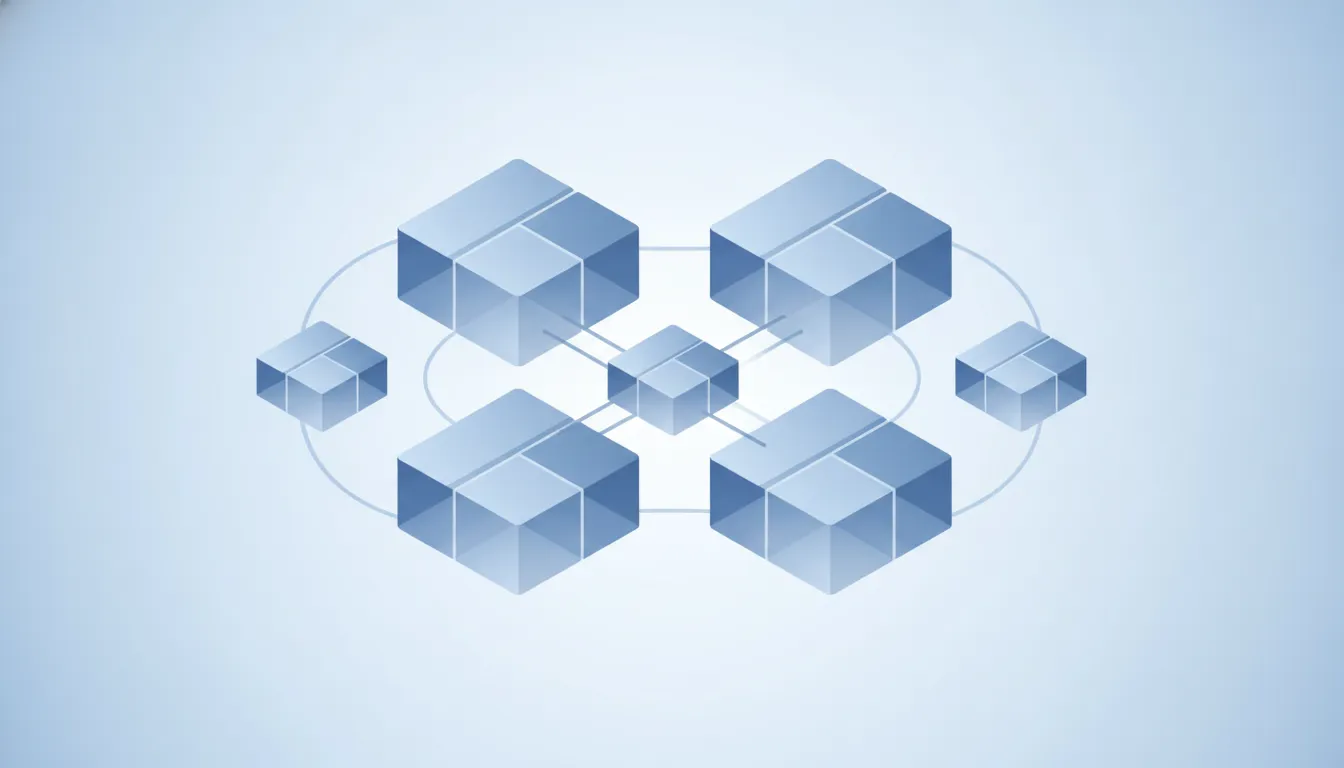
For teams embedding BPM workflow engine SaaS product OEM software, multi-tenancy is a primary need. A modern SaaS platform must serve many customer tenants on a single shared engine. It is helpful to use a platform designed for this model from day one. FlowWright supports multi-tenant architectures, making it well-suited for modern cloud software.
Architectural patterns for tenant isolation
SaaS applications need strong boundaries between customer accounts. To achieve this, you can deploy a shared database with tenant-keyed rows, or run separate databases for each client. An embeddable .NET workflow engine must fit both patterns easily. This design allows your platform to isolate customer workflows, forms, and logs without running separate application servers.
When you use a shared database, the engine appends a unique tenant key to every record. This key filters database queries so that no tenant can ever see another's data. If your clients need absolute database isolation, you can map each tenant to their own physical data store. The engine handles these connections on the fly as requests come in.
Custom workflows and forms per tenant
In a multi-tenant system, customers often ask for custom process designs. One tenant may need simple email approvals, while another wants multi-stage reviews. Your team can offer low-code/no-code workflow automation to let users build their own forms and paths. Because the engine supports separate rules, each customer can run their own processes without affecting other tenants.
Tenants can also create custom forms with a drag-and-drop designer. They can set up fields, rules, and actions that apply only to their account. The main SaaS platform hosts these custom views securely. Each tenant sees only their own saved forms, which avoids mistakes and keeps the user workspace clean.
Security and compliance in secure systems
Tenant isolation matters most in regulated industries, where software must prove that user data never mixes between accounts. Whether you serve finance, healthcare, or government customers, a strong multi-tenant engine keeps each client's process data separate and safe across your cloud platform. The engine enforces logical boundaries at the data layer, so you do not have to build custom isolation logic yourself.
In secure systems, you must trace who made changes to any workflow by recording every single tenant action. This complete audit trail is critical when your SaaS product undergoes regular compliance checks. Detailed logs are stored in a secure database where they cannot be edited. This ensures that your platform stays compliant with strict safety rules.
SDK Integration and the API Surface of an Embedded .NET Engine
Software teams face big choices when adding process automation to their platforms. Instead of building from scratch, embedding BPM workflow engine SaaS product OEM options allows teams to ship faster. A native engine fits directly into your codebase through an SDK. This setup lets your app talk with the engine using basic .NET objects and API calls. The engine handles all background runs while your host app keeps full control over the user interface.
Engine configuration via XML
To set up the engine, developers follow a standard sequence to link the workflow service with the host app. The SDK provides the tools to load configurations and handle runtime events.
- Set up configuration. Add the SDK files to your project and configure the engine using web.config or XML. This step sets up database connections and memory rules.
- Define the workflows. Write your process rules using XML. These files map out the tasks, gateways, and paths that the engine runs when a process starts.
- Connect custom actions. Write C# classes for your custom tasks. The SDK makes it easy to pass data between your main app and the background engine.
- Call the API. Use simple API calls to start, pause, or check workflows from your code. You can trigger these events when users take action in your app.
- Expose workflow status. Present active process states and logs to your end users through your own custom UI. This gives users full visibility into their running tasks.
Dynamic sub-workflows and C# evaluation
A major benefit of using an embeddable .NET workflow engine is the power to run dynamic sub-workflows. In deep systems, business rules can change fast. The platform supports dynamic sub-workflows that can morph at runtime, providing a flexible architecture that supports complex business rules within an embedded environment. This allows the engine to spawn and change sub-processes on the fly. It uses live data without needing a developer to write new code or restart the app.
Developers can also use C# code checks to handle deep data rules. The engine lets you write simple C# expressions directly within your workflow steps. This allows the system to test conditions on the fly, making it easy to route processes based on live inputs. Because the engine runs directly in .NET, these checks run fast with low memory needs. This native speed is critical for SaaS tools that run thousands of processes at the same time.
This native approach keeps your SaaS platform flexible as requirements change. Because the workflow definitions live in configuration rather than hard-coded logic, your team can update process rules without recompiling or redeploying the engine. That separation of concerns is exactly what product teams want when embedding a BPM workflow engine as an OEM layer inside a larger application.
Comparing the Build vs Embed Decision
The Burden of In-House Development
Software teams often face a hard choice when adding workflow features to their application. They must decide whether to code a workflow engine from scratch or embed a pre-built solution. Building a custom system is a huge task. Industry data shows that building custom workflow engine software in-house can take six or more months of development time.
This long timeline does not just delay your launch. It also pulls your best developers away from your core product features. Forcing them to write low-level engine logic instead of building the unique functionality your customers depend on. Software product teams must weigh that opportunity cost carefully when deciding whether to invest months of engineering in a problem a mature embeddable engine already solves.
The Value of Embedded Software
By choosing an embedding BPM workflow engine SaaS product OEM model, you can avoid this long development phase. It is a faster path. Software companies can use OEM white-label workflow software to add full business process features quickly. FlowWright claims this path offers up to ninety percent cost savings compared to building a custom engine. While exact savings vary based on your specific software requirements and system architecture, the upfront savings remain large.
Using a pre-built engine also removes the long-term maintenance burden. You do not have to fix bugs. Your team does not have to update the engine. Instead, you get a tested platform that already supports complex workflows and tenant isolation. This allows you to build new features that your customers will pay for.
The comparison below shows the key differences between these two options. It contrasts development time, ongoing costs, and long-term risks to help you make the best choice.
Build in-house
- Time to production: Takes six or more months.
- Maintenance burden: Requires a full team.
- Feature breadth: Basic workflow rules only.
- Multi-tenancy: Must code isolation from scratch.
- Cost and risk: High capital and high risk.
Embed an OEM engine
- Time to production: Takes days or weeks.
- Maintenance burden: Handled by the vendor.
- Feature breadth: Full visual designers and forms.
- Multi-tenancy: Supported out of the box.
- Cost and risk: Low risk with a clear licensing model.
White-Label Software Benefits
Choosing to embed a workflow engine means you can white-label and bundle the software directly. You can brand the designers, portals, and forms as your own. This expands your product capabilities without adding any confusion for your users. It gives you the power of an enterprise BPM workflow platform under your own brand.
Dynamic Sub-Workflows: A Runtime Differentiator
SaaS platforms often face rigid workflow paths. When software teams choose an embedding BPM workflow engine SaaS product OEM platform, runtime freedom stands out. Most engines force you to define every path before run time. FlowWright is unique because it lets workflows change on the fly. It can spawn and manage new sub-workflow instances based on active data. This dynamic setup ensures your app stays fast and responsive to new business needs.
The power of runtime morphing
This runtime change is known as process morphing. The system uses business rules to branch into other paths or versions. You do not have to stop the parent process to make these changes. FlowWright supports dynamic sub-workflows that can morph at runtime, which provides a flexible setup. Developers get a major technical differentiator that keeps apps running without lag.
This runtime approach helps SaaS applications manage complex business flows in several ways. It can route tenants dynamically based on subscription tier, run automated security checks for enterprise accounts, and adapt process steps to match regional requirements. Because the engine evaluates each condition in real time, the correct path is selected without any developer intervention.
Real-world software examples
Consider a SaaS app for client onboarding. When a new user signs up, the system starts a standard onboarding path. But if the user is a large global brand, the system must add complex security checks. With an embeddable .NET workflow engine, the software finds this need at runtime. It then spawns a custom sub-workflow to handle those specific enterprise checks on the fly.
This level of runtime flexibility distinguishes an embedded engine within an enterprise platform. Processes that branch in real time keep complex workflows moving without manual intervention, and they let your SaaS users handle exceptions automatically. When business rules change, the engine adapts mid-process rather than forcing your team to redesign and redeploy a fixed path. That responsiveness is exactly what enterprise customers expect from modern automation.
Visual control for process owners
When workflows morph, developers should not have to write new code for every path. Instead, low-code/no-code workflow automation lets your users design and adjust these paths on a visual map. Process owners can build sub-workflow blocks and link them to main processes. The system runs the correct version based on the rules you set. This design gives your SaaS product unique power while cutting custom dev costs.
Ready to see embedding in action? Book a live demo
Frequently Asked Questions
What is an embeddable BPM engine for SaaS products?
An embeddable BPM engine is a software service that developers insert directly into their applications. It handles complex business logic and visual processes behind the scenes. This integration allows SaaS platforms to offer advanced workflow capabilities without building them from scratch. According to Gartner, business process management platforms coordinate the behavior of people, systems, and things to produce specific business outcomes. SaaS teams use these engines to let their own users configure workflows.
Why should SaaS companies embed a BPM engine instead of building it?
Building a custom workflow engine in-house is a complex process. Research shows that custom software development for these tools can take six or more months of dedicated engineering time. Embedding a pre-built engine avoids this long development cycle and reduces ongoing maintenance costs. It lets your development team focus on core product features instead of infrastructure. Using the FlowWright embeddable .NET workflow engine helps SaaS platforms save time. It lets teams launch new automation tools quickly.
How does OEM workflow automation work in multi-tenant SaaS?
In a multi-tenant SaaS product, multiple client companies share the same software application. An embedded workflow engine must keep each client's process data completely separate. The engine runs in a shared environment but isolates workflows and user permissions for each business tenant. Using a multi-tenant platform like FlowWright for software companies allows SaaS providers to deploy a single engine. This architecture simplifies software updates and keeps infrastructure costs low while protecting client privacy.
What are the key benefits of embedding a workflow engine for OEM partners?
For OEM partners, embedding a pre-built engine allows them to bundle advanced features directly into their core software. This lets teams expand platform capabilities quickly without high upfront costs. Partners can also white-label the software so that the automation tools match their brand style. According to industry data, modern low-code/no-code workflow automation allows non-technical users to build up to 95 percent of process applications without IT help. This capability makes SaaS products more valuable to business customers.
Ready to Embed a .NET BPM Engine in Your SaaS Product?
Building a complex workflow engine from scratch drains your core engineering team, wastes precious development budget, and delays your SaaS product launch by many months. Every week your software team spends writing custom backend process logic is a week your rivals use to ship new features and win the market. You can easily avoid this slow, risky build and deliver robust, scalable workflow automation to your SaaS clients this month by embedding our proven engine.
Do not wait. Ready to build a better SaaS product faster? Get a free consultation to request a FlowWright demo to see how the embeddable .NET BPM engine can be white-labeled into your SaaS product.
















