
Slow software delivery slows down business growth. When custom development backlogs stretch for months, critical process improvements stall, and manual workarounds multiply across departments.
Successful digital transformation with low-code platforms accelerates operational efficiency by putting visual development tools into the hands of business experts. These platforms allow workflow architects and process owners to build, test, and deploy automated business processes without writing complex backend code. By removing the traditional IT bottleneck, teams can automate complex routing and systems integration in days rather than quarters. This collaborative approach ensures that software solutions map exactly to real-world business needs.
Get Demo , see how low-code workflow automation accelerates your digital transformation.
Before achieving these operational speed gains, organizations must first address why legacy software development cycles struggle to keep pace with modern business demands.
Digital Transformation with Low-code Platforms: Why Traditional Approaches Fall Short
Enterprise digital transformation with low-code platforms addresses the fundamental gap between business demand for rapid process automation and the constrained capacity of traditional IT development. When 81% of executives see low-code as highly strategic but only 31% have made it core to operations. The barrier is not awareness , it is the difficulty of shifting away from hand-coded development models that create bottlenecked delivery pipelines.
Enterprise leaders know that building fast, flexible systems is key to staying ahead. But many firms struggle to reach their goals when they rely on old ways of coding. A key report from KPMG shows that while 81% of firms see low-code setups as highly strategic, only 31% have made them a core part of their work. This gap shows how hard it is to shift away from old development models that slow down business growth.
The Burden of IT Backlogs
In most large firms, business units need new tools and workflows constantly to serve customers. Traditional software development needs professional developers to write every line of code by hand. This model creates a huge IT backlog because skilled programmers are in short supply. Business teams must wait for months to get simple changes, which stops them from reacting to market shifts. By turning to digital transformation with low-code platforms, firms can let business owners build and modify processes without waiting for IT.
The Maze of Legacy Systems
Older firms have dozens of legacy systems that hold critical business data but do not talk to each other. Connecting these systems by writing custom code is slow, expensive, and fragile. When a firm tries to automate a process, developers must build custom integration layers for every old database. A modern enterprise workflow automation platform replaces this custom work with built-in connectors. This helps teams link old databases to new web forms without risking system crashes.
The Trap of Rising Costs
Traditional coding projects often go over budget because of changing requirements and long timelines. When custom software takes a year to build, the business needs have usually changed before the tool is even live. This means developers must rewrite huge portions of the code, which drives up costs and delays the rollout. Using low-code options lets teams build, test, and adapt workflows in real time. This iterative path keeps projects on track and stops cost overruns before they start.
How Do Low-Code Platforms Bridge the Gap Between IT and Business Teams?
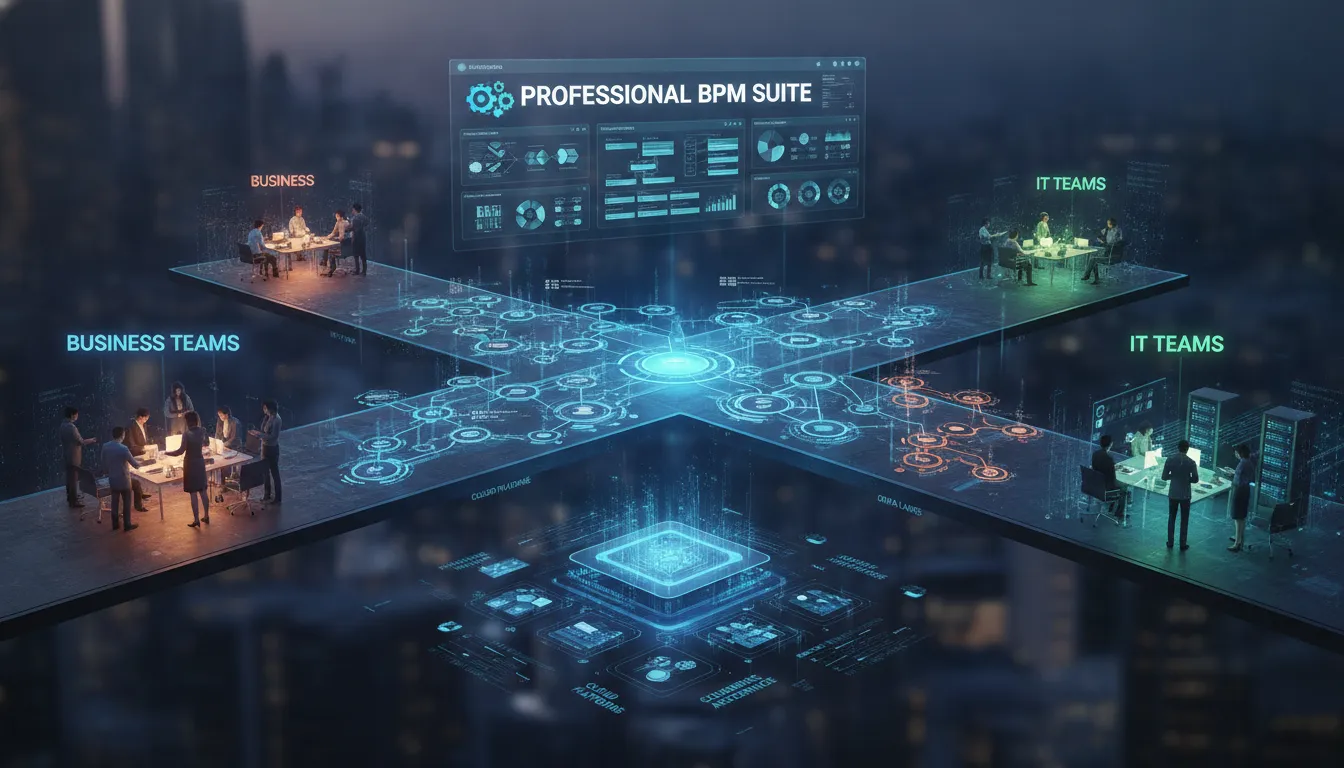
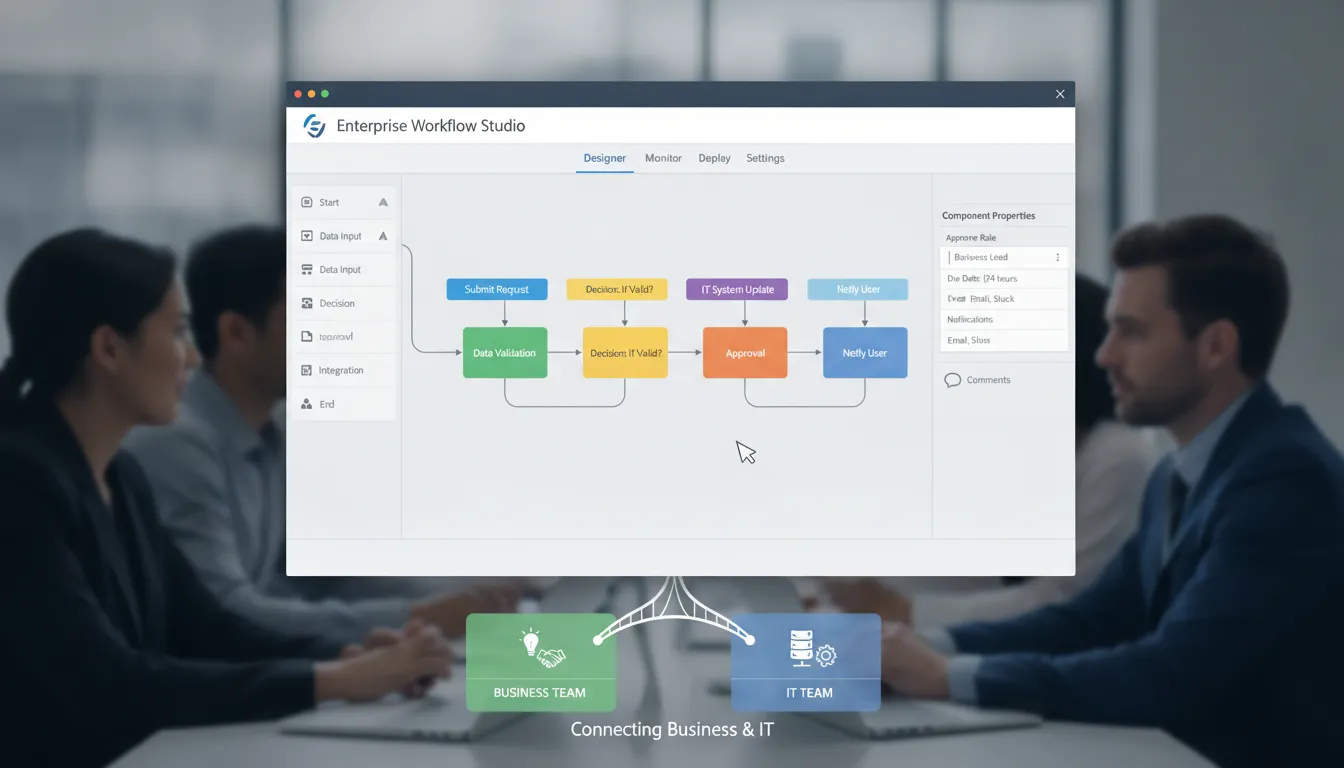
Low-code platforms resolve the longstanding divide between business teams that understand operational needs and IT teams that control technical delivery. By providing visual process designers for business users alongside a robust .NET engine for professional developers, these platforms let both groups collaborate on the same workflows. Business teams design processes visually, while developers maintain governance over code quality, security, and integration.
For many years, tech teams and business units worked in silos. Business users knew what they needed but lacked the coding skills to build it. Tech teams had the skills but struggled to understand the fast changing needs of daily operations. This gap slowed down growth and made progress hard. Today, starting digital transformation with low-code platforms solves this problem by giving both sides a common tool to build workflows fast.
Visual Process Designers for Business Teams
Business users do not need to read or write complex software code to build forms, define business rules, or design steps. Visual tools allow them to map out their tasks using simple visual charts. This shift speeds up projects because teams do not have to wait for software experts to write every line of code. A study by MIT Sloan shows that using non-tech employees helps ease the IT talent shortage while bringing speed to software projects.
| Capability. | Traditional Development. | Low-Code Platform. |
|---|---|---|
| Development timeline. | 6 to 18 months per project. | Days to weeks per workflow. |
| Business user involvement. | Limited to requirements documents. | Direct participation via visual designers. |
| IT control. | Complete, but creates bottleneck. | Full with governance guardrails. |
| Adaptability to change. | Costly rework cycles. | Real-time iteration. |
| Integration complexity. | Custom scripts per system. | Built-in connectors and APIs. |
Robust Developer Control with .NET Engines
While visual tools help business users, tech teams must maintain complete control over code quality, system safety, and data flow. Low-code systems bridge this gap by providing a strong .NET engine for professional developers. Programmers can write custom C# code, connect to external systems, and manage databases. They can decide which parts of the system are open to business users and which parts require IT approval. If you are comparing a low-code vs no-code setup, having a solid .NET engine ensures that the system can grow to meet large enterprise demands without losing tech control.
Dynamic Runtime Morphing for Complex Workflows
Modern enterprise workflows are rarely simple or static. They must adapt to changing business rules in real time. FlowWright addresses this need with a unique capability called runtime morphing. This feature allows a main workflow to dynamically spawn and manage sub-workflow instances based on business rules at runtime. Instead of building a massive, rigid process that accounts for every edge case, teams can build small, flexible parts. The system automatically branches to different process versions or definitions depending on the context of the active task. This gives business users the adaptability they want while giving IT a clean, modular architecture that is easy to manage.
What AI-Powered Capabilities Accelerate Enterprise Transformation?
AI-powered low-code platforms accelerate enterprise transformation by embedding artificial intelligence directly into the process design layer. With an AI Copilot, users describe business rules in plain English, and the system translates those words into structured workflows and responsive web forms. Pre-built libraries of over 300 workflow steps eliminate repetitive coding, while dynamic sub-workflows adapt to changing business conditions at runtime.
Modern organizations must move quickly to stay ahead. Leveraging AI-powered tools within business processes is no longer just a luxury. To achieve true AI-powered workflow automation, teams need systems that can design, adapt, and run themselves. Leading software solves this by embedding artificial intelligence directly into the design layer. This shifts the focus from manual coding to rapid, description-based process design.
Designing with an AI Copilot
Building forms and workflows from scratch used to take days. With a smart AI Copilot, users can now build complex systems in seconds. You simply write a short prompt in plain English to describe your business rules. The AI instantly translates your words into a structured process flow. It sets up tasks, decision paths, and email alerts. You can also build responsive web forms the same way. Simply tell the AI what data you need to collect. The system builds the form with fields, labels, and validation rules already in place. This makes hyperautomation with FlowWright accessible to both professional developers and business teams.
Pre-Built Steps and Dynamic Sub-Workflows
Speed is key to digital transformation with low-code platforms. Having a library of over 300 out-of-the-box workflow steps helps teams start fast. These steps connect to databases, send messages, and parse documents without custom code. But real processes are rarely static. This is where dynamic sub-workflows make a difference. The system can spawn and manage new sub-workflow instances at runtime based on active business rules. It branches to different process paths depending on the exact context. This runtime morphing ensures your automation stays fluid and adapts to changing data on the fly.
Enterprise Stability and Backward Compatibility
Upgrades often break existing automation systems. This creates risk and stops progress. Enterprise platforms must guarantee absolute stability. For example, FlowWright has maintained 100% backward compatibility since version 1.0. This ensures that workflows built years ago run perfectly on the newest version. Organizations can adopt new AI features without the fear of breaking their core processes. This reliability is essential for long-term planning. Maintaining software compatibility is a key part of reducing operational risk in enterprise IT systems.
Real-World Applications: Low-Code Automation Across Key Industries
Low-code workflow automation serves as a general-purpose BPM engine that adapts to healthcare, manufacturing, and government sectors. In healthcare, it streamlines patient onboarding and insurance claims routing. In manufacturing, it coordinates quality reviews and automated maintenance alerts. In government, it processes building permits and license applications through structured approval workflows.
Organizations must adapt to modern demands to stay strong. Choosing digital transformation with low-code platforms helps companies automate critical workflows without writing custom code. This flexible technology acts as a general purpose engine that fits many different business sectors.
Healthcare and Life Sciences
Modern clinics and labs face high administrative burdens and strict regulatory oversight. In hospital networks, staff use visual tools to coordinate patient onboarding and route insurance claims to avoid billing delays. Research teams also use automated paths to manage approvals for clinical trials. According to the National Institutes of Health, streamlined clinic systems reduce errors and help protect sensitive patient data.
Manufacturing Operations
In factories, smooth operations keep assembly lines moving on schedule. Visual tools let team members map out production steps and route quality reviews to the right supervisors. If a machine needs repair, the system can trigger an alert and assign a technician automatically. Automated process management helps plant managers track quality and cut down on waste.
Government and Public Services
Public agencies must handle high volumes of citizen requests with limited staff. Government offices use low-code workflows to process building permits, manage business licenses, and track compliance rules. Setting up clear paths helps agencies guide documents through review steps, sign offs, and public notices. Software vendors also use these visual tools in OEM solutions to bundle robust workflow features into their own products.
How Can Enterprise Leaders Measure Low-Code Transformation Success?
Enterprise leaders can measure low-code transformation success through three categories of KPIs: development speed metrics (time-to-deploy, development cycle reduction). Operational impact metrics (IT ticket deflection rate, process completion time), and adoption metrics (user onboarding rate, cross-department deployment velocity). Built-in dashboards provide real-time visibility into each of these areas.
To prove the value of digital transformation with low-code platforms, you must track the right metrics. Clear, hard data helps show how these tools change your work. By measuring the right areas, your team can see how much faster you build and deploy apps.
Key Metrics for Speed and Scale
The main goal of digital transformation with low-code platforms is to ship software faster. One key metric to track is development time reduction. Industry data from Mendix shows that low-code tools can reduce development time by 90% compared to traditional coding. This massive drop in build time directly translates to lower costs and faster time to market.
You should also track how fast you can scale your new apps. Low-code systems let you build a single app that works on web, mobile, and desktop. This means you do not have to write separate code bases for different devices. Measuring the speed of your multi-device rollouts shows how well your platform supports rapid enterprise growth.
Operational Impact and User Adoption
Beyond speed, you must look at how low-code tools affect your daily business operations. A great metric to watch is the IT ticket deflection rate. When business teams can build their own forms and basic tools, they do not need to file IT requests. This relieves pressure on your core tech teams and lets them focus on high-priority security and infrastructure tasks.
Process completion time is another vital metric. You can measure how long it takes to finish a workflow before and after you set up automation. For instance, research published in PMC outlines how digital transformation shifts business processes from manual steps to fast, automated runs. These process improvements show a direct line from software builds to operational cost savings.
FlowWright Dashboards for Real-Time Visibility
To gather these metrics, you need robust reporting tools. FlowWright features built-in dashboards that track process health, completion times, and user adoption rates in real time. These visual reports help you spot process bottlenecks and monitor how quickly teams adopt your new workflows. You do not have to build custom tracking tools from scratch to prove your return on investment.
These real-time insights help your leadership make data-driven decisions to optimize active workflows. By showing clear improvements in development cycles and operational efficiency, you can secure ongoing support for your tech initiatives. You can explore how leading organizations achieve these outcomes by reading our client case studies.
A Strategic Roadmap for Enterprise Leaders
Adopting a low-code platform for digital transformation requires a structured five-phase roadmap: evaluate and map current workflows, pilot a high-impact workflow in one department. Measure results with real-time dashboards, scale successful pilots across departments, and establish governance guardrails to maintain security and compliance as adoption grows.
Adopting new technology requires a clear path to succeed. When companies plan their digital transformation with low-code platforms, they need a structured plan that helps them avoid risks and get real value quickly.
Building the Foundation for Process Automation
Success starts with clear preparation. Leaders must look at how things run today before they build anything new. The steps below show how to plan, pilot, and scale your efforts.
- Evaluate and Map Current Workflows: Leaders must first find where automation is needed most. Walk through your current processes to find pain points, manual tasks, and delays. Use these findings to choose your first targets.
- Pilot a High-Impact Workflow: Do not try to change the whole company at once. Choose one department and pilot a single high-impact workflow. Use a visual low-code application builder to design the process quickly with minimal code.
- Measure Results and Iterate: Track your pilot with dashboards to see how well it works. Use real-time data to find bottlenecks and fix them. This feedback loop helps you refine the process before you expand.
- Scale Across Departments: Once your pilot works, share those wins with other teams. Build reusable templates so other departments can deploy their own solutions. This helps accelerate your digital transformation with low-code platforms across the entire enterprise.
- Establish Strong Governance: As more people build tools, you must keep them secure. According to research by KPMG, governance must not be ignored by companies, as clear guidelines and structures are needed to ensure that developed applications are secure and comply with standards.
Ensuring Long-Term Governance and Scale
To keep your systems secure, you need the right guardrails. Enterprise teams should use a platform that has built-in security features. Look for enterprise workflow automation features that allow IT leaders to manage permissions and track compliance easily.
Frequently Asked Questions
How does digital transformation with low-code platforms reduce IT backlogs?
In traditional coding models, skilled developers must write every line of software by hand. By adopting digital transformation with low-code platforms, business teams can build and modify their own workflows using visual designers. This shift redirects simple requests away from tech departments, which drastically cuts down on the IT backlog.
What makes a .NET engine different from simple no-code tools?
No-code systems are highly rigid because they do not let you edit the source code. A .NET-powered workflow platform gives professional developers complete control to write custom C# code and build complex integrations. This balance ensures your business teams can work fast while IT maintains full security and control.
What is dynamic sub-workflow morphing in process automation?
Dynamic morphing allows a main workflow to spawn and manage sub-process instances at runtime based on active business rules. Instead of building rigid processes, modular architectures reduce operational risk, and systems can dynamically adapt and branch depending on the context of the active task.
How much does low-code automation reduce development cycles?
Traditional software projects often go over budget because of changing requirements and long timelines. Low-code tools allow teams to build, test, and edit applications in real time. Industry reports from Mendix show that low-code solutions can cut development times by 90% compared to custom hand-coding.
Ready to Speed Up Your Enterprise Workflows?
Manual business processes cost your organization time and money every day. Letting outdated workflows and IT bottlenecks slow you down keeps your teams from working on high-value tasks. Taking action now with a low-code platform lets you build automation in days instead of months.
Get Demo to see how low-code workflow automation can speed up your digital transformation.
















