
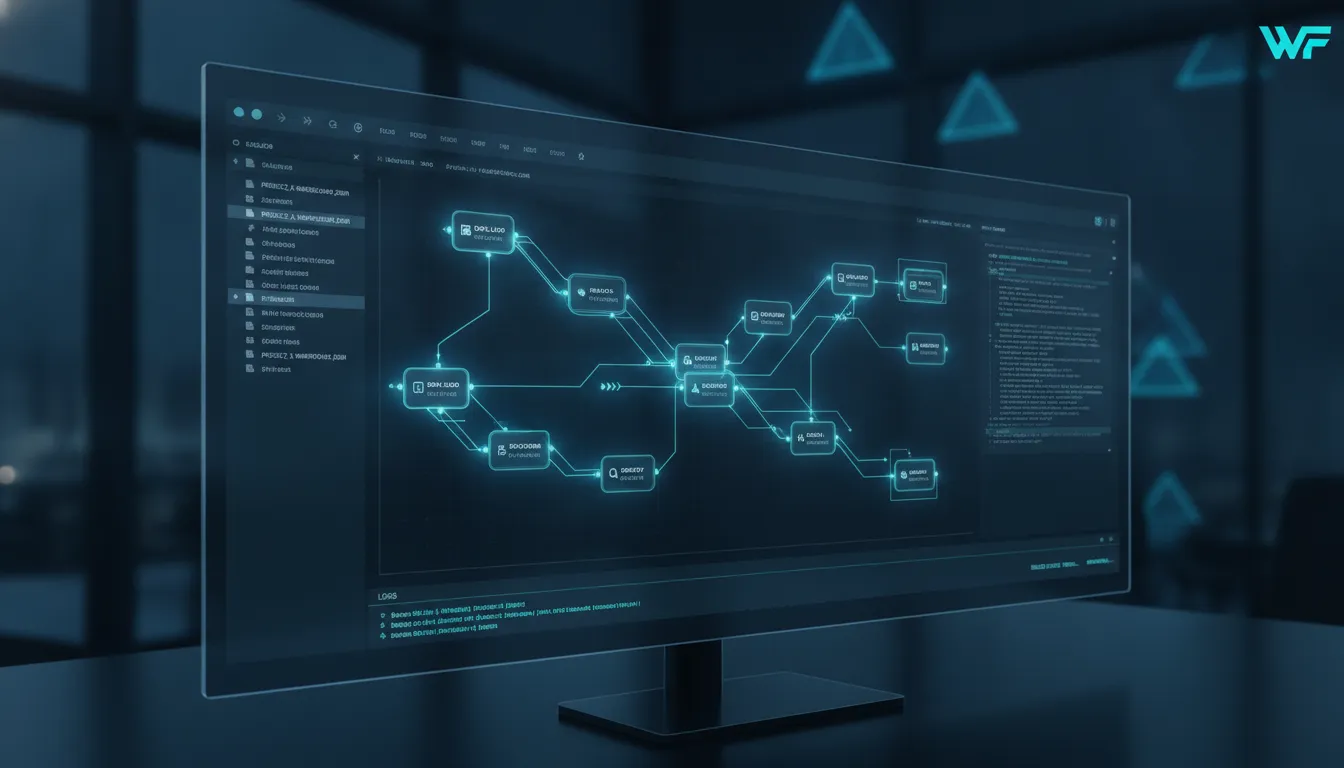
An embeddable workflow engine is a focused software tool that software teams build into their own products to manage complex business rules and task routing. This tool provides a visual process designer and a robust runner that allows your end users to build their own custom business processes without needing to write code. By using a pre-built engine, your company can skip the high cost of manual builds while focusing on unique features that your customers need. According to Embed Workflow, using a dedicated engine allows software vendors to add advanced automation tools to their SaaS products in a few days instead of many months. These tools also offer white-labeling options to ensure the automation platform matches your existing brand.
What is an Embeddable Workflow Engine?
An embeddable workflow engine is a software part that lives inside another app. It helps software builders add complex process steps to their tools. Unlike a standalone system, this engine works as a core part of your own code. It runs behind the scenes to manage tasks, data flow, and user actions. This setup lets your users automate work without ever leaving your product UI.
Internal versus external systems
Most workflow tools work as separate apps. They need their own logins, servers, and data stores. An embedded engine is different because it shares your app resources. It uses your database and security rules. This makes the user experience smooth and fast. Developers can add automation capabilities to their own products in days instead of months. This speed helps teams ship new features to their customers much faster than building a custom engine from scratch.
Process mapping and visibility
Visibility is a key part of any process tool. Modern engines include a visual map that shows how work moves from start to finish. This map helps users see where a task stands and what comes next. Experts find that visualization of business processes is critical for people to adopt and understand a new system. When users can see the logic flow, they trust the automation more. A visual map acts as a clear guide for both technical and non-technical staff.
Enterprise grade features for developers
A true enterprise engine handles more than just simple tasks. It supports complex logic, many users, and high data loads. For software vendors, this means having a tool that grows with their client base. It must offer deep links via APIs and a strong SDK for .NET apps. These tools let developers customize the engine to match the look and feel of their brand. By using a pre-built engine, you get a stable, tested system that is ready for big business needs right away.
Build vs. Buy: The Workflow Engine Dilemma
When you need to add automation to your software, you face a big choice. You can build a custom engine or buy embeddable workflow software. Building from zero gives you total control, but it takes a long time. Most teams find that buying an engine is the best way to move fast and save money.
The cost of building
Building a workflow engine is hard work. It takes many months of coding and testing. Teams often spend a lot of time on trial and error to get the logic right. Using a pre-built engine can save over 50,000 Euros and many months of work. This high cost comes from the need to build complex parts like visual tools and flow runners from scratch.
Time to market and risk
Speed is key for software firms. A custom build might take six months or more to finish. An embeddable engine can be ready much sooner. This helps you ship your product and start earning money faster. Also, building your own tool carries risk. If the main coder leaves, the tool can become hard to keep up. A bought engine comes with support and regular updates to keep it running well.
| Feature. | Build Custom. | Buy Embeddable. |
|---|---|---|
| Setup Time. | 6 to 12 months. | Days or weeks. |
| Upfront Cost. | High dev hours. | License fee. |
| Maintenance. | Internal team. | Vendor managed. |
| Visual Tools. | Must build new. | Ready now. |
| Risk Level. | High logic risk. | Low proven tech. |
Focusing on core value
Your team should spend time on the things that make your product unique. A workflow engine is a complex part, but it is often not your main selling point. By buying an engine, you let your experts focus on the features your users love. This shift leads to better products and happy customers in the long run.
Key Architecture Features to Look For
A good embeddable workflow engine must be easy for your team to use. It should let your staff build and run tasks without writing new code. Most people now want to see their work in a clear way. In fact, about 80% of users need to see workflow changes without asking a coder for help. This focus on clear design helps teams work faster and stay agile.
Designing with a Visual Canvas
The visual canvas lets you draw a map of your tasks from start to finish. You can use it to build complex flows in minutes by dragging parts into place. It should be easy for both coders and non-coders to use. This helps everyone on your team stay on the same page while they work. You can see the whole logic of your business in one view. This makes it easy to find errors before you go live.
Modern tools often include an auto-save tool to keep your work safe. This means you will not lose your progress if your web browser or app closes by mistake. Software robots now handle many rule-based tasks. Using an engine helps manage these repeating tasks with speed. This allows your staff to focus on hard work that needs a human touch.
Managing Dynamic Node Properties
Each step in your flow needs its own rules to tell it what to do. A dynamic properties panel lets you set these rules for each node. You can change how a node works without touching the rest of the flow. This helps you fine-tune each part of your process to get the best result. It makes your workflow engine flexible and strong. A clear design makes these robots easier to set up and track over time.
Key Steps for Process Design
- Start with a visual canvas. Draw your process from start to finish. This helps you see the whole flow at once.
- Pull from a node library. Select pre-built steps like sending emails to speed up your work.
- Use a properties panel. Set the rules for each node. A dynamic panel shows only the options that matter.
- Run with a flow runner. Once your design is ready, the runner takes over to make sure tasks happen in order.
- Set a read-only mode. Let others view the workflow without making changes. This is great for teams that need to check work.
Ensuring Stable Running
A strong flow runner is the heart of your system. It carries out the rules you set on the canvas with high speed. It must be fast and trusted to keep your SaaS app running well. You also want a system that works well with your current tech stack. FlowWright offers a workflow automation engine that fits right into .NET apps to help you grow.
Safety is just as vital as speed when you are running a business process. Use read-only tools to protect your live flows from unwanted changes. This prevents small mistakes from breaking big processes that your users rely on. When you pick an engine, look for these traits to save time and money. A well-built engine will help your business adapt to any change in the market.
Multi-Tenancy and White-Labeling for Software Vendors
One Brand Look
Software vendors often need a way to keep their product looking and feeling like one tool. An embeddable workflow software tool lets you match the look of the engine to your brand. This means the visual builder and user dashboard use your colors, logos, and fonts. By using white-label tools, you can add new features without making your users feel lost. They get a smooth feel that is an easy part of your app. This focus on brand helps your product look clean and expert.
It makes sure that your users stay inside your own space. They never have to leave your tool to manage their work. This builds trust and keeps people using your software. White-labeling is not just about logos. It is about a one-tool feel. When you embed a workflow engine, you want it to look like you built it from scratch. This helps with user buy-in. If the tool looks different, users might get wary. A white-labeled tool keeps everything in-house. This gives your clients peace of mind. It also makes your sales team's job easier. They can show off a full suite of tools that all look the same. This adds value to your product and makes it worth more.
Secure Multi-Tenant Structure
For SaaS firms, keeping data safe is the top goal. A good workflow automation engine must handle many clients at once. This is called multi-tenancy. It lets you run one engine while keeping each client's data in its own space. This setup saves money and time on server costs. It also keeps client data safe so that one user cannot see another's work. Many large firms use these tools to support business process agility across many apps at once.
This structure gives you the power to grow your user base. You can add hundreds of new clients without building new server sets for each one. The engine scales as you grow. It handles the load so your team can focus on other tasks. This makes your growth both fast and safe. Doing many tasks on one platform is a big job. A multi-tenant engine handles this for you. It uses a single core to run many tasks for many clients. Each client gets their own space, but you only have to manage one engine. This keeps your tech stack simple. It also makes updates easy. When you update the engine, all your clients get the new features at once.
Support for Non-Technical Users
Many people who use software do not have coding skills. They need to change how their business works without writing code. An embeddable workflow engine gives them a visual way to build and manage their own tasks. This saves your dev team from having to make small changes every time a client has a new need. Instead, users can drag and drop blocks to make their own rules. This no-code way of working helps people at all levels do their jobs better. It makes your software more useful to more people in a firm.
When users can build their own flows, they feel more in control. This leads to higher user ratings and less work for your help team. It also lets your team ship new features faster because they are not stuck on minor client needs. Giving users the power to build their own flows changes how you work. It turns your software from a fixed tool into a living platform. Clients can adapt the software to their own business rules. They do not have to wait for you to build a new feature. This speed is key in today's fast world. It allows your clients to react to new trends in days, not months. This makes your software a must-have tool for any new firm.
Integrating a .NET Embeddable Engine Into Your Architecture
Adding an embeddable workflow engine to your app lets you build process automation in days instead of months. Many software teams find that connecting a pre-built tool is much faster than coding a custom engine from scratch. While the work is fast, you must plan your system to support long-term growth and high use.
Setting up the data store
The first step in any live setup is the database setup. Your engine needs a stable place to store process maps, current task states, and logs. A robust embeddable workflow engine often supports major SQL databases to keep data safe. Proper data storage is vital because it lets the system recover after a restart or crash without losing active process data.
Experts note that the hard part of connecting new tools with old systems often slows down digital change. According to research on business process management suites, setup issues are a top factor for project failure. Starting with a clear data plan helps you avoid these common roadblocks as you grow your automation.
Configuring the engine runner
Once your data store is ready, you must set up the flow runner within your .NET setup. This part acts as the heart of the system. It reads process maps and runs each step. In a modern setup, you can often finish this work in about one hour by following five simple steps. This involves adding the engine tools to your project and setting the rules for your workflows.
You should also focus on how the engine talks to your existing code. Use a full SDK or REST API to start workflows from your UI or other backend services. This setup ensures that your app stays fast and can adapt to new market needs quickly. By handing off routine tasks to the engine, your team can focus on solving complex business problems instead of managing process logic.
Deploying and testing the setup
The final phase involves putting the engine into your test and live setups. You must verify that the engine can handle many users at once if you are building a SaaS product. Testing should include visual checks to ensure each process step runs as expected. A well-built engine should feel like a native part of your app rather than a separate tool.
- Connect the engine to your main app database for smooth data flow.
- Open process endpoints through your internal API layer.
- Turn on audit logs to track every process change and user action.
- Run speed tests to ensure the engine handles many tasks at once.
Frequently Asked Questions
How long does it take to integrate a pre-built workflow engine?
Adding a pre-built workflow engine to a new or old app is a fast process. Most software teams can finish the setup in about one hour. The work involves five simple steps to connect the engine to your database and set up the runner. This speed helps companies add new features quickly without spending months on build work. According to OptimaJet, this method is a much faster way to launch tools in a live environment.
Can business users modify workflows without help from developers?
Yes, most modern engines allow staff to manage their own business processes. About 80 percent of enterprise users need to see and change process blocks without asking a programmer for help. These tools use visual designers that work like a simple drawing board. This allows teams to adapt to market changes fast. Using a no-code interface ensures that the software stays flexible for all types of users.
How much money can a software company save by purchasing a workflow engine?
Buying a pre-built engine helps software firms avoid high costs and long wait times. Teams can save about 54,000 dollars by skipping the trial and error of building a custom tool from scratch. This path also reduces the need for long-term upkeep. By using a ready-made part, a company can focus its budget on core product features instead of basic tech. This choice leads to a better return on funds and a faster time to market.
Does an embeddable workflow engine support custom branding?
Yes, white-labeling is a standard feature for these tools. Software vendors can change the colors, logos, and fonts to match their own brand look. This makes the workflow builder feel like a native part of the host app. According to EmbedWorkflow, these engines allow for deep branding so the end user never knows they are using a third-party part. This level of change is vital for keeping a steady user experience across the whole platform.
Ready to speed up your software development cycles?
Building your own workflow engine takes too much time and costs a lot of money. Each day you spend on this task is a day your team is not working on your main product. If you wait too long, you might lose your edge in the market while your rivals move ahead. You can avoid these big risks by using a tool that is already built and tested. Starting today lets you give your users high-grade workflow tools in just a few weeks. This path saves you from years of hard work and keeps your budget on track.
Ready to see how our engine fits your product? Get Demo to talk to a workflow expert today.
















