
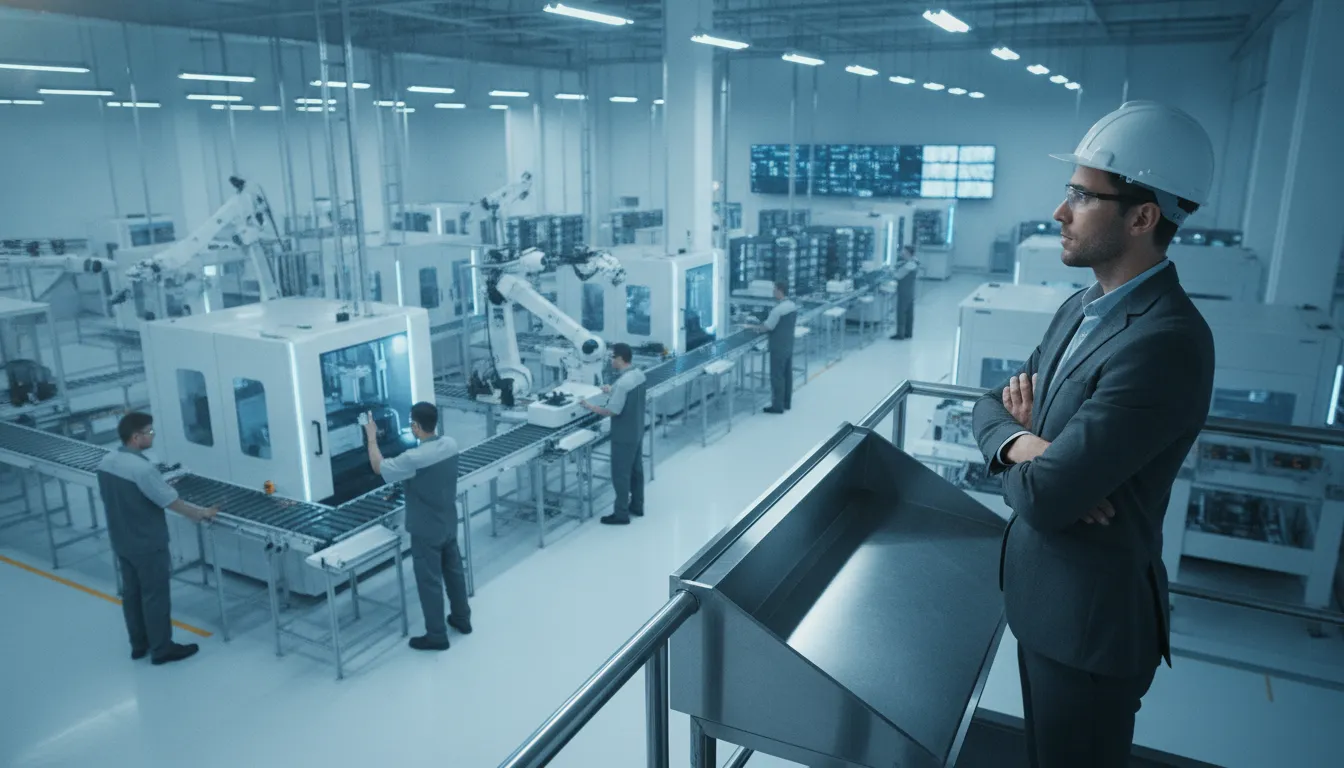
Manufacturing execution rarely breaks in one obvious place. A supplier specification can wait for approval, a quality exception can sit between systems. Or a change request can move forward without the people who need to act on it. Each delay may look minor, but together they create missed production windows, avoidable risk, and manual coordination that is difficult to see from an ERP dashboard alone.
A business process monitor shows how operational work is performing as it happens. It tracks process activity and key performance indicators, highlights stalled or abnormal steps. And gives operations leaders the context needed to correct issues before they affect throughput, compliance, or customer commitments.
That real-time view matters because monitoring is not separate from manufacturing control. NIST identifies monitoring, diagnostics, and prognostics as essential to the health and performance of smart manufacturing systems. While its process-monitoring guidance describes monitoring as fundamental to keeping processes within desired specifications. In practice, the goal is not to collect another layer of alerts. It is to connect signals across the systems and teams that execute the operation, then make the next action clear.
The distinction becomes especially important when a manufacturer already has ERP, workflow, automation, and AI tools in place. Those tools may each report on their own activity, yet none may show where an end-to-end business process is losing momentum. Understanding what a business process monitor actually measures, how it exposes bottlenecks, and how it supports corrective action starts with a precise definition.
What Is a Business Process Monitor?
A business process monitor is an operational control layer that watches how a workflow is executing while work is still in motion. It follows the complete path of a process across people, systems, documents, approvals, data exchanges, and AI-driven steps. Instead of showing only what a process is supposed to do, it shows what is actually happening now.
That distinction matters in manufacturing. A static flowchart may document the intended sequence for a product change, supplier approval, quality exception, or maintenance request. It cannot tell an operations leader that a task is waiting on an overloaded reviewer. A document failed validation, an integration returned incomplete data, or an AI step routed an exception for human judgment. A monitor connects those execution events so the leader can see where the process is healthy, where it is slowing, and where intervention is needed.
From process map to supervisory cockpit
The most useful comparison is a supervisory cockpit for operations. A cockpit does not replace the machines, control systems, or people performing the work. It brings their current signals into a view that supports timely decisions. In the same way, a business process monitor does not need to replace an ERP, workflow application, integration service, or AI tool. It observes the handoffs among them and presents the operational state of the end-to-end workflow.
That view should answer practical questions such as:
- Which active work items are on schedule, at risk, or stalled?
- Where are people waiting for information, approval, or an exception decision?
- Which system or document handoff is creating delay or rework?
- What is the current status of a high-priority process, not just its average historical performance?
This real-time perspective turns monitoring into an execution capability. Business process monitoring provides visibility into workflow performance and lets teams track KPIs as processes execute, rather than waiting for a retrospective report. See the business process monitor metrics that support this operational view.
Why monitoring is fundamental to manufacturing control
Manufacturing leaders already use monitoring to keep physical and production processes within desired specifications. NIST describes process or product monitoring and control as fundamental to manufacturing control, because it helps ensure operations remain within those specifications: NIST guidance on process and product monitoring. NIST also identifies monitoring, diagnostics, and prognostics as essential to the health and performance of smart manufacturing systems: NIST smart manufacturing monitoring guidance.
The same discipline applies to the business processes surrounding production. If a quality disposition, engineering change, supplier document, or compliance review is part of delivering an outcome, its execution condition is operationally important. A business process monitor makes that condition visible across the full chain. Giving teams the context to diagnose issues and act before a local delay becomes a missed commitment.
How Does a Business Process Monitor Surface Bottlenecks in Real Time?
A process rarely fails at the point where the final delay becomes visible. In manufacturing, a product launch may appear late because a supplier specification mismatch is waiting on approval. While the real cause is a stalled handoff between procurement, engineering, and quality. A business process monitor follows those handoffs as work moves across ERP transactions, AI-assisted decisions, robotic tasks, and manual approvals. It shows where execution slows instead of asking teams to reconstruct the problem after the deadline has passed.
Effective process monitoring surfaces bottlenecks by identifying where tasks stall and giving operations leaders enough context to take corrective action. That requires more than a status dashboard. The monitor must connect the live state of each workflow with analytics that explain the delay and optimization capabilities that help teams improve the path. This combination of workflow observability and process monitoring turns an isolated exception into an actionable operational signal.
What signals indicate a stalled step?
The monitor evaluates the expected behavior of each step, then compares it with what is happening now. A step that exceeds its allowed processing time can trigger a real-time alert. A growing queue can indicate that a downstream team, system, or approval stage cannot absorb incoming work. Repeated operator flags can reveal a problem that is not captured by elapsed time alone. Such as unclear instructions, missing supplier data, or an exception that requires specialist review.
- Threshold breaches: A task remains open longer than its defined service or cycle-time threshold.
- Queue build-up: Work accumulates at one step while later stages remain underused.
- Operator flags: A person marks a transaction, document, or handoff for attention.
- Cross-system gaps: An ERP update, RPA action, or AI recommendation does not produce the expected next event.
How does monitoring support corrective action?
Context is what makes an alert useful. Instead of reporting only that a workflow is late, the monitor should show the affected process. Current owner, preceding and following steps, and the condition that caused the alert. Leaders can then reroute work, resolve a missing input, assign an approval, or investigate a system handoff while the issue is still recoverable.
This visibility also helps distinguish a one-time exception from a recurring constraint. If supplier specification mismatches repeatedly stop engineering approvals, the organization can address the intake rule or validation step rather than repeatedly escalating individual cases. For manufacturers, monitoring and control are fundamental to keeping processes within desired specifications, as NIST explains. Real-time detection therefore supports both faster execution and more disciplined operations.
What KPIs Should a Business Process Monitor Track?
The right metrics turn operational visibility into action. A business process monitor should show how work moves through each workflow, where it waits, and whether the result meets the required standard. Real-time visibility lets teams track KPIs as processes execute, rather than waiting for a monthly report to reveal that orders, approvals, or production changes are already behind schedule. See the full view of business process monitor metrics for how this operational data can be organized.
Start with a consistent baseline across the enterprise, then add measures specific to each process and plant. The most useful KPI set usually includes:
- Cycle time: The elapsed time from process start to completion. Segment it by product, site, workflow stage, or order type to expose slow steps.
- Throughput: The number of orders, cases, units, or other work items completed in a defined period.
- Queue length: The amount of work waiting for a person, machine, system, or approval. A growing queue is an early signal of constrained capacity.
- SLA compliance: The percentage of process instances completed within the agreed service level or required deadline.
- Error and rework rate: The share of items requiring correction, resubmission, inspection, or another pass before completion.
- Lead time: The total time from the initial request or order through final delivery, including waiting and handoffs.
- Touch time: The time people or systems actively spend working on an item, separated from idle time.
- Cost per process: The labor, system, material, and exception-handling cost associated with completing one process instance.
- Exception rate: The percentage of instances that leave the standard path because of missing data, policy violations, equipment conditions, or unusual decisions.
Manufacturing KPIs need an outcome layer
For manufacturers, workflow metrics should connect to production and customer outcomes. On-time delivery shows whether completed work reaches the customer as promised. First-pass yield measures the share of units that meet requirements without rework or repair. Work-in-process shows how much inventory or partially completed work is consuming capacity while moving through production.
These measures are most valuable when viewed together. High throughput with falling first-pass yield may indicate that speed is creating quality problems. A stable cycle time with rising work-in-process can point to upstream scheduling or downstream capacity constraints. Monitoring and control are fundamental to keeping manufacturing processes within desired specifications, according to NIST guidance on process monitoring. The goal is not to collect every possible metric. It is to connect execution signals to decisions that improve delivery, quality, compliance, and capacity.
Business Process Monitoring vs. Process Mining: What Is the Difference?
Business process monitoring and process mining both help operations teams understand how work moves through an organization, but they answer different questions. Monitoring shows what is happening now. Process mining examines what happened over time so teams can understand patterns, variation, and opportunities to improve the process itself.
That distinction matters on a manufacturing floor. If a quality approval is waiting too long, a business process monitor can surface the active delay while the order is still at risk. Process mining can later analyze months of event data to show whether the delay is isolated or tied to a recurring handoff, product family, plant, or supplier.
Business process monitoring focuses on live execution.
- Primary question: What is happening in the process right now?
- Data used: Current workflow events, task status, exceptions, queues, and operational KPIs.
- Best for: Detecting stalled work, missed service levels, compliance exceptions, and emerging execution risks.
- Manufacturing example: A production change request is waiting for engineering approval, putting a scheduled release at risk. The monitor flags the aging task and routes attention to the responsible team.
Monitoring is especially valuable when the cost of waiting is high. Teams can watch active orders, supplier approvals, maintenance requests, inspection workflows, or corrective actions as they move through connected systems. In smart manufacturing, monitoring and diagnostics are recognized as essential to system health and performance by the National Institute of Standards and Technology. Process and product monitoring are also fundamental to keeping manufacturing operations within desired specifications, according to NIST guidance on manufacturing control.
Process mining focuses on historical behavior.
- Primary question: How did the process actually run, and where can it be improved?
- Data used: Historical event logs from systems such as ERP, manufacturing execution, quality, service, and workflow applications.
- Best for: Reconstructing the process, finding repeated deviations, comparing intended and actual paths, and prioritizing improvement work.
- Manufacturing example: A manufacturer reviews a year of purchase-order events and finds that material approvals take longer when specifications require a second review. The team can redesign that path or clarify the decision rules.
Process mining is therefore an analytical discipline. It can reveal that a process designed to follow one route regularly takes several alternate paths. That insight helps leaders address root causes, such as unclear ownership, excessive approval steps, inconsistent data, or a system integration that requires manual intervention.
Why use both?
Monitoring and mining work best as a continuous improvement loop. Process mining identifies recurring sources of delay and variation. The organization then changes the process, integrations, or responsibilities. A business process monitor watches the updated process in production and confirms whether performance improves. If new exceptions appear, those events become input for the next analysis cycle.
For manufacturers, this combination connects long-term process improvement with immediate operational control. Monitoring protects today's throughput and commitments. Mining helps build a more reliable process for tomorrow. Together, they provide visibility into both the live execution problem and the structural conditions causing it.
Why Manufacturers Still Lack End-to-End Operational Visibility
Most manufacturers do not lack technology. They have an ERP for core transactions, workflow tools for approvals, RPA for repetitive actions, and increasingly AI for analysis and decision support. The problem is that these systems often operate as separate islands. Each can report on its own work, but none provides a complete view of how an order, change, exception, or quality issue moves across the business.
That gap creates an execution problem, not an automation problem. A production delay may begin with a supplier specification, pass through engineering review, wait for a quality decision, and then require an update in planning or the ERP. If each handoff is tracked in a different system, leaders see fragments of the event rather than the operational chain. They may know that a task is late, but not which dependency caused the delay, who owns the next decision, or what downstream work is at risk.
Why system ownership creates blind spots
Departments naturally optimize around the systems they own. Manufacturing monitors production activity. Quality tracks inspections and deviations. Engineering manages changes. Procurement follows suppliers and materials. Finance and customer operations maintain their own records and controls. Those views are useful, but they rarely line up around the end-to-end process that the customer experiences.
Manual coordination fills the gaps. Employees reconcile spreadsheets, send status emails, check multiple queues, and ask colleagues for updates before a decision can move forward. Over time, these workarounds become an unofficial integration layer. They consume attention, introduce inconsistent data, and make it difficult to distinguish a genuine process bottleneck from a reporting delay.
Visibility is part of manufacturing control
This is why monitoring must be treated as an operational capability, not merely a dashboard project. The National Institute of Standards and Technology describes monitoring, diagnostics, and prognostics as essential to the health and performance of smart manufacturing systems: NIST explains the role of monitoring in smart manufacturing. Its engineering statistics handbook also identifies process and product monitoring as fundamental to manufacturing control, helping ensure that operations remain within desired specifications: NIST's manufacturing control guidance.
A practical business process monitor connects those execution signals across systems and departments. It can show where work is waiting, which exceptions remain unresolved, and how one decision affects the next stage. The goal is not to replace the ERP, workflow, RPA, or AI tools already in place. It is to give operations leaders one governed view of how those tools work together. So they can act before a local delay becomes a production, compliance, or customer problem.
How FlowWright Delivers Real-Time Operational Visibility
Manufacturing visibility is only useful when it reflects what is happening now, across the systems that run the operation. FlowWright acts as the orchestration layer between those systems, connecting ERP, AI, workflow, and RPA tools into one governed business operation. It does not require manufacturers to replace the investments they already depend on. Instead, it coordinates execution so teams can see where work stands, identify exceptions, and respond before a delay becomes a larger production or compliance issue.
Monitor execution across connected systems
A business process monitor should show more than whether an individual task is complete. It should reveal how work is moving across an end-to-end process, including the handoffs between applications, departments, suppliers, and production teams. FlowWright's automated business process monitoring provides that operational view while supporting multi-tenant, white-label workflow automation. That makes it suitable both for internal manufacturing operations and for organizations embedding governed process capabilities into their own products and services.
For operations leaders, the practical benefit is a shared view of execution. A supplier specification mismatch, approval delay, or exception in a downstream system can be surfaced in the context of the broader process rather than isolated inside one application. Teams can then focus attention where intervention is needed instead of manually reconciling status updates across disconnected tools. Explore FlowWright's automated business process monitoring features to see how monitoring, workflow automation, and enterprise process execution fit together.
Adapt processes without losing the operational view
Manufacturing processes rarely remain static. Product configurations change, quality rules evolve, and a sub-process may need different steps based on conditions discovered during execution. FlowWright dynamic sub-workflows address this reality through runtime morphing. A running process can adapt its path to the situation at hand. Helping the orchestration layer reflect the actual work rather than forcing every case through a rigid sequence.
FlowWright also supports Push Design Changes, which lets teams update running instances without restarting them. This is important when a process change must take effect while work is already in flight. Operations can improve or correct the process without discarding current execution context, reducing disruption and preserving visibility into active work. Together, dynamic sub-workflows and Push Design Changes help manufacturers respond to operational variation while maintaining a governed record of how work is progressing.
Scale visibility with the operation
Real-time visibility must remain dependable as transaction volume grows. FlowWright has supported production environments processing more than 300,000 files per week, demonstrating that orchestration and monitoring can operate at substantial scale. The result is a foundation for improving compliance, managing transaction growth, and giving leaders a current view of execution across complex manufacturing operations.
Frequently Asked Questions
What is business process monitoring?
Business process monitoring tracks workflows while they run, giving operations teams visibility into current performance, pending work, exceptions, and key performance indicators. In manufacturing, it helps connect events across systems so leaders can see whether work is progressing as expected instead of waiting for a retrospective report.
How does a business process monitor help identify bottlenecks?
It compares expected process movement with actual execution, highlighting stalled tasks, growing queues, repeated handoffs, and exception paths. Teams can then trace the delay to a specific step, role, system, or dependency and take corrective action before the issue affects downstream production or delivery.
Which KPIs should be tracked when monitoring business processes?
Start with metrics tied to the operational outcome: cycle time, throughput, queue age, work-in-progress, completion rate, exception volume, rework, SLA attainment, and first-pass accuracy. Segment each KPI by plant, product, supplier, process stage, or exception type so an acceptable average does not hide a localized constraint.
Why is real-time monitoring important in manufacturing?
Real-time visibility gives teams an opportunity to intervene while a process is still recoverable. It can expose specification deviations, approval delays, supplier issues, or compliance exceptions early. NIST identifies monitoring, diagnostics, and prognostics as essential to the health and performance of smart manufacturing systems: NIST monitoring guidance.
How does process monitoring differ from process mining?
Process monitoring focuses on what is happening now or what requires immediate attention during execution. Process mining generally analyzes historical event logs to reconstruct how work happened and identify longer-term improvement opportunities. Manufacturing teams often benefit from both: mining informs redesign, while monitoring supports daily control.
Ready to see operational visibility in action?
A business process monitor can help your team move from scattered status updates to a clearer view of where work stands and where intervention may be needed. See how FlowWright connects the systems behind your operation and supports more informed execution. Get a demo to explore the approach with our team.
















