
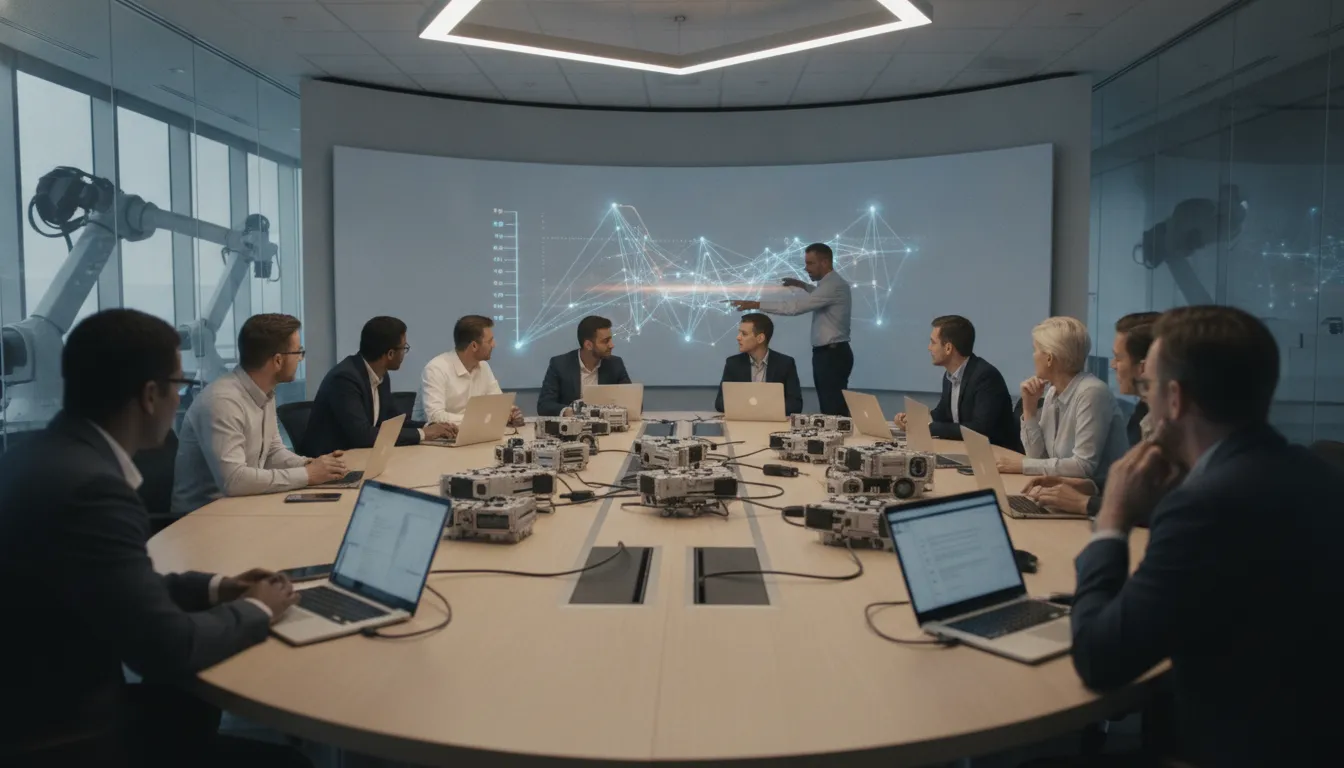
Complex programs rarely fail because someone forgot to create a task. They slow down when a dependency changes, an approval lacks evidence, or a handoff crosses teams and systems without a clear owner. The right execution model makes those moments visible and gives each path a governed next step.
Project management workflow software connects plans to governed execution by coordinating dependencies, stage gates, approvals, handoffs, reporting, and exceptions. It helps program teams move work across people, documents, APIs, and business systems while preserving ownership, rules, and an audit history for critical decisions.
That distinction matters when a program involves multiple departments, locations, vendors, or regulatory controls. Start by separating a project plan's timeline from the workflow logic that determines what can happen next.
What Is Project Management Workflow Software?
Project management workflow software connects plans to governed execution. It turns milestones, dependencies, approvals, handoffs, and exceptions into a defined process that people and systems can follow. Unlike a static project plan, it helps coordinate work across teams, documents, APIs, and business systems while preserving the controls needed for complex programs.
A project plan answers important questions: What must be delivered? Who owns each task? When should the work finish? Those planning artifacts are useful for establishing scope, timelines, resources, and milestones. They do not always define what happens when a prerequisite is late, a document is missing, data conflicts, or a reviewer rejects an output.
Workflow software adds the execution layer. It represents the path work should take, including dependencies, approvals, business rules, handoffs, exception routes, audit history, and reporting. That distinction matters in an enterprise program where progress depends on several departments, applications, vendors, or locations. A task marked complete is not necessarily enough. The next step may require evidence, a specific approval, a data check, or a controlled transfer to another team.
For example, a technology rollout may begin with a project schedule and a set of assigned tasks. A governed workflow can route readiness evidence to the right reviewers. It can hold downstream work until prerequisites are met and send incomplete information to an exception owner. The project plan remains useful as a planning view. The workflow provides the operational rules that make execution consistent.
This does not mean workflow software has to replace the tools an organization already uses. A practical approach is to connect people, documents, APIs, AI, and business systems so each can contribute to the process it supports. FlowWright describes this role as making existing systems work together rather than replacing an ERP, AI system, or workflow tool. Its enterprise workflow automation and business process management capabilities are designed for scalable, integrated, and governed operations.
Organizations evaluating this category should therefore look beyond task lists and timeline views. The key question is whether the software can model how work actually moves, enforce the controls that matter, and give teams a clear way to manage exceptions. A business process management platform can provide that broader execution foundation when a program's complexity exceeds what planning artifacts can reliably coordinate.
How Do Dependencies and Stage Gates Keep Complex Programs Moving?
Dependencies define what must happen before the next activity can begin. Stage gates make those prerequisites visible and require the right approval before work advances. Together, they turn a cross-team program into a governed execution path, with conditional routes for exceptions and dynamic sub-workflows when the work changes.
Consider a product launch involving engineering, procurement, compliance, and operations. Engineering may need to complete a design review before procurement can release supplier work. Compliance may need evidence before operations can approve deployment. Instead of relying on status meetings to discover that one team is waiting on another, the workflow records each dependency and controls the handoff.
Make prerequisites explicit
A dependency is more useful when it describes a condition, not merely a relationship between task names. The condition might be an approved design, a received document, a completed test, or a resolved data conflict. When that prerequisite is incomplete, downstream work remains appropriately paused. When it is satisfied, the next activity can be assigned or triggered without manual follow-up.
This model also exposes the operational points where complex programs tend to break down. Missing documents, conflicting data, supplier issues, engineering changes, and compliance exceptions can interrupt execution. Those events should not disappear into email or an informal project update. They should route to an owner with the context needed to resolve them, while the main path waits for a defined decision.
Use gates for controlled decisions
A stage gate creates a deliberate checkpoint between phases. At the launch example's design gate, the responsible reviewers can verify required evidence, approve the next phase, reject the submission, or send it back for correction. A rule can route the outcome based on conditions such as risk, scope, or document completeness. FlowWright supports complex business rules through a business rules engine, allowing the workflow to express those conditions instead of burying them in manual instructions.
Not every program follows one fixed sequence. A low-risk change may move directly to implementation, while a higher-risk change may require an additional compliance review. Conditional paths keep both cases in the same governed process without forcing every request through the most burdensome route. The result is flexibility with a record of why each path was taken.
Adapt the workflow as the program evolves
Large programs often discover new requirements after execution has started. Dynamic sub-workflows can adapt at runtime, so a particular work item can invoke the checks, reviews, or specialist activities it needs. Design changes can also be pushed to running workflow instances without a restart. That matters when a new exception pattern or control must be introduced without abandoning active work.
For teams evaluating project management workflow software, the practical test is simple. Can the process show what is blocked and explain why? Can it enforce the approval required to proceed and adapt when conditions change? If it can, dependencies and gates become operating controls rather than static planning data.
How Should Approvals and Cross-Team Handoffs Work?
Approvals and handoffs work best when each transition has a named owner, defined inputs, visible evidence, and a clear response to exceptions. A governed workflow records who acted, what was reviewed, and what happens next. It can also pass events and data between project teams and existing business systems without forcing every team to abandon the tools it already uses.

A handoff should not be a vague notification that says, "Your turn." It should create an accountable transition from one stage to the next. For example, when an engineering workstream completes a change, the workflow can route the required specifications, test evidence, risk notes, and approval request to the appropriate reviewer. The receiving team knows what it owns and what information is still missing.
Define ownership before work begins
Every approval step needs an accountable role, not just a department name. The process should identify who may approve, who can provide a specialist review, and who must be notified. It should also define what happens when the owner is unavailable, the request is rejected, or the review exceeds its expected window. That structure reduces manual follow-up while preserving human judgment where the decision matters.
For regulated organizations and government agencies, evidence is part of the handoff. Controlled approvals and auditability make it possible to review the decision later, including the request data, supporting documents, comments, timestamps, and resulting action. The goal is not to add paperwork. It is to make the operational record complete enough for oversight and improvement.
Connect systems without creating another silo
Cross-team work rarely lives in one application. An ERP may remain the system of record for financial or operational data. An AI system may classify information or recommend a next step. A project tool may manage team-level planning. The workflow layer coordinates the movement between them. FlowWright's event-driven processing and integration capabilities are designed for this kind of connection, so the process can respond to system events while people handle approvals and exceptions.
That complementary role is important. FlowWright does not replace an ERP, AI, or existing workflow tools. It helps them work together by connecting people, documents, APIs, and business systems around a governed process. Teams evaluating enterprise project management workflows should therefore ask where ownership breaks down today, which evidence is lost between systems, and which transitions need explicit rules.
A strong design makes the next action unambiguous. The right person receives the right inputs, the system records the decision, and an exception follows a known path instead of disappearing into email. That is how approvals and handoffs support execution rather than becoming another source of delay.
What Should Reporting and Exception Handling Reveal?
Direct answer: Reporting should show what is moving, what is waiting, why it is waiting, and who owns the next action. Exception handling should preserve execution history and route unusual cases to the right queue. Teams then have the context to resolve them without reconstructing events from email or spreadsheets.
A useful operational view goes beyond a percentage-complete status. It connects each work item to its current stage, prerequisite, approval, handoff, and exception state. Leaders can then distinguish a genuinely healthy program from one that appears on track because unresolved work is hidden in side conversations.
Make bottlenecks visible before they become escalations
Live status should answer practical questions: Which stage is holding work? How long has it been there? Is the delay caused by a missing document, conflicting data, an approval, or a downstream system? These questions turn reporting into an operating tool. A program manager can focus attention where flow is slowing instead of requesting another round of generalized updates.
Useful dashboards should support different levels of review. An executive view may show work at risk and aging exceptions. An operations view may show queues, owners, and overdue actions. A delivery team may need the specific execution path and inputs that led to a blocked step. FlowWright provides dashboards, reporting, and analytics for automated processes. See workflow reporting and analytics for the related capability overview.
Preserve the evidence behind every exception
Exceptions are normal in complex programs. Missing documents, conflicting data, supplier issues, engineering changes, and compliance exceptions can all interrupt an otherwise defined process. The system should place these cases in an exception queue with the relevant context, rather than treating them as invisible deviations from the plan.
Audit history and graphical execution history help reviewers see what happened, which path ran, and where the case stopped. That traceability matters when an approval must be reviewed, a handoff is disputed, or a regulated process needs evidence of controlled action. For document-heavy examples, workflow exception handling should connect intake, validation, routing, review, and resolution.
Give teams a way to debug the path, not just the symptom
When a workflow is blocked, a static status label rarely explains the cause. Visual debugging can provide breakpoints, variable inspection, and execution views to help technical and operations teams inspect the exceptional path. That makes it easier to separate bad input from a rule condition, integration handoff, or process design issue.
Reporting should also support a decision: intervene, reroute, request evidence, change an assignment, or accept the exception. Dynamic sub-workflows can adapt at runtime. Design changes can be pushed to running instances without a restart. Teams can respond to operational reality without discarding the full execution record. The result is reporting that improves control and prioritization, rather than status theater.
Which Capabilities Matter in Enterprise Project Management Workflow Software?
Direct answer: The right project management workflow software should connect existing systems, support the deployment model your organization requires, protect sensitive process data, and remain adaptable as work changes. It should also give developers practical extension points, clear runtime visibility, and enough control to fit enterprise architecture rather than forcing every program into a fixed task template.
Use the following checklist when evaluating a platform for complex, cross-functional programs.
Can it integrate without creating another silo?
Look for an API-first approach that can connect people, documents, APIs, and business systems in one governed process. Integration should support the handoffs that make a program move, not merely import a task list. It should also complement the systems already in place. FlowWright's positioning is explicit: it does not replace an ERP, AI system, or existing workflow tools. It is intended to make them work together. For a closer look at the available workflow platform features, review how process design, integrations, rules, and reporting fit together.
Does deployment fit the enterprise environment?
Deployment flexibility matters when different programs have different infrastructure, data, or operational requirements. Ask whether the engine can run on one server or across multiple servers, and whether the architecture supports the organization's preferred cloud, on-premises, containerized, or hybrid model. FlowWright's distributed .NET Core workflow engine supports those deployment patterns, including Azure, AWS, Google Cloud, Docker, Kubernetes, and OpenShift. Confirm how monitoring, failover, upgrades, and ownership will work in the target environment before selecting a platform.
Are security and audit controls built into execution?
Security should apply to process access and execution history, not just the login screen. Evaluate role-based access control, audit logging, encryption in transit and at rest, and support for the identity standards your teams already use. FlowWright documents support for OAuth 2.0, SAML, and Active Directory integration. In regulated environments, these controls help teams define who can act, trace what happened, and review process history without relying on scattered email records or manually maintained spreadsheets.
Can developers extend it without rebuilding the engine?
Developer fit is a practical test, especially for teams working with .NET, C#, SQL, and REST APIs. A platform should offer a visual design experience for process owners while giving technical teams useful extension points. FlowWright provides more than 300 out-of-the-box workflow steps and supports custom steps, data types, and business objects. That combination can reduce the need to force unusual business logic into generic tasks or maintain a separate workflow engine from scratch.
Can running work adapt when the business changes?
Enterprise programs rarely follow the original plan perfectly. New requirements, supplier issues, missing information, or policy changes can alter the path while work is already underway. Check whether the platform supports dynamic sub-workflows and controlled design changes at runtime. FlowWright's dynamic sub-workflows can adapt during execution, and design changes can be pushed to running instances without a restart. That capability should be assessed alongside version control, testing, permissions, and audit expectations.
Finally, evaluate how developers diagnose problems. Visual debugging with breakpoints, variable inspection, and execution views can make blocked paths easier to investigate. A distributed architecture and extensible process model give enterprise architects a stronger basis for deciding whether a platform can support the program today and evolve with it. Start with the needs of your architecture team through workflow for enterprise architects.
When Is Governed Workflow Better Than a Project Plan?
Governed workflow is the better choice when a program must coordinate people, systems, documents, approvals, and exceptions, not simply track tasks and dates. A project plan defines intended work. Governed execution defines what happens next, who owns it, what evidence is required, and how the process responds when conditions change.
A project plan may be sufficient for a contained initiative with one team, predictable handoffs, and limited dependencies. Governed workflow becomes more valuable when work crosses locations, departments, applications, or approval authorities. It provides a repeatable operating path while preserving room for exceptions. That distinction matters for enterprises and public-sector organizations, as well as software companies embedding workflow into their products. business process management platform capabilities can provide that execution layer without requiring a replacement for the systems already used to run the business.
Use the following path to decide whether your program needs more than a plan and to establish a practical starting point:
- Map the work across boundaries. Identify every team, location, business system, document, and external dependency involved. If progress depends on email follow-up or someone manually reconciling disconnected systems, document that exposure rather than hiding it in a task description.
- Separate predictable steps from exception paths. Define the normal sequence, then list events that can interrupt it, such as missing information, conflicting records, or a required review. Governed workflow should make those conditions visible and route them to an accountable owner.
- Define control points. For each approval or handoff, specify the decision owner, required inputs, permitted outcomes, and next action. This turns a milestone into an operational gate that can be reviewed and repeated.
- Connect execution to existing systems. Decide where source data lives and which systems should receive updates or trigger downstream work. The goal is coordination across the environment. FlowWright's positioning is explicit: it does not replace an ERP, AI system, or existing workflow tools; it makes them work together. That integration approach supports execution across APIs and business systems.
- Start with one high-friction process. Choose a program where handoffs, approvals, and exceptions currently create measurable delay or rework. Model that process, test the normal and exception paths with the people who perform the work, then expand the pattern to adjacent processes.
The result is not a more elaborate project plan. It is a governed way to move work from one responsible party to the next. Teams get enough context to act and enough traceability to improve the process over time.
Frequently Asked Questions
How is workflow software different from a project plan?
A project plan organizes scope, milestones, resources, and dates. Workflow software governs what happens next: it evaluates dependencies, routes approvals, enforces rules, records handoffs, and sends exceptions to the right owner. Use both when a program needs planning and controlled execution across teams and systems.
Can workflow software handle changes after a program starts?
It should support controlled changes without forcing teams to rebuild the entire process. Look for runtime rules, conditional paths, and dynamic sub-workflows that can adapt when requirements, documents, or stakeholders change. Governance still matters, so changes should remain visible and traceable.
What should teams look for when choosing a workflow solution?
Evaluate dependency logic, approval gates, audit history, exception queues, reporting, integration options, deployment flexibility, security controls, and developer extensibility. The right solution should fit your existing business systems and make ownership clear, rather than creating another disconnected task list.
How do workflow systems improve reporting for complex programs?
They connect status reporting to process execution. Leaders can see where work is waiting, which approvals or handoffs are slowing progress, what exceptions need attention, and how a case moved through the process. That creates a more actionable view than manually collected milestone updates.
Ready to See Governed Workflow in Action?
Complex programs need more than a plan when dependencies shift, approvals require evidence, and exceptions cross team boundaries. A focused walkthrough can help you assess how governed workflow may support execution without losing visibility across the work. Schedule a FlowWright demo to see how it can support your program's dependencies, handoffs, approvals, reporting, and exception handling.
















