
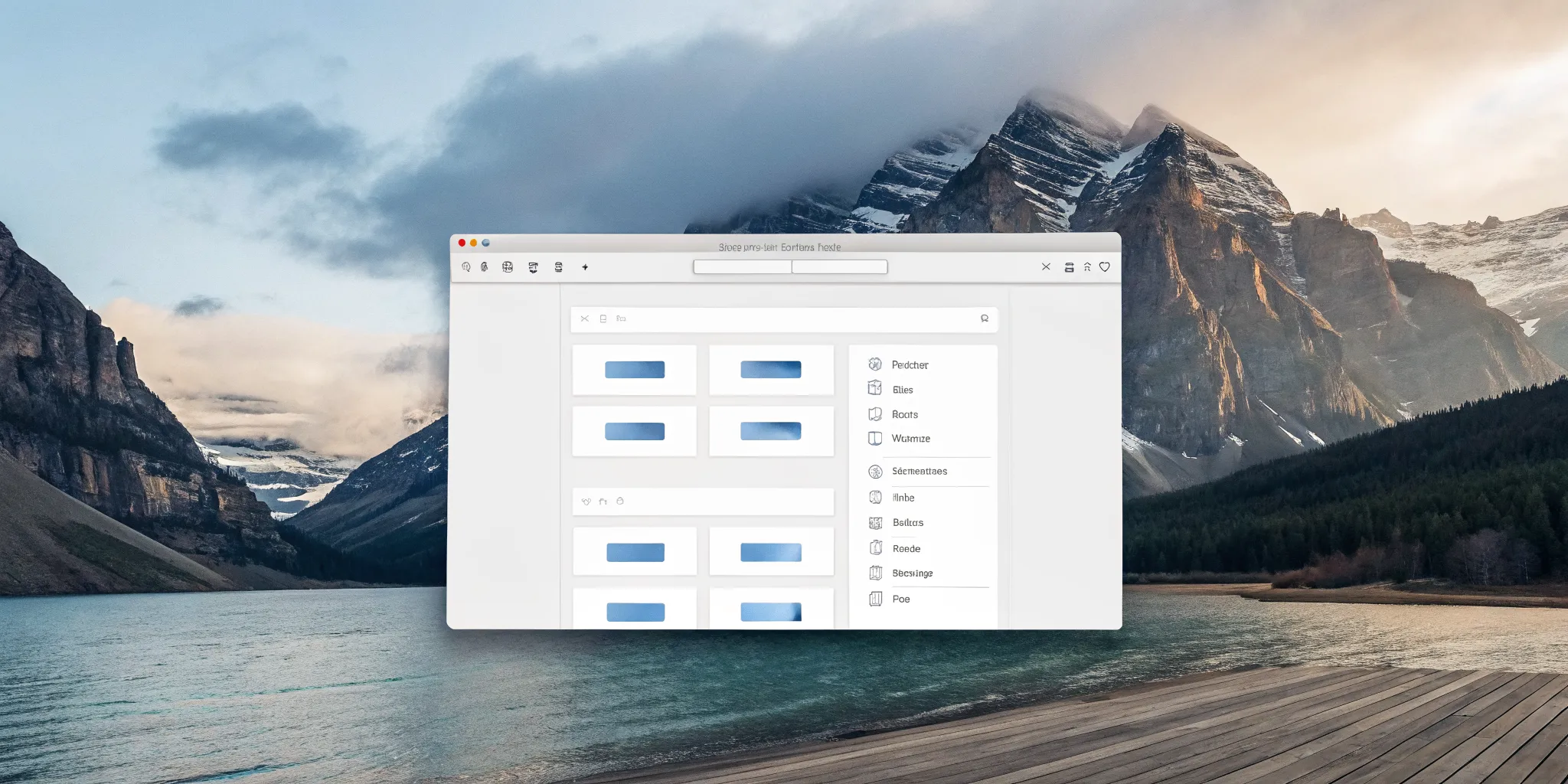
In any large organization, waiting on a developer to build a simple web form can feel like a major bottleneck. An html form builder drag and drop solves this by empowering business teams to create the exact forms they need, right when they need them. This autonomy is a huge step forward, allowing marketing, HR, and operations to move faster. However, true efficiency isn't just about building forms quickly; it's about what those forms can do. When your form builder is part of a larger process automation platform, a simple submission can trigger a series of intelligent actions, from routing approvals to updating databases, turning a simple tool into a powerful engine for business transformation.
Key Takeaways
- Focus on the entire process, not just the form: The best form builders do more than collect data; they use submissions to trigger automated workflows. Evaluate tools based on their ability to turn a simple entry into a complete, automated business action.
- Demand seamless integration with your existing systems: A form builder should act as a bridge, not an island. Prioritize solutions that connect to your databases and applications to eliminate manual data entry and ensure information flows freely across your tech stack.
- Select a solution that scales with your future needs: A simple tool might solve today's problem, but a true enterprise platform offers the deep customization, robust security, and advanced automation required to support your business as it grows.
What Is a Drag-and-Drop HTML Form Builder?
A drag-and-drop HTML form builder is a tool that lets you create web forms without writing code from scratch. Think of it as a visual workshop for building everything from simple contact forms to complex data collection surveys. Instead of wrestling with HTML and CSS, you use a graphical interface to piece your form together. This approach makes form creation accessible to team members who aren't developers, allowing you to build and deploy what you need much faster. It’s a practical solution for anyone who needs to gather information on a website or within an application but wants to skip the steep learning curve of manual coding.
These builders are all about efficiency. They replace the tedious, error-prone process of manual coding with a streamlined, visual experience. This not only saves valuable developer time but also empowers business users, analysts, and marketers to create the exact forms they need, when they need them. By removing the technical barrier, your team can focus on the goal: collecting clean, accurate data to drive business decisions. Whether you're capturing sales leads, processing customer support requests, or conducting internal surveys, a drag-and-drop builder provides a solid foundation for your data collection strategy.
How Do They Actually Work?
The process is as straightforward as it sounds. These builders give you a canvas and a palette of pre-built form elements. You simply drag components like text boxes, dropdown menus, checkboxes, and file upload buttons onto the canvas and arrange them as needed. It’s a lot like building with digital blocks. The best tools offer a wide variety of fields, including more advanced options like signature pads or audio captures. As you build, the tool generates the necessary HTML code in the background, which you never have to touch. This visual method allows for rapid prototyping and iteration, letting you see your form take shape in real time.
Is a Drag-and-Drop Builder Right for You?
If you need to create forms quickly and efficiently, a drag-and-drop builder is almost certainly a good fit. These tools are designed to be user-friendly, empowering anyone on your team to build a functional form in minutes. The real question is about the level of power you need. While simple builders are great for basic tasks, enterprise needs often require more. A highly flexible tool allows you to create custom forms with specific settings and controls that align with your business rules. The right graphical process designer not only builds the form but also connects it to a larger, automated workflow, turning simple data collection into a true business process.
Must-Have Features for Your HTML Form Builder
When you start looking at HTML form builders, you’ll quickly realize they come in all shapes and sizes. While a simple tool might get a basic contact form online, businesses with serious process goals need a builder with more muscle. The right features can mean the difference between a form that just collects information and a form that actively improves your business operations.
A truly effective form builder isn't just a standalone utility; it's the starting point for powerful workflows. It should give you the creative freedom to design forms that perfectly match your brand and data needs, all while connecting seamlessly with the other software that runs your business. From there, it should be able to kick off automated processes that save your team time and reduce manual errors. As you evaluate your options, keep an eye out for a few non-negotiable features. These are the capabilities that separate a simple tool from a strategic business asset, ensuring your forms are not only user-friendly but also scalable, secure, and deeply integrated into your operational fabric.
Flexible Fields and Customization
Your forms should work for your business, not the other way around. A top-tier form builder gives you complete control over the design and layout without forcing you to write a single line of code. Look for a drag-and-drop interface that lets you easily add, arrange, and configure a wide variety of field types, from simple text inputs and dropdowns to more complex elements like file uploads and digital signatures. The ability to customize forms is essential for capturing the exact data you need in a way that feels intuitive for the user. This flexibility ensures you can build everything from a simple contact form to a multi-page application with ease.
Smart Logic and Workflow Automation
A static form is a missed opportunity. Modern form builders should include conditional logic, which allows you to create dynamic experiences that respond to user input in real time. You can show or hide certain fields based on a user's previous answers, guiding them through the form and making the process faster and more relevant. This is the first step toward true workflow automation. Once a form is submitted, it shouldn't just sit in an inbox. A great builder will let you use that submission to trigger a sequence of events, like sending notifications, starting an approval process, or updating a customer record, turning a simple data entry task into an intelligent business process.
Seamless System Integration
Your forms don't operate in a silo, and your form builder shouldn't either. It's critical that your chosen tool can connect with the other systems you rely on every day. Whether you need to send data to a CRM, a project management tool, or a custom database, the builder should make this easy. Look for robust integration capabilities, including pre-built connectors and a flexible API. This allows you to create a unified tech stack where information flows freely between applications. An iPaaS solution embedded within your platform can make these connections even more powerful, eliminating data entry and ensuring a single source of truth across your organization.
Mobile-Ready Design with Live Previews
Today, there's a good chance your users will be filling out forms on their phones or tablets. That’s why your form builder must create responsive, mobile-ready designs by default. The forms should automatically adjust to fit any screen size, providing a smooth and frustration-free experience for every user, on any device. A great time-saving feature to look for is a live preview function. This allows you to see exactly how your form will appear on a desktop, tablet, and smartphone before you publish it. This immediate feedback loop helps you catch design issues early and ensures a polished, professional look across all of your platform's features.
Robust Security and Compliance
Handling data, especially personal or sensitive information, comes with significant responsibility. Your form builder must be built on a foundation of strong security. This includes essentials like data encryption, secure data transmission (SSL), and features that help you manage user access and permissions. For many organizations, compliance with industry regulations like HIPAA or GDPR is also a major concern. A reliable, enterprise-ready platform will provide the tools and assurances you need to meet these obligations. When you choose a solution from a stable and experienced company, you can be more confident that it is regularly updated and maintained to protect against emerging security threats.
Exploring the Landscape of Form Builders
The world of form builders is surprisingly diverse, with tools designed for every skill level and business need. Finding the right one means understanding the different categories they fall into. Some are perfect for quickly adding a contact form to your website, while others are powerful enough to run complex enterprise operations. As you explore your options, you’ll notice they generally fit into a few key groups. Thinking about your specific goals, from simple data collection to full-scale process automation, will help you identify which type of builder aligns with your strategy. Let's look at the main players on the field.
Simple Tools for Basic Needs
If you need a straightforward form and don't have a developer on hand, simple form builders are a great place to start. These tools are built around an intuitive drag-and-drop system that lets you create forms without writing a single line of code. You can easily add fields for names, emails, and comments, making them ideal for basic contact forms, simple surveys, or event sign-ups. While they excel at ease of use, they often lack advanced features. For many small projects or initial data-gathering efforts, their simplicity is their biggest strength, allowing you to get a functional form up and running in minutes.
Design-Focused Builders for Stylish Forms
When your form's appearance is just as important as its function, design-focused builders are the answer. These tools give you granular control over the look and feel of your forms, ensuring they match your brand's aesthetic perfectly. Using a drag-and-drop interface, you can arrange fields and customize colors, fonts, and layouts to create a visually appealing user experience. This is especially important for marketing websites, landing pages, and any public-facing application where brand consistency is key. While they offer great design flexibility, they may not have the deep backend logic or integration capabilities required for more complex business processes.
All-in-One Platforms for General Use
All-in-one platforms offer a middle ground, balancing ease of use with a broader set of features. After you build your form, these tools make it easy to share it through a direct link or embed it directly onto your website. They often come with pre-built templates and some basic workflow capabilities, like sending a confirmation email after a submission. These platforms are designed for general business use and can handle a variety of tasks, from customer feedback to internal requests. However, they can sometimes feel like a jack-of-all-trades but a master of none, falling short when you need deep customization or enterprise-grade automation.
Enterprise-Ready Solutions like FlowWright
For businesses that run on complex processes, a simple form builder isn't enough. Enterprise-ready solutions are designed to tackle this challenge head-on. The real difficulty for large organizations is creating highly customizable HTML structures that can be saved and integrated into larger systems. An enterprise platform provides powerful graphical forms designers that not only capture data but also kick off sophisticated workflows. These tools are built for integration, security, and scalability, allowing you to connect forms to databases, ERPs, and other core business applications. They transform a simple form from a data collection endpoint into the starting point for an intelligent, automated process.
Weighing the Pros and Cons of Drag-and-Drop Builders
Drag-and-drop builders are everywhere, and for good reason. They promise speed and simplicity, letting you create functional forms in minutes. But as with any tool, what you gain in one area, you might give up in another. It's smart to look at both sides of the coin before you commit to a solution, especially when you're building something that needs to connect with your core business systems. Let's break down the real-world benefits and potential headaches so you can choose the right path for your project.
What You'll Love
The biggest win with a drag-and-drop builder is its intuitive, user-friendly interface. You can assemble a form just like you’re building with blocks, dragging fields and arranging them visually. This makes it incredibly fast to get a form up and running without writing a single line of code. For simple projects or teams with limited development resources, this is a game-changer. The ability to quickly create and modify forms allows you to be more agile. This approach is a key part of many modern low-code platforms that empower business users to build their own solutions.
What to Watch Out For
The simplicity that makes drag-and-drop builders so appealing can also be their biggest limitation. While they offer some customization, you might hit a wall when you need to create a very specific HTML structure or apply complex business logic. The real challenge often appears when you try to make the form talk to your other systems. Getting a standalone builder to integrate smoothly with your existing databases, applications, and workflows can be difficult. This is where you need to think about whether a simple form tool can support your larger process automation goals or if it will create more work in the long run.
Your Evaluation Checklist: How to Compare Options
When you start looking at different HTML form builders, the options can feel overwhelming. Every tool promises to be the easiest, fastest, or most powerful. To cut through the noise and find the right fit for your organization, it helps to have a clear evaluation checklist. Think of this as your guide for comparing apples to apples. A great form builder isn't just about creating a form; it's about creating a tool that fits your workflow, integrates with your systems, and can handle the demands of your business as it grows. Let's walk through the key areas you should focus on.
User-Friendliness
A user-friendly interface is more than just a clean design; it’s about efficiency. The right tool should feel intuitive from the moment you start using it, allowing anyone on your team to create forms quickly without needing to read a dense manual. Look for a smooth drag-and-drop experience where you can easily add, remove, and rearrange fields. The real test is whether a non-technical team member can build a functional form. When the interface is logical and straightforward, it empowers your entire team to be more productive. This principle of intuitive design is what makes a powerful graphical designer so valuable for building not just forms, but entire processes.
Depth of Customization
While simplicity is great, your form builder shouldn't be restrictive. Your business processes are unique, and your forms should reflect that. A basic builder might be fine for a simple contact form, but enterprise needs require a tool that is flexible enough to create custom forms with many different settings and controls. Can you create multi-page forms for complex applications? Can you implement conditional logic that shows or hides fields based on user input? The best tools allow for deep customization, letting you control everything from field validation rules to the overall look and feel, ensuring the form perfectly matches your brand and workflow requirements.
Integration Power
A form is rarely the end of the story. The data it collects needs to go somewhere and trigger something. A standalone builder that doesn't talk to your other systems creates data silos and manual work. That’s why integration capability is non-negotiable. A truly powerful form builder offers robust APIs and can be embedded directly into your existing applications and platforms. You should be able to connect your forms to databases, CRMs, and other core business systems with ease. This is where you see the difference between a simple widget and a true iPaaS solution that makes your forms an active part of your automated workflows.
Enterprise Scalability
The form builder you choose today should be able to support you tomorrow. Scalability is about more than just handling a high volume of submissions; it’s about performance, reliability, and security as your needs evolve. Does the vendor regularly provide updates and bug fixes? This shows the platform is well-maintained and secure. Consider how the tool will perform under pressure and whether it meets enterprise-level security and compliance standards. Choosing a solution from an established company that is committed to innovation gives you confidence that the tool will grow and adapt alongside your business.
Thinking Long-Term: What to Look for Beyond the Basics
Choosing a form builder feels like a simple task, but the tool you pick today will have a lasting impact on your operations for years to come. It’s easy to get caught up in flashy features and a slick user interface, forgetting to consider the long-term picture. For any growing business, a form is rarely just a form; it’s the front door to a critical business process. Whether it’s a customer inquiry, a new employee onboarding packet, or a complex multi-step approval, the data collected needs to go somewhere and do something.
This is where short-term thinking can get you into trouble. A basic builder might solve your immediate problem, but what happens in a year when you need to connect that form to three other systems, add conditional logic based on user roles, and ensure every submission is archived for compliance? Suddenly, that simple tool becomes a roadblock. As your needs evolve, you’ll want a platform that can grow with you, not hold you back. Thinking strategically from the start helps you select a solution that is not just a temporary fix but a foundational piece of your technology stack. Let’s look at a few key factors that separate a disposable tool from a long-term strategic asset.
Long-Term Reliability and Vendor Lock-In
When you select a form builder, you’re not just choosing a tool; you’re choosing a technology partner. Look for a provider with a proven track record of stability and a clear vision for the future. You need a platform that is not only user-friendly but also built on a solid foundation that you can depend on. Consider what happens if your needs outgrow the tool. Migrating dozens or even hundreds of forms and their associated workflows can be a massive undertaking. Avoid vendor lock-in by choosing a flexible solution that allows for easy data export and integrates well with other systems, giving you control over your processes and your future.
Impact on Performance and Load Speed
A clunky, slow-loading form is a guaranteed way to lose a user’s attention. The performance of your form builder directly impacts your user experience and, ultimately, your conversion rates. A well-built tool should generate clean, optimized code that doesn’t slow down your website or application. Check if the provider issues regular updates with bug fixes and improvements, as this is a strong signal that they are committed to maintaining optimal performance. A platform with a robust set of features is often a sign of a mature product that has been refined over time for both speed and efficiency, ensuring your users have a smooth experience.
Quality of Support and Future Updates
Sooner or later, you’ll have a question or run into an issue. When that happens, a strong support system is invaluable. Look for a provider that offers comprehensive documentation, active community forums, and direct support channels to help you resolve problems quickly. Beyond just fixing issues, consider the vendor’s commitment to innovation. Are they continuously adding new capabilities that align with modern business needs, like AI-powered assistance or advanced intelligent document processing? A forward-thinking partner will provide you with a tool that not only works today but also prepares you for the challenges of tomorrow.
Is a Simple Form Builder Enough for Your Business?
A simple drag-and-drop form builder can feel like a perfect solution when you’re just starting out. They’re great for whipping up a quick contact form or a basic survey. But as your organization grows and your processes become more complex, you might find that a simple tool creates more problems than it solves. The data gets stuck, the workflows are manual, and you end up with a collection of disconnected tools that don’t talk to each other.
Before you commit to a tool, it’s worth asking if it can support not just where you are today, but where you plan to be tomorrow. Thinking through your needs for data, integration, automation, and scale will help you decide if a basic builder is sufficient or if you need a more powerful, process-driven solution.
Define Your Core Needs
First, get clear on what you actually need your forms to do. Are you just collecting names and emails, or are you handling complex, multi-step processes like customer onboarding, expense claims, or IT support requests? A simple builder is fine for the first scenario, but it will fall short with the second. As your requirements grow, you’ll need a tool that can handle conditional logic (showing or hiding fields based on user input), complex data validation, and multi-page layouts. Think beyond the form itself and consider the entire data journey. The goal is to find a solution that supports the complexity of your real-world operations, not one that forces you to simplify them.
Assess Your Tech Stack
Your form builder shouldn’t live on an island. It needs to fit seamlessly into your existing technology environment. Take a look at your current systems: what databases, CRMs, and other applications does this form need to communicate with? A basic form builder might only offer a CSV export or an email notification, leaving your team to manually transfer data between systems. A more advanced platform will offer robust APIs and pre-built connectors, allowing you to integrate with your existing systems effortlessly. This ensures that data flows automatically where it needs to go, reducing manual errors and saving your team valuable time. True integration means your form builder becomes a cohesive part of your tech stack, not just another silo.
Evaluate Your Automation and Integration Goals
Collecting data is only the first step. The real value comes from what you do with it afterward. Once a user hits "submit," what happens next? Does it kick off an approval process, update a customer record, or trigger a notification? This is where the line between a form builder and a business process management platform becomes clear. While a simple tool’s job ends at submission, an enterprise-ready solution uses that submission as the starting point for a complete workflow. You can design processes that automatically route information for review, connect to other software to pull or push data, and manage every step until the task is complete. This is how you move from simple data collection to true business process automation.
Consider Future Scale and Compliance
The solution that works for a team of ten will likely break under the pressure of a thousand users. As your business grows, so will the volume of submissions, the complexity of your forms, and the number of people who need to access them. You need a platform that is built to scale with you. This means thinking about performance, reliability, and user management. Can you set granular permissions for who can build, view, and edit forms and their data? Furthermore, as you scale, compliance becomes non-negotiable. A robust platform will provide the security, audit trails, and data handling policies necessary to meet industry regulations, giving you peace of mind as your organization expands.
Standalone Builders vs. Embedded Engines: What's the Difference?
When you're looking at form builders, you'll quickly notice they fall into two main camps: standalone tools and embedded engines. On the surface, they both help you create forms, but how they do it and what they allow you to do next are worlds apart. Choosing between them isn't just a technical detail; it's a strategic decision that will shape your ability to connect data, automate workflows, and scale your operations. Let's break down what sets them apart so you can pick the right path for your business.
Recognizing the Limits of a Standalone Builder
Standalone builders are self-contained applications, perfect for creating a simple form quickly. Think of a basic contact or survey form. The problem is, "simple" is often their ceiling. These tools frequently lack the advanced features needed for complex business scenarios, like sophisticated conditional logic or dynamic data population. Their biggest drawback, however, is that they operate in a silo. Getting the data from the form into your other core business systems can be a clunky, manual process, if it's possible at all. This lack of deep integration capabilities can seriously hold back your ability to adapt and grow, creating data islands instead of a connected digital ecosystem.
Why an Embedded Engine Is the Smarter Choice for Growth
An embedded engine, on the other hand, is designed from the ground up to become part of your existing applications and websites. Instead of a separate tool, it’s a powerful component you integrate into your own environment. This approach gives you complete control and flexibility. You can build forms that look and feel native to your application while connecting them directly to your databases and other software. This seamless integration is what turns a simple form into the starting point for powerful automation. An embedded engine allows you to build true iPaaS solutions, letting you collect data and immediately trigger complex workflows, making it the clear choice for any business focused on scalability and efficiency.
Go Beyond Forms: Build Intelligent Processes with AI
A drag-and-drop builder is fantastic for creating a clean, user-friendly form, but what happens after your user clicks "submit"? For many simple tools, that’s the end of the story. The data sits in a spreadsheet waiting for someone to act on it. But a form shouldn't be a finish line; it should be the starting point for an intelligent, automated process. This is where artificial intelligence changes the game entirely, turning static data collection into a dynamic workflow.
Instead of just collecting information, AI-powered platforms can analyze and act on it in real time. Imagine a form that adapts as a user fills it out, showing or hiding fields based on their previous answers. Once submitted, the real magic begins. An AI-driven workflow can instantly route the information to the right person, update customer records in another system, and schedule follow-up tasks without any manual effort. This is the core of true business process automation, where the form submission triggers a cascade of efficient, automated actions. You can explore a full features overview to see how this works in practice.
This level of automation not only saves incredible amounts of time but also creates a more responsive and personalized experience for your users. With an AI assistant helping you build and manage these workflows, you can move beyond simple data entry. You can start using the information you collect to make smarter business decisions, identify trends as they happen, and ensure compliance by building security checks directly into the process. When you evaluate form builders, think beyond the drag-and-drop interface and ask what happens next. The answer will show you the difference between a simple tool and a true enterprise solution.
Related Articles
Frequently Asked Questions
What's the biggest mistake to avoid when choosing a form builder? The most common mistake is focusing only on the immediate need. It's easy to pick a simple tool to create one contact form, but this short-term thinking can create major headaches later. You should consider how that form fits into your larger business operations. If you choose a tool that can't connect to your other systems or handle more complex logic, you'll eventually hit a wall and face a difficult migration project. Always evaluate a builder based on where your business is headed, not just where it is today.
My team needs to build forms, but we aren't all developers. Is an enterprise-level tool too complicated for us? Not at all. In fact, the best enterprise-ready platforms are designed specifically to empower non-technical users. They combine a user-friendly, drag-and-drop interface with powerful backend capabilities. This means your marketing or operations teams can easily build the exact forms they need, while the platform handles the complex code and integration in the background. The goal of a great tool is to make powerful features accessible to everyone, not to lock them behind a wall of code.
When does a business typically outgrow a simple form builder? A business usually outgrows a simple builder when its forms need to do more than just collect data. The turning point is when you need the form submission to automatically trigger a business process. This could be routing a request for approval, updating a customer record in your CRM, or sending data to multiple systems at once. If your team is manually moving data from form submissions into other applications, you've already outgrown your simple tool and would benefit from a more integrated solution.
You mentioned integration. What does that actually look like in practice? In practice, good integration means your form is an active participant in your technology stack. For example, when a new sales lead fills out a form on your website, a powerful builder can instantly create a new contact in your CRM, assign the lead to a sales representative, and add a follow-up task to their calendar, all without anyone lifting a finger. It eliminates manual data entry and ensures information flows seamlessly between the applications that run your business.
How is an embedded form engine different from just pasting a form's code onto my website? Pasting code from a standalone builder onto your site is like hanging a separate mailbox on your office door; it collects things, but it isn't truly part of the building. An embedded engine is more like building the mail slot directly into the door. It becomes a native part of your application or website, giving you complete control over its appearance and function. This deep integration allows the form to communicate directly with your databases and trigger internal workflows, turning it into a fundamental component of your software.
















