
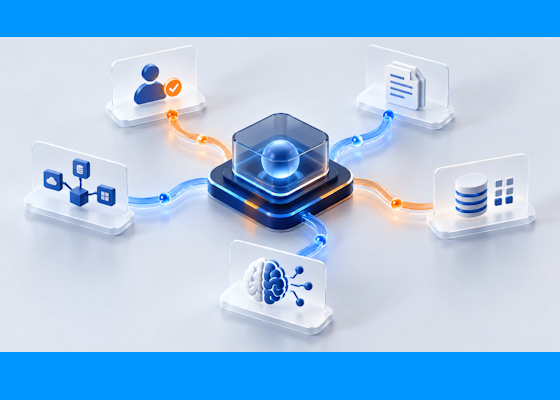
Build automation around the complete business process—with people, applications, data, and AI working together.
An automation can execute successfully while the business process remains unfinished. Data has been entered, but an approval is waiting in someone’s inbox. A document has been read, but a discrepancy has no assigned owner. An order has been updated, but the next department has not been notified.
For organizations evaluating UiPath alternatives, these gaps should shape the buying decision. The objective is to complete work reliably, handle exceptions, and give the business visibility into what happens next.
FlowWright deserves consideration when those requirements extend across departments, enterprise systems, and custom applications.
Start with the process you need to improve
Define success before comparing platforms. For a production order change, success might mean that the request is validated, the appropriate people approve it, affected systems are updated, and operations receives confirmation before production begins.
Measure that outcome across the entire process. A fast data-entry step has limited business value if the request still waits two days for a decision.
This is also the right basis for evaluating an existing UiPath investment. UiPath’s current offering includes Maestro for orchestrating agents, robots, and people; a credible evaluation should compare current capabilities and the proposed implementation. [1]
Build the application around the workflow
FlowWright combines visual process design with forms, tasks, rules, decision tables, dashboards, reports, and an application builder. Teams can assemble the interface employees use alongside the workflow that routes their work. [2]
That combination matters when the next stage of automation requires participation from people. Give an employee a defined action, the information needed to make a decision, and a clear place to complete it. Design that interaction as part of the process from the beginning.
Choose integration methods deliberately
For each system interaction, assess whether an API, event, data integration, or screen interaction best fits the requirement. Where a supported API is available, calling it can remove dependence on a screen’s layout. The integration still needs authentication, validation, error handling, and testing.
FlowWright provides C#/.NET and REST APIs, event processing, webhooks, and workflow-based microservices. Its embeddable .NET engine and support for custom steps give development teams ways to incorporate existing application logic. [2]
For a Microsoft development team, evaluate how much of its existing expertise and code can be reused—and how clearly it can own and support the result.
Turn document content into completed work
Extracting information from a document is one stage of a business transaction. The extracted values must be checked, exceptions resolved, and approved information delivered to the right systems.
FlowWright’s intelligent document processing combines OCR, classification, extraction, and validation with workflow routing and human review. [3]
Consider a supplier invoice with an amount that does not match the purchase order. Design the process to flag the discrepancy, assign a reviewer, capture the resolution, and permit downstream processing only after the required checks pass. AI helps interpret the document; configured rules and approval steps determine how the organization acts on it.
Make data preparation part of execution
Process automation also depends on usable data. A workflow can follow the correct sequence and still produce the wrong result if identifiers, dates, or quantities arrive in inconsistent formats.
FlowWright includes a graphical ETL designer, reusable components, validation, scheduling, and execution monitoring. ETL can operate independently or within broader workflows. [4]
A practical design could validate an incoming order file before releasing its records for processing. Invalid records should enter an explicit correction path, with ownership and a way to resume after correction. Build that behavior into acceptance criteria, then test it with representative data.
Evaluate supportability before expanding
Production readiness includes what happens when a dependency fails or a person does not respond. During a proof of concept, deliberately introduce those conditions.
FlowWright provides a Visual Process Debugger, persisted execution information, workflow audit reports, task reminders, and role-based access controls. [2] Use the evaluation to establish how operators will investigate failures, manage delayed work, and verify completion.
Ask the team that will support the solution to participate. Their ability to diagnose a problem matters as much as the initial build experience.
Compare the cost of delivering the same outcome
Use a common scope when comparing vendors. Include licensing, implementation, hosting, integrations, AI usage, ongoing support, and the effort required to change the process.
Track business measures alongside technical ones: completion time, manual interventions, exception volume, and support hours. Calculate cost per successfully completed business transaction using your own workload and measured results.
A broad feature list cannot establish savings on its own. A representative implementation can show where value is created and what it costs to sustain.
Begin with one measurable process
Choose a process with a clear owner, known delays, and accessible test data. Document its current performance. Build the proposed FlowWright solution and test normal execution, exceptions, approvals, and recovery.
Where coexistence is appropriate, design and validate the integration with existing automation. Plan cutover controls so that testing cannot create duplicate transactions. Expand only after the first implementation meets agreed business and operational targets.
Bring FlowWright one process that crosses people, documents, and systems. Evaluate how it can be designed, executed, and supported from request through completion.
Sources & further reading
- UiPath Maestro
- FlowWright platform features
- FlowWright intelligent document processing
- FlowWright ETL capabilities
















