

Enterprise workflows rarely operate in one system. A purchase request may begin in a cloud application, require data from an ERP, trigger checks in a legacy database, and finish in a CRM. Without a shared integration layer, each connection adds custom code, transformation work, and another point of failure. Get a Demo of FlowWright's integrated workflow and ESB platform to see how a unified integration layer simplifies enterprise connectivity.
Enterprise workflow integration esb connects independent applications through a communication layer that routes messages and helps systems exchange compatible data. FlowWright includes that Enterprise Service Bus as part of its platform, so teams can integrate workflows with business systems without adding separate middleware. The approach aligns with the National Institute of Standards and Technology's description of an ESB as communication infrastructure for connecting applications (NIST).
The practical question is how that architecture handles different protocols, data formats, and deployment environments. Understanding the ESB's role makes it easier to evaluate whether an integration platform can support both today's connections and tomorrow's process changes.
What Is Enterprise Workflow Integration with an ESB?
Enterprise workflow integration with an ESB connects the applications, data sources. And services that a business process depends on and coordinates their communication as work moves from one step to the next. An Enterprise Service Bus (ESB) is communication infrastructure for connecting independent software applications within an enterprise architecture, according to the National Institute of Standards and Technology.
That connection layer matters because enterprise systems rarely use the same interfaces, data structures, or communication patterns. An ERP platform, CRM, legacy database, and cloud service may each expose different protocols and expect different formats. An ESB can route messages between those systems, transform data, and help the workflow automation platform exchange information without creating a separate point-to-point integration for every application pair.
How an ESB supports workflow automation
In a workflow, the ESB sits between business process logic and connected systems. A process can request customer data, send an approval result to an ERP system, or trigger a downstream service while the integration layer handles the technical exchange. Message transformation allows systems to work with XML, JSON, or CSV data as required. Event-driven processing and reliable message queuing also help separate systems communicate without forcing every application to be available at the exact same moment.
This approach gives workflow architects and process owners a clearer boundary between what the process should do and how each application communicates. It also reduces the maintenance burden associated with tightly coupled integrations. Instead of embedding one-off connection logic throughout individual workflows, teams can manage integration behavior through a consistent enterprise integration layer.
Why a built-in ESB changes the architecture
FlowWright includes a built-in ESB, so organizations do not need to add standalone integration middleware simply to connect their automated processes. The platform provides more than 500 pre-built connectors for ERP, CRM, legacy databases, and cloud services. That combination lets teams connect established systems while designing the workflow in the same environment, rather than stitching together a process platform and a separate middleware product.
For enterprise architects, the practical result is a more unified foundation for workflow automation and integration. The ESB supports the communication layer, connectors accelerate application access, and FlowWright's process capabilities provide the business logic that turns those connections into repeatable work. Schedule a demo to explore how a built-in ESB can simplify your architecture.
How Does FlowWright's Built-in ESB Simplify Enterprise Integration?
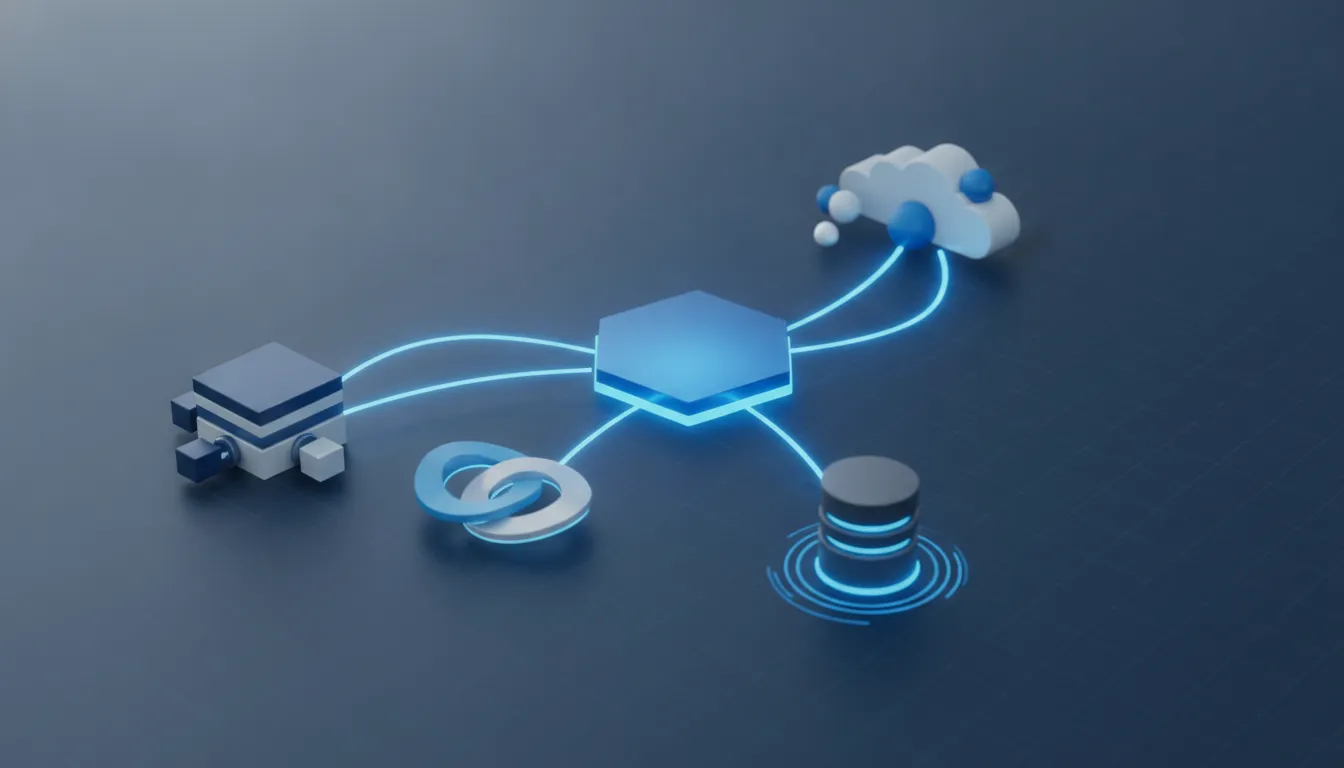
Integration becomes difficult when each application requires its own connection logic, data format, and error-handling approach. FlowWright brings those concerns into the workflow platform through a built-in Enterprise Service Bus. That gives workflow architects and process owners a shared integration layer without forcing them to manage a separate middleware product alongside the process automation environment.
Make integration logic visible to the people who manage processes
FlowWright's graphical, web-based HTML5 process designer makes integration a visual part of process design. Teams can model the sequence of events, system interactions, and decision points in one place. While developers retain the ability to configure the technical details required by enterprise systems. This low-code approach reduces the gap between business requirements and implementation. Instead of documenting an integration in one tool and maintaining its workflow logic in another, the process and its connections can be reviewed together.
The ESB supports event-driven architecture, so an event in one system can initiate the appropriate workflow response. It also supports message transformation across XML, JSON, and CSV formats. That matters when modern applications, legacy platforms, and data services use different representations for the same business information. Reliable message queuing helps preserve events when a connected system is temporarily unavailable, rather than requiring the entire process to depend on a continuously available endpoint. Learn more about FlowWright's ESB.
Connect hybrid environments without splitting the process layer
Enterprise integration rarely happens entirely in the cloud. Many organizations must connect on-premises systems with cloud applications while preserving existing investments and operational controls. FlowWright's iPaaS capabilities bridge applications, data, and processes across hybrid cloud and on-premises environments. This creates a practical path for coordinating information between older systems and newer services without moving every application into the same environment. Explore iPaaS workflow automation for the hybrid integration use case.
Adapt running processes as requirements change
Enterprise processes continue to operate while integration requirements evolve. FlowWright allows design changes to be pushed to running workflow instances without requiring a restart. That capability can reduce disruption when an integration rule, process step, or connected-system behavior needs to change. Teams can respond to changing business requirements while keeping active work moving, rather than waiting for every instance to finish before applying an approved update.
By combining visual design, event handling, transformation, queuing, hybrid connectivity, and runtime change management. FlowWright makes enterprise integration part of the workflow platform instead of a disconnected technical project.
FlowWright vs. Standalone ESB Solutions: Cost and Complexity Compared
Enterprise architects evaluating enterprise workflow integration esb approaches are often choosing between an integrated platform and a separate middleware layer. A standalone ESB can connect applications, transform messages, and route data, but it also introduces another product to license, configure, monitor, secure, and maintain. FlowWright combines workflow automation with a built-in ESB, so integration services and the business processes that depend on them can be designed within the same platform.
| Area | FlowWright | Standalone ESB approach |
|---|---|---|
| Cost structure | One platform covers workflow automation and ESB capabilities, avoiding separate middleware licensing and an additional integration product. | Requires a separate ESB license alongside the workflow or process platform, with additional costs for deployment and administration. |
| Architecture complexity | Eliminates standalone ESB complexity by keeping process logic and integration services in one environment. | Adds another architectural boundary, along with configuration and handoff points between the workflow layer and middleware. |
| Maintenance | Teams can manage integration behavior alongside workflows, using a shared design and operational model. | Teams must coordinate upgrades, monitoring, access controls, troubleshooting, and change management across separate systems. |
| Feature scope | More than 500 pre-built connectors support ERP, CRM, legacy databases, and cloud services. FlowWright supports REST, SOAP, GraphQL, and gRPC interfaces. | Capabilities depend on the selected ESB, its connector catalog, protocol support, and how well it integrates with the workflow product. |
Key advantages of FlowWright's integrated approach:
- Single design environment for process logic and integration configuration.
- Reduced vendor management overhead and fewer platform dependencies.
- Faster implementation cycles without cross-team coordination delays.
- Unified monitoring and troubleshooting across workflows and connections.
Why integration and automation belong together
Separating connectivity from process execution can make ownership unclear. A workflow team may need to request changes from an integration team, while the integration team must understand process timing, data requirements, and exception handling. An integrated approach reduces that friction. FlowWright's connector and protocol coverage supports the connection layer, while its workflow capabilities provide the business context for when data should move. What validation should occur, and how exceptions should be handled.
This does not eliminate the need for sound architecture. Enterprises still need governance, security, testing, and clear data ownership. It does reduce the number of platforms that must be aligned to deliver a dependable process, which can shorten implementation cycles and lower the operational burden over time. See FlowWright's platform features for a complete overview.
How Does FlowWright Handle REST, SOAP, and Event-Driven Integration?
Enterprise systems rarely expose the same interface, data format, or communication pattern. FlowWright's integration platform helps workflow architects connect those systems through REST, SOAP, GraphQL. And gRPC, so business processes can work across modern applications, established enterprise software, and specialized services. This protocol flexibility is a practical requirement for an enterprise workflow integration ESB, especially when a single organization is modernizing incrementally rather than replacing every system at once.
Connect services through the protocol they already use
REST APIs provide a straightforward way to call web services and expose workflow capabilities. SOAP connectivity supports established enterprise interfaces that still depend on structured contracts and XML messages. GraphQL and gRPC extend the integration options for applications that need flexible data queries or efficient service-to-service communication. By supporting all four approaches, FlowWright can fit into an existing integration architecture instead of forcing every team to rebuild its endpoints around one standard.
Integration protocols supported by FlowWright:
- REST , HTTP-based APIs for calling web services and exposing workflow endpoints.
- SOAP , Structured XML contracts for established enterprise interfaces.
- GraphQL , Flexible data queries for modern web and mobile applications.
- gRPC , High-performance service-to-service communication for microservices.
Choose the right event pattern for each process
Not every integration should wait for a response before continuing. FlowWright supports event-driven processing with publish/subscribe and request/reply patterns. Publish/subscribe allows an event to be delivered to multiple interested processes, which can help decouple a business event from the systems that act on it. Request/reply is better when a workflow needs a specific response before it can determine the next step. These patterns give architects control over how systems communicate and how work moves through a process.
Transform messages and expose reusable services
Systems can exchange XML, JSON, or CSV, but those formats are not automatically interchangeable. FlowWright provides message transformation capabilities so data can be adapted as it moves between applications and workflow steps. Teams can also create microservices visually, then have them automatically converted into REST API endpoints. That approach makes reusable workflow capabilities easier to expose without requiring every integration service to be built from scratch. Explore FlowWright's microservices framework to see how visual service design can support a more modular integration architecture.
Can FlowWright Integrate ERP, CRM, Legacy Databases, and Cloud Services?
Enterprise integration rarely involves a single modern application. A business process may need to retrieve an account from a CRM, validate financial data in an ERP. Read records from a legacy database, and update a cloud service before the next task can begin. FlowWright is designed for this mixed environment, with more than 500 pre-built connectors for ERP, CRM, legacy databases, and cloud services.
That breadth helps enterprise architects connect existing systems without treating every integration as a custom project. The connectors provide starting points for common application and data interactions, while FlowWright's workflow automation defines when information moves. Which business rules apply, and what happens when a process requires human review. For broader planning guidance, see this guide to enterprise application integration services.
Connect systems across hybrid environments
Many enterprises cannot move every system to the cloud at once. Core databases may remain on premises, while CRM, ERP, analytics, and collaboration services operate in hosted environments. FlowWright's iPaaS capabilities bridge applications, data, and processes across hybrid cloud and on-premises systems. Allowing teams to modernize the process layer without forcing an immediate replacement of stable legacy infrastructure.
This approach is useful when a workflow must coordinate data across different formats and system boundaries. Teams can use integration patterns that fit the existing environment, rather than creating isolated point-to-point connections that become difficult to maintain as applications change. The article on data integration use cases provides practical scenarios for using FlowWright as a universal translator between systems.
Keep processing reliable when systems are unavailable
Integration quality depends on more than connectivity. A temporary outage, network interruption, or slow downstream system should not silently lose a business event. FlowWright supports reliable message queuing with retry logic, including automatic retries with exponential backoff. So messages can be processed when a target system becomes available instead of forcing the entire workflow to fail immediately.
For enterprise architects, this combination of connector coverage, hybrid integration, and resilient message handling provides a practical foundation for enterprise application integration services. It connects the systems an organization already operates while giving workflow architects a controlled way to introduce new cloud services and process improvements.
Why Enterprise Architects Choose FlowWright for Workflow Integration
Enterprise architects need more than a workflow designer connected to a few applications. They need an integration and automation platform that can fit an existing technology landscape, adapt as business rules change, and remain diagnosable when critical processes are running. FlowWright addresses that broader requirement through an embeddable . NET workflow engine, a built-in Enterprise Service Bus, and visual tools for designing and operating business processes.
Change running processes without operational disruption
Process improvement rarely happens only during scheduled maintenance. FlowWright lets teams push design changes to running workflow instances without restarting those instances. That capability gives architects a practical way to respond to policy changes, integration updates, and operational lessons while reducing disruption to work already in progress. It also supports a more composable architecture, where process components can evolve without forcing a full-system restart.
Model complex business logic with dynamic sub-workflows
Enterprise processes often branch based on data, approvals, risk, or the result of an earlier service call. FlowWright's dynamic sub-workflows can spawn and manage sub-workflow instances at runtime, selecting different definitions or versions based on business rules. This runtime flexibility is a distinctive capability in the market. Instead of creating one oversized process definition for every possible path, architects can keep reusable process logic modular and let the running context determine which component executes.
Build, embed, and troubleshoot in the same platform
The embeddable . NET engine fits organizations that need workflow capabilities inside an existing application, portal, or enterprise solution. Teams can use FlowWright's visual process designer while retaining the integration patterns and deployment control expected in a . NET technology stack. The platform is also designed for regulated environments, with SOC 2 Type II and HIPAA compliance supporting governance requirements for sensitive business processes.
When a process behaves unexpectedly, the visual process debugger provides breakpoints and variable inspection. Architects and developers can examine execution state, isolate a faulty branch, and validate changes without treating production troubleshooting as guesswork. That combination of runtime adaptability, compliance, and operational visibility is what separates a complete enterprise automation platform from a simple workflow tool.
For teams evaluating an enterprise workflow integration ESB approach, FlowWright brings process design, embedded execution, service integration, and debugging into one architecture. Request a demo to discuss your integration requirements.
Frequently Asked Questions
How does an ESB support enterprise workflow integration?
An ESB provides a communication layer between independent applications, allowing workflows to route messages, transform data, and coordinate processes without creating a separate point-to-point connection for every system. FlowWright combines this integration layer with workflow automation, so process logic and system communication can be managed in the same platform.
Can FlowWright connect ERP, CRM, and legacy database systems?
Yes. FlowWright provides more than 500 pre-built connectors for ERP, CRM, legacy databases, and cloud services. Its iPaaS capabilities also bridge applications, data, and processes across on-premises and hybrid cloud environments. This lets teams connect existing systems while preserving the workflow rules that govern each business process.
What data formats and integration protocols does FlowWright support?
FlowWright's ESB supports message transformation for XML, JSON, and CSV data. The platform also supports REST, SOAP, GraphQL, and gRPC interfaces, helping enterprise architects connect modern services with older applications that expose different protocols.
Can an ESB handle event-driven workflow processing?
Yes. FlowWright supports event-driven processing through publish-subscribe and request-reply patterns. Reliable message queuing helps workflows continue processing when a temporary network disruption prevents immediate delivery, while automatic retry and exponential backoff can support more resilient integrations.
How does FlowWright's microservices framework fit with its ESB?
The microservices framework lets teams create services visually and convert them into REST API endpoints automatically. Those services can participate in workflow processes and communicate through the integration layer. Giving teams a practical way to expose reusable business capabilities without building every service connection from scratch.
Ready to connect your workflows?
See how FlowWright can help you bring workflow automation and enterprise integrations into a more coordinated operating model. Get a Demo of the integrated workflow and ESB platform to discuss your environment, integration priorities, and goals.
















