

Enterprise processes rarely follow the same path every time. A customer request, compliance condition, or operational exception can change what must happen next, even after a workflow has started. Systems built around fixed process paths often force teams to redesign and redeploy automation when business context changes.
Get a demo of FlowWright dynamic sub-workflows runtime process morphing
FlowWright enables dynamic sub-workflows runtime process morphing by spawning and managing sub-workflow instances at runtime according to business rules. The platform can branch to different workflow definitions or versions based on the context of each process, helping enterprise automation adapt without manual intervention.
This capability gives workflow architects and process owners a more flexible way to manage complex operations. While developers can use FlowWright's embeddable .NET engine to support adaptable process logic. The foundation is the distinction between a reusable sub-workflow and one that can be selected or shaped as execution unfolds.
What Distinguishes a Dynamic Sub-Workflow from a Static One?
Traditional process designs assume that the path selected at design time will remain appropriate when a case reaches execution. That assumption breaks down when business conditions vary from one instance to the next. FlowWright addresses this challenge with dynamic sub-workflows, allowing a running workflow to create and manage subordinate workflow instances according to business rules and the context of the work.
What makes a sub-workflow dynamic?
A sub-workflow is a focused process that handles a distinct part of a larger business process. It might collect additional information, obtain an approval, perform a validation, or coordinate a specialized activity. In a static design, the parent process generally points to a predetermined child definition. A dynamic sub-workflow adds a decision layer at runtime: the workflow evaluates relevant business data, then selects the appropriate sub-workflow definition or version.
That distinction matters when the same starting process can require materially different treatment:
- A request with one risk profile may need a short review, while another request may require additional checks, approvals, or supporting activities.
- Rather than creating a separate top-level process for every variation, workflow architects can keep the common process structure intact and delegate the variable portion to dynamically selected sub-workflows.
- FlowWright workflows can dynamically spawn and manage sub-workflow instances at runtime based on business rules, branching to different definitions or versions depending on context.
This gives process owners a way to represent changing conditions in the execution model instead of forcing every possible path into a rigid design. The result is runtime process morphing: the active process flow adapts as the system learns which conditions apply to the current instance.
For a closer look at how these components can be structured, review FlowWright's guide to dynamic sub-workflow steps. The practical value is not simply adding more modularity. It is making modularity responsive, so a reusable process component can be invoked, managed, and varied without duplicating the entire parent workflow.
This capability is a core FlowWright differentiator for organizations managing complex, evolving processes. It supports adaptable workflows while preserving a coherent process model, giving enterprise architects and .NET development teams more control over how automation responds to real-time business context.
How Runtime Process Morphing Works in the FlowWright Engine
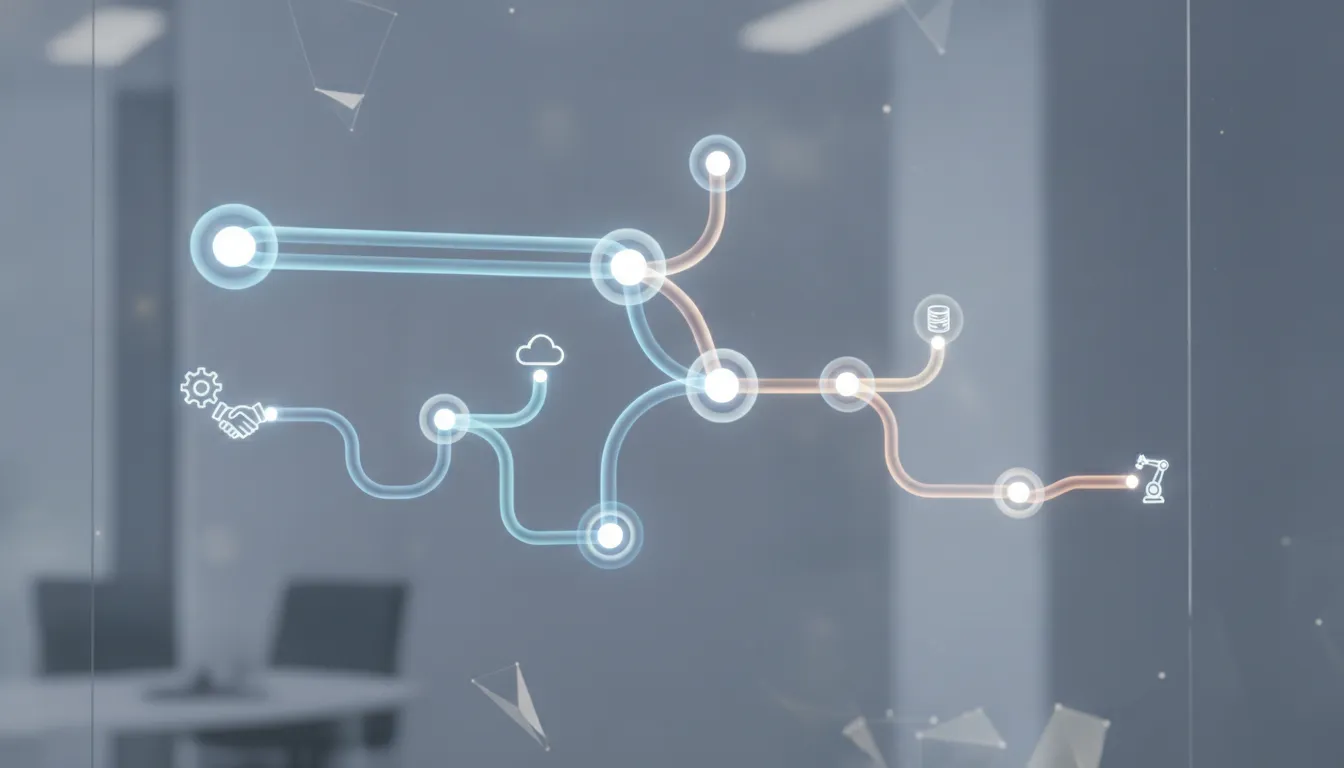
Runtime process morphing connects a stable process design with the business context available when that process runs. Instead of forcing every case through one fixed path, the FlowWright .NET engine can spawn and manage sub-workflow instances at runtime. Business rules determine which sub-workflow definition or version fits the current context, allowing the active process to adapt without manual intervention. This capability is central to FlowWright's approach to flexible, robust, and scalable enterprise workflow automation.
Definitions remain structured and executable
Workflow definitions can be maintained through XML and web.config-based configuration, giving .NET development teams a structured way to describe process behavior and deployment settings. The engine can then evaluate C# expressions as part of the workflow's decision logic. This keeps process conditions close to the application environment while allowing workflow architects and process owners to manage business behavior without rebuilding the entire process for every variation.
The separation between the parent process and its sub-workflows is important. A parent workflow can reach a decision point, evaluate the available business data, and invoke the sub-workflow that matches the case. That sub-workflow can represent a specific operational path, policy variation, or process version. The parent process remains reusable, while the selected module handles the context-specific work.
Business rules select the next process version
At runtime, conditions such as case attributes, approval requirements, or other business data can determine which definition to execute. The result is not simply a branch between fixed activities. FlowWright can branch to different sub-workflow definitions or versions depending on context, then manage the resulting instances as part of the active process. This is the practical distinction behind dynamic sub-workflow runtime process morphing.
The model can also change during enactment when evolving policies require a different path. In FlowWright, the comparable design principle is to let runtime business logic determine which reusable process component should be created and managed. Rather than treating the original design as permanently fixed.
For enterprise architects, this approach provides a controlled way to support variation. For .NET developers, it combines an embeddable engine, familiar configuration patterns, and C# expression evaluation with runtime spawning. The outcome is a process model that can remain coherent while its execution responds to real business conditions.
What Are the Most Common Use Cases for Dynamic Sub-Workflows?
The value of runtime process morphing becomes clearest when one business process must accommodate materially different paths. Instead of forcing every variation into a single oversized definition, FlowWright can dynamically spawn and manage a sub-workflow instance based on the information available at execution time. Each instance can follow the definition and version that matches the business context.
Claims processing that adapts to claim type
Claims processing is a strong example. An intake process can capture the claim category, then select a specialized sub-workflow at runtime. The variation across claim types is significant:
- Auto claims require vehicle details, damage assessment, repair estimates, and coordination with an adjuster.
- Health claims require eligibility review, clinical documentation, and benefit validation.
- Property claims branch into inspection and loss assessment.
- Workers compensation claims involve incident documentation and regulatory review.
The parent process remains consistent, but the work performed after classification is appropriate to the claim. If business rules change, workflow architects can maintain separate definitions or versions rather than adding every exception to one tangled path. This approach reflects FlowWright's core capability: workflows can branch to different sub-workflow definitions or versions depending on context. Get a demo of FlowWright dynamic sub-workflow capabilities.
Order fulfillment across products, regions, and value tiers
Order fulfillment often looks simple until an enterprise serves multiple markets and product lines. At runtime, the order value, destination region, product type, inventory status, and customer account can determine the appropriate processing path:
- A standard stocked item might move through payment, inventory confirmation, and shipment.
- A high-value order could add approval and fraud review.
- A configurable product might require engineering validation.
- An international order could need additional customs or export documentation.
Dynamic sub-workflows let the process respond to those attributes without duplicating the entire fulfillment process for every combination. The result is a modular operating model that gives process owners a clear place to manage each specialized path.
Multi-jurisdiction compliance
Organizations operating across states, countries, or regulated entities must often apply different review, documentation, retention, and approval requirements. A compliance workflow can identify the governing jurisdiction and dynamically select the relevant sub-workflow. A case can then route to the appropriate legal review, data handling checks, approvals, and evidence collection while preserving a common enterprise-level process.
This matters when work crosses organizational boundaries. For enterprises with changing partners, regions, or rules, runtime selection provides a practical way to keep automation aligned with how the business actually operates.
Key Enterprise Automation Benefits of Runtime Process Morphing
Enterprise processes rarely follow a single, predictable path. Volume changes, business rules evolve, and exceptions appear after a workflow is already running. Runtime process morphing gives workflow architects a way to respond without treating every variation as a separate, permanently fixed process. FlowWright can dynamically spawn and manage sub-workflow instances based on business rules, selecting the appropriate definition or version for the context. BPM workflow features provide the broader foundation for applying that flexibility across enterprise automation.
Scale execution without multiplying process definitions
When a parent process needs to initiate many related activities, dynamic sub-workflows can create the required instances at runtime. That makes the design better suited to large and variable volumes than a model that assumes every possible instance in advance. Each sub-workflow can handle a focused responsibility while the broader process manages the relationship between them. The result is a modular structure that can expand as demand grows, without forcing architects to create a new top-level process for every combination of business conditions.
This approach also supports concurrent execution where dependencies allow it. Modular workflow design can improve parallel task execution and error tolerance in complex automation scenarios. Helping teams pursue business goals without making the entire process dependent on one monolithic sequence.
Recover from exceptions with less operational friction
Unexpected conditions do not always require a process to be abandoned or manually rebuilt. Runtime refinement allows the active process to respond when the original path no longer fits the available information or business rule. A sub-workflow can be selected, adjusted, or managed according to the situation, while the parent process retains its overall purpose. This creates a more fault-tolerant operating model: a local exception can be handled within the appropriate branch instead of forcing a complete restart.
Reduce maintenance and accelerate development
Reusable sub-workflow libraries give architects a practical way to build faster. Teams can create focused process components once, then allow runtime business rules to select the right component when execution begins. That reduces duplicated logic and makes it easier to extend automation as requirements change.
It also limits unnecessary redeployment. When the decision about which sub-workflow to run is made from current business context, changes to those rules do not automatically require redesigning every parent process.
Dynamic vs. Static Sub-Workflows: Why Runtime Process Morphing Wins
Sub-workflows are not equally adaptable. A static design determines the child process and its relationship to the parent before execution begins. That model can be effective when every case follows a known path, but it becomes restrictive when business data determines what should happen next. FlowWright takes a different approach: its workflows can spawn and manage sub-workflow instances at runtime, selecting different definitions or versions based on business rules and context. That runtime morphing is a core differentiator for complex, evolving processes.
| Platform or approach | When the sub-workflow is defined | How the child process is selected | Practical implication |
|---|---|---|---|
| FlowWright | Definitions and versions can be available before execution. | Business data and runtime rules select the definition or version during execution. | One parent process can adapt to changing conditions without hard-coding every possible branch in advance. |
| Temporal | Child workflows are defined by type at design time. | The parent selects a child workflow by its name or type. | Useful for known child process types, but runtime business rules do not independently determine an entirely different definition. |
| Microsoft Agent Framework | Sub-workflows are predefined within the parent design. | The parent invokes a synchronous sub-workflow executor. | The child process runs within a fixed execution structure rather than morphing into a context-selected definition. |
| Conductor | The sub-workflow definition is specified inline at design time. | The parent follows the statically declared sub-workflow task. | Changes to the child process structure generally require changes to the workflow definition itself. |
Why the distinction matters for enterprise processes
Design-time selection can force workflow architects and process owners to anticipate every variation before deployment. As policies, customer attributes, approvals, or operating conditions change, that approach can create more branches to maintain and more versions to coordinate. Runtime selection instead lets the parent process evaluate current business data and choose the appropriate modular path when the case reaches that decision point.
This is the difference between a workflow that merely contains reusable components and one that can adapt its composition during execution. For enterprises managing complex business rules, the result is a stronger foundation for runtime-adaptable business processes, while preserving the structure and maintainability of modular automation.
Getting Started with Dynamic Sub-Workflows on FlowWright
Start with the business variation you need to manage, not with a fixed sequence of technical steps. Identify the point in the parent process where the next action depends on information available only during execution. That decision point becomes the foundation for a runtime branching design. For more context on how FlowWright compares to other approaches, read our guide on BPM versus workflow automation.
Define the reusable sub-workflows
Use FlowWright's visual designer to create each sub-workflow as a focused process definition. Give every definition a clear purpose, inputs, outputs, ownership expectations, and completion criteria. Keep the definitions modular so workflow architects and process owners can update one path without redesigning the entire parent process. When multiple versions are required, document the conditions under which each version is appropriate.
Translate business decisions into rules
Next, identify the data that determines which sub-workflow should run. This might include a request type, account status, risk classification, approval result, or another value produced by the parent workflow. Configure the business rules that evaluate that context and select the appropriate definition or version. FlowWright workflows can dynamically spawn and manage sub-workflow instances at runtime based on business rules, allowing the process to adapt without manual intervention.
Connect the parent workflow
Add the dynamic sub-workflow steps to the parent workflow and map the required inputs and returned results. Define what should happen when a rule matches, when no condition matches, or when a sub-workflow reports an error. Clear fallback behavior is essential for reliable enterprise automation. For teams building with the embeddable .NET engine, validate how the parent process passes business data into the rule evaluation and how the selected instance returns its outcome. For additional guidance on using engines in industrial scenarios, see the embeddable workflow technology guide for SaaS OEMs.
Test runtime branching
Test each meaningful business path with representative data. Confirm that the expected sub-workflow definition is selected, that inputs are available at invocation time, and that the parent workflow resumes correctly after completion. Include edge cases, such as missing values, conflicting rules, revised definitions, and failures inside a child instance. Review execution history to verify that the runtime behavior matches the intended process model before expanding the pattern to additional workflows.
This measured approach gives your team a practical starting point for runtime process morphing. Learn more about how FlowWright's low-code workflow platform for .NET can accelerate your automation initiatives.
Get a demo of FlowWright dynamic sub-workflows runtime process morphing
Frequently Asked Questions
What is dynamic sub-workflow runtime morphing?
Dynamic sub-workflow runtime morphing is the ability to create and manage sub-workflow instances while a parent process is running. Instead of following one fixed path, the process evaluates business rules and selects the appropriate sub-workflow definition or version for the current context. This allows complex enterprise processes to adapt as conditions change.
How do runtime-adaptable business processes work in FlowWright?
FlowWright can spawn sub-workflows dynamically and branch to different definitions or versions based on business data and rules. The parent workflow remains responsible for the broader process, while each sub-workflow handles a focused activity or path. This modular approach helps workflow architects and process owners manage variation without duplicating an entire process design.
Why use dynamic sub-workflows for enterprise automation?
Enterprise processes often vary by case type, organizational boundary, policy, or operating condition. Dynamic sub-workflows let those differences be handled within the running process rather than forcing every variation into a rigid, oversized design. Teams can refine individual process components while preserving a consistent enterprise framework for oversight and reporting.
How does FlowWright handle process morphing at runtime?
FlowWright's embeddable .NET workflow engine uses business rules to determine when a sub-workflow should be created and which definition should run. Its visual process design capabilities support the overall flow, while runtime branching provides the flexibility to respond to context. Developers can also use C# expression evaluation where application-specific logic is required.
What are the benefits of branching workflows at runtime?
Runtime branching improves flexibility, modularity, and maintainability for processes with meaningful variation. It can support concurrent subtask execution, isolate specialized logic, and help a process respond to unexpected conditions without redesigning the complete workflow. The result is a more adaptable foundation for scalable business process management.
Schedule a FlowWright Demo
See how runtime morphing can help your team adapt business processes as conditions change, without forcing every variation into a fixed design. To discuss your use case and explore the platform, get a demo of FlowWright's dynamic sub-workflow engine.
















