
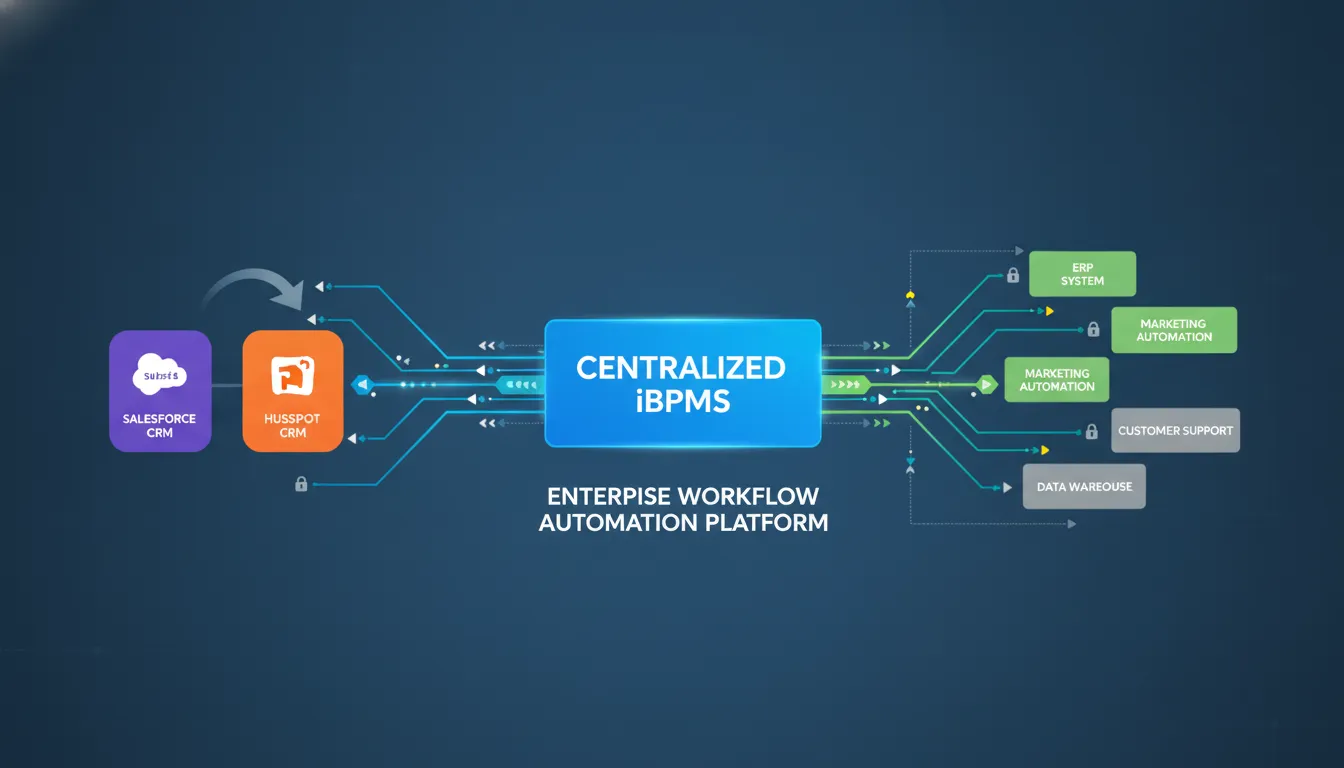
Workflow automation through a centralized iBPMS eliminates these gaps by replacing brittle point-to-point scripts with event-driven, reliable data flows between Salesforce and HubSpot. A single integration layer captures CRM events in real time, routes data based on business rules, and triggers downstream actions across the entire lead-to-revenue cycle. FlowWright's platform, with its built-in Enterprise Service Bus and dynamic sub-workflow engine, synchronizes CRM data without custom code, ensuring every team operates from the same trusted dataset.
Get Demo — See how FlowWright connects Salesforce and HubSpot in days, not months.
Workflow Automation: The Real Problem with Disconnected CRM Systems
Enterprise sales and marketing teams depend on CRM platforms to track every customer interaction. Yet when Salesforce holds the deal data and HubSpot owns the engagement history, neither system alone provides a complete picture. A marketing team running a HubSpot campaign cannot tell whether a lead converted in Salesforce, and a sales rep closing a deal in Salesforce has no visibility into the prospect's email engagement patterns. This fragmentation creates more than inconvenience. It directly impacts revenue.
Organizations with tightly integrated CRM and marketing automation systems achieve a 9.3% higher annual revenue growth rate on average, according to CRM industry benchmarks. The gap between automated and manual CRM workflows widens as deal volume grows. A sales team handling 200 leads per month can absorb a two-hour data-entry delay. A team processing 2,000 leads cannot. The core problem is structural: data does not flow where it is needed when it is needed, and manual bridges between systems introduce latency, errors, and blind spots.
The high cost of data silos
Data silos between Salesforce and HubSpot produce three measurable losses. First, revenue leakage from lead decay: studies show that responding to a lead within five minutes increases conversion rates by 9x compared to a 30-minute response. Every minute a lead spends in transit between systems is a minute the competition has to reach them first. Second, duplicate record overhead: when two CRMs hold partial data on the same contact, teams waste time reconciling records, sending conflicting messages, or over-contacting prospects who already converted. Third, forecasting inaccuracy: disconnected data means leadership cannot trust pipeline reports, leading to poor resource allocation and missed quarterly targets.
- Wasted hours on manual lead transfer between CRM systems
- Missed revenue from slow response to inbound leads
- Expensive maintenance of fragile custom integration scripts
- Lost productivity from duplicate data cleanup projects
A centralized process automation integration strategy eliminates these losses by maintaining a single, authoritative data layer that both Salesforce and HubSpot read from and write to. Teams stop fighting data quality and start acting on insights.
Manual handoffs and lead decay mechanics
In a typical disconnected setup, a prospect fills out a HubSpot form for a white paper. The marketing team exports the contact list at the end of the day. An admin cross-references the list against Salesforce to avoid duplicates. The admin imports the new records. The lead arrives in the sales queue 6 to 24 hours after the initial interest signal. By then, the prospect has downloaded three competitor white papers and is already in evaluation mode with another vendor.
API integrations for business automation solve this by triggering the Salesforce record creation the instant HubSpot receives the form submission. No export. No admin intervention. The lead moves from marketing to sales in under one second. For enterprise sales organizations where deal sizes routinely exceed six figures, eliminating that delay directly improves close rates.
Why point-to-point scripts fail at scale
Some IT teams build custom Python or JavaScript scripts to synchronize Salesforce and HubSpot. These point-to-point integrations work initially but degrade rapidly as the business evolves. Every API version change from either CRM vendor can break the script. Adding a third system, such as a CPQ tool or billing platform, requires another bespoke integration. Soon the organization maintains a tangle of scripts that only the original developer understands.
Custom links also lack error handling, retry logic, and audit trails. When a sync fails at 2 AM, data silently diverges. Teams discover the discrepancy weeks later during a quarterly audit, at which point the cost of reconciliation far exceeds the cost of a proper integration platform. A centralized architecture eliminates these failure modes by providing a single, observable, and maintainable integration layer.
What Is an iBPMS and Why It Changes the Integration Game
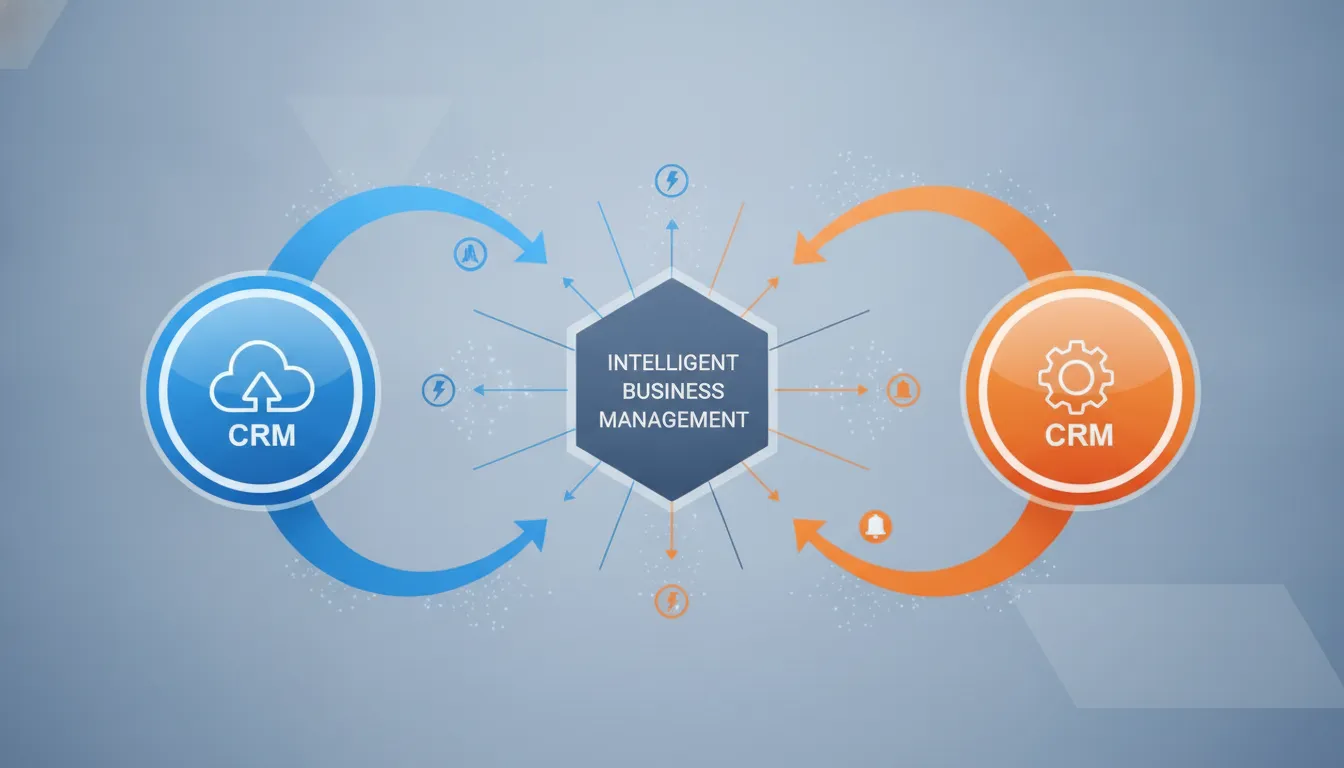
An Intelligent Business Process Management Suite (iBPMS) is a full-stack automation platform that does more than move data between apps. It adds business intelligence, event-driven orchestration, and dynamic process management on top of traditional integration capabilities. For organizations bridging Salesforce and HubSpot, an iBPMS serves as the central nervous system: it receives events from both CRMs, applies business rules, executes multi-step workflows, and routes data to the correct downstream systems.
FlowWright iBPMS platform features include a graphical process designer, a built-in Enterprise Service Bus, and a dynamic sub-workflow engine that adapts at runtime based on the data it processes. These capabilities make the iBPMS fundamentally different from basic point-to-point connectors or lightweight iPaaS tools.
Beyond basic workflow tools
Consumer-grade automation tools operate on simple trigger-action logic: "When event X happens in app A, do action Y in app B." This works for linear, predictable processes. Enterprise CRM integration is rarely linear. A single lead event may need to check the contact's industry, score their engagement level, route to the appropriate sales territory, create a follow-up task, post a notification, and update a dashboard metric. That requires branching logic, data enrichment, error handling, and conditional routing capabilities that simple tools cannot support.
FlowWright's iBPMS provides over 300 pre-built workflow steps that handle these complex scenarios. The visual process designer allows business analysts to map out the integration logic without writing code. For engineering teams that need deeper control, the embeddable .NET workflow engine exposes the full API surface for custom step development. This hybrid low-code and pro-code approach means both business and technical teams can contribute to the integration without creating friction.
The power of a built-in Enterprise Service Bus
Most iBPMS alternatives require a separate Enterprise Service Bus (ESB) to handle message transformation, routing, and protocol translation. FlowWright includes the ESB directly within the platform. This built-in architecture handles format conversion between XML, JSON, and CSV automatically, so a Salesforce REST payload can be transformed into the structure HubSpot expects without an intermediate middleware layer.
The ESB supports publish-subscribe event distribution, content-based routing, and automatic retry with exponential backoff. For CRM integration workflows, this means if HubSpot's API is temporarily unavailable during a data sync, the bus queues the message and retries until delivery succeeds. No data is lost. No manual intervention is required. With enterprise service bus capabilities handling message integrity, teams can trust that their CRM data remains consistent across both platforms at all times.
Dynamic sub-workflows as a competitive differentiator
FlowWright's dynamic sub-workflow capability sets it apart from every major competitor in the BPM space. A parent workflow can spawn child workflow instances at runtime, and those child instances can change their own structure based on the data they receive. In a CRM integration context, this means a single "Lead Processing" workflow can dynamically route high-value enterprise leads through an approval chain while processing standard leads through a simplified path, all within the same process definition.
This runtime morphing, as it is commonly called, eliminates the need to build dozens of static workflow variants for each lead type, region, or product line. The iBPMS adapts to the data rather than forcing the data to fit a rigid process structure. Security and compliance are preserved through Role-Based Access Control and SOC 2 Type II certification, ensuring that data flowing between Salesforce and HubSpot remains protected at every step.
Get Demo — Deploy your first CRM integration workflow in under an hour.
Step-by-Step: Building a CRM-to-iBPMS Workflow
Connecting Salesforce and HubSpot through an iBPMS follows a repeatable sequence. The goal is not merely to move data but to create a self-sustaining automation that handles exceptions, enforces business rules, and provides full visibility into the data pipeline.
Identify your CRM triggers
Every automation workflow starts with an event. In a CRM integration context, the most common triggers are new contact creation, deal stage changes, form submissions, and opportunity value updates. The integration architect must determine which events in which system should initiate a workflow. For example, a new contact created in HubSpot might trigger a Salesforce account lookup, a territory assignment calculation, and a Slack notification to the assigned sales rep.
Define the trigger-to-action mapping before building the workflow. This prevents scope creep and ensures each automation serves a clear business purpose. FlowWright's visual process designer makes it straightforward to connect these triggers to downstream actions using drag-and-drop logic blocks.
Configure webhook endpoints and API authentication
To receive events from Salesforce and HubSpot, the iBPMS exposes REST API endpoints that each CRM sends webhook payloads to. FlowWright supports HMAC signature validation, ensuring that incoming webhook requests are verified against a shared secret before any data processing begins. This prevents unauthorized data injection and maintains the integrity of the integration pipeline.
The step-by-step process follows this sequence:
- Define CRM triggers: Select the exact Salesforce or HubSpot events that will initiate the workflow. Standard choices include lead creation, deal stage transitions, and contact field updates.
- Configure webhook endpoints: Create REST API endpoints in the iBPMS that receive webhook payloads from each CRM. Enable HMAC signature verification for security. Enable automatic retry with exponential backoff.
- Design the workflow logic: Use FlowWright's drag-and-drop process designer to map the end-to-end flow. The platform provides over 300 pre-built steps covering data transformation, conditional routing, sub-process spawning, and event publishing.
- Implement data transformation: Add message transformation steps to convert data formats between Salesforce and HubSpot. The built-in ESB handles XML-to-JSON conversion automatically, eliminating the need for custom mapping code.
- Test using the visual debugger: FlowWright's graphical debugger lets you step through the workflow, inspect variable values, and verify that each path produces the expected output before going live. This dramatically reduces the risk of production errors.
- Deploy without downtime: Push the completed workflow to production while running instances continue processing. FlowWright supports design changes to active workflows, so you can iteratively improve the integration without interrupting business operations.
Validate and deploy
Before promoting the workflow to full production, run end-to-end validation using real CRM data in a staging environment. Verify that each trigger fires correctly, data maps to the correct fields in both systems, error handling paths execute as expected, and notification channels receive the intended messages. API integration examples from FlowWright's documentation provide reference implementations for common Salesforce-HubSpot patterns. Once validation passes, deploy the workflow and monitor the first 24 hours of production execution to confirm stability.
Automated Notifications: Slack, Teams, and Beyond
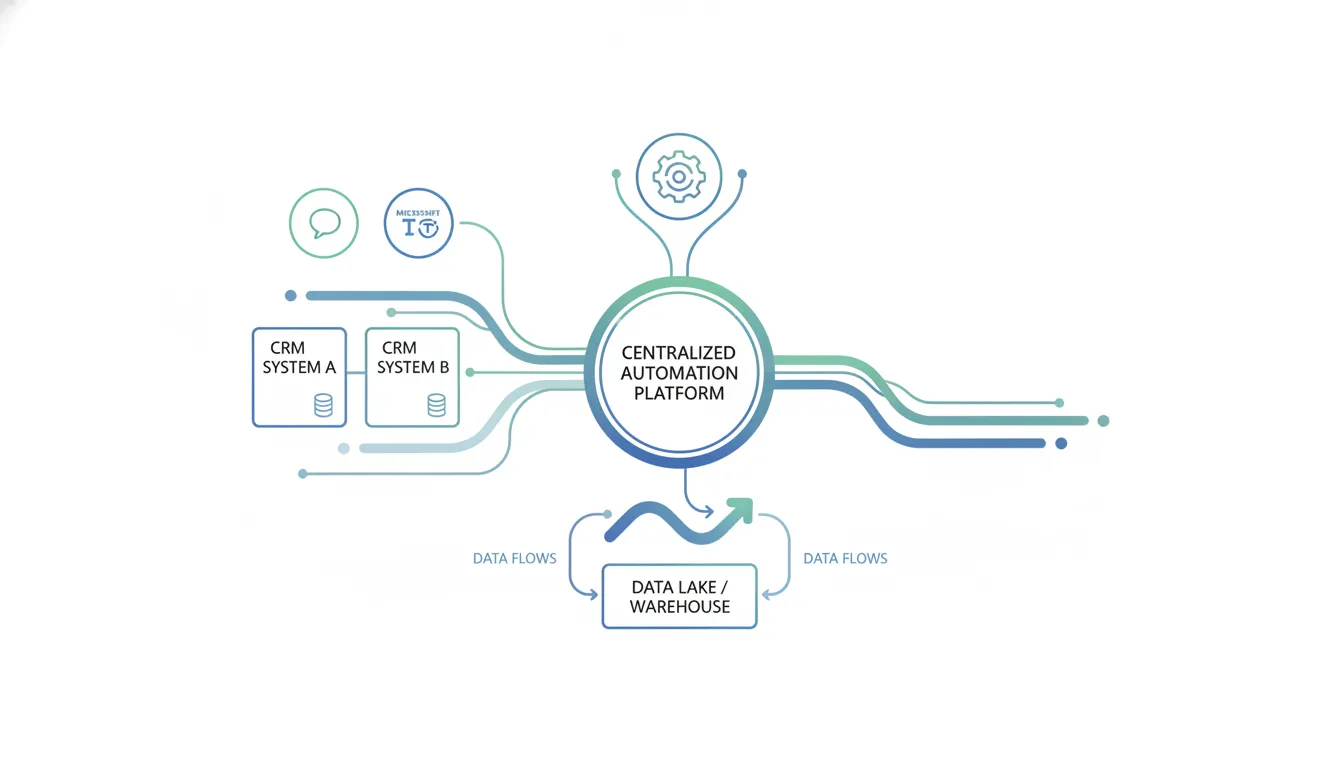
Data synchronization between Salesforce and HubSpot is the foundation, but the real value emerges when the iBPMS proactively informs the right people at the right time. Automated notifications transform passive data sync into an active operational advantage.
Instant alerts for CRM events
When a high-value lead crosses a scoring threshold in HubSpot, the system should alert the assigned sales representative immediately. FlowWright's event-driven architecture makes this straightforward: the iBPMS receives the lead scoring event via webhook, evaluates the routing rules to determine the correct sales rep, formats a rich message containing the lead name, company, score, and engagement history, and posts it to the relevant Slack channel. The entire sequence completes in under one second.
For bottom-of-funnel events, such as a deal moving to "Closed Won" in Salesforce, the iBPMS can simultaneously post a congratulations message in a company-wide Teams channel, trigger a HubSpot deal property update, initiate a billing workflow, and log the event to an audit dashboard. This multi-system coordination, powered by event-driven workflow automation, ensures that no post-sale step is missed.
Event-driven architecture in practice
FlowWright's publish-subscribe message model decouples event producers from event consumers. Salesforce publishes deal events to the iBPMS, and any subscribed system, whether HubSpot, Slack, Teams, or a custom analytics dashboard, receives the event without direct point-to-point connections. This loose coupling makes the architecture resilient to change. Adding a new notification channel or downstream system does not require modifying existing workflows. The new subscriber simply registers for the relevant event type.
The workflow technology fundamentals behind this architecture enable enterprise-grade reliability. Messages that cannot be delivered immediately are queued and retried. Failed deliveries are logged with full context for debugging. Administrators can inspect the event bus in real time to verify message flow and diagnose issues before they impact operations.
Contextual routing and escalation logic
Not every CRM event warrants a full-team alert. Content-based routing within the iBPMS allows administrators to define precise notification criteria. A deal valued under $10,000 might trigger a simple Slack message to the sales rep. A deal over $100,000 triggers a Teams alert to the VP of Sales, creates a follow-up task for the solutions engineer, and escalates to the regional director if no progress occurs within 72 hours.
Beyond Slack and Teams, FlowWright supports email and SMS notification channels, ensuring that critical events reach team members regardless of their current workspace. The combination of flexible routing, multi-channel delivery, and automated escalation creates a notification infrastructure that scales with the organization.
Centralized Automation vs. Point-to-Point CRM Integrations
The decision between centralized iBPMS orchestration and point-to-point CRM integration shapes the organization's automation trajectory for years. While point-to-point seems faster initially, the compounding cost of maintenance and the fragility of direct connections make centralized orchestration the clear choice for enterprises.
| Capability | Point-to-Point Scripts | Basic iPaaS Tools | FlowWright iBPMS |
|---|---|---|---|
| Setup Time | Weeks to months | Hours to days | Days to weeks |
| Maintenance Cost | High (fragile, vendor-version-dependent) | Medium | Low (centralized management) |
| Business Logic | Linear script logic only | Basic conditional triggers | Full branching, sub-processes, dynamic routing |
| Error Handling | None or custom | Basic retry mechanisms | Automatic retry with queuing and logging |
| Audit Trail | None | Basic execution logs | End-to-end audit with variable inspection |
| Security Compliance | None by default | Vendor-dependent | SOC 2 Type II, HIPAA, RBAC |
| Scalability | Manual scaling, breaks at complexity thresholds | Limited by platform constraints | Enterprise-grade, distributed architecture |
The total cost of custom integration code
When an enterprise calculates the true cost of custom CRM integration scripts, the maintenance burden typically exceeds the initial development cost by 3x to 5x over a three-year period. Every Salesforce or HubSpot API update risks breaking the integration. Every new system added to the tech stack requires another custom bridge. Debugging failures requires access to the original developer's knowledge, which dissipates as team members change roles or leave the organization.
API integrations for business automation on a centralized platform eliminate these risks by providing a managed, observable, and maintainable integration layer. When Salesforce updates its API, FlowWright's integration adapters handle the compatibility layer, so business workflows continue running without interruption.
What basic iPaaS tools cannot do
Lightweight Integration Platform as a Service (iPaaS) solutions improve on custom scripts by providing pre-built connectors and simple trigger-action workflows. However, they typically lack the depth required for enterprise CRM integration. Complex business rules involving data enrichment, multi-step conditional logic, parallel processing, and sub-workflow orchestration exceed their design capabilities. Organizations using basic iPaaS tools for CRM integration often discover six months into the implementation that the platform cannot handle their most critical automation scenarios.
Centralized orchestration as the enterprise standard
A centralized iBPMS provides a single source of truth for all CRM integration logic. Business rules, data transformations, error handling policies, and notification configurations are managed in one place. Changes to the integration are made once and apply everywhere. Full audit trails provide compliance teams with the visibility they need for regulatory requirements such as HIPAA, SOC 2, and GDPR.
FlowWright's dynamic sub-workflow capability ensures that the integration scales with the business without requiring rearchitecture. As new CRM modules are adopted or new sales territories are added, existing workflows adapt through configuration rather than code changes. This long-term flexibility is the primary reason enterprises choose centralized orchestration over point-to-point alternatives.
Get Demo — Eliminate CRM data silos with centralized workflow orchestration.
Security, Compliance, and Audit Trail Considerations
CRM data contains some of the most sensitive information an organization holds: contact details, deal values, communication history, and in many cases, protected health information. Any integration layer between Salesforce and HubSpot must maintain the security posture of both platforms while adding transparency into data movement.
Unified audit trails for cross-system data flows
When data moves between CRM systems through custom scripts, each hop is invisible unless someone explicitly logs it. An iBPMS provides a unified audit trail that captures every data transformation, routing decision, and system interaction. This visibility is critical for compliance audits and for diagnosing data quality issues. If a Salesforce contact field fails to update HubSpot, the audit trail shows exactly where the data flow stopped and why.
A centralized workflow automation platform like FlowWright logs every step with timestamps, user context, and before-and-after data snapshots. This level of detail satisfies the most rigorous audit requirements and gives operations teams the tools they need to maintain data integrity across the entire CRM ecosystem.
Enterprise compliance standards supported out of the box
FlowWright's platform architecture meets SOC 2 Type II, HIPAA, and ISO 27001 compliance standards. For healthcare organizations that manage patient data through Salesforce Health Cloud and HubSpot, this compliance assurance is non-negotiable. The platform's built-in encryption, access controls, and audit logging ensure that protected health information remains secure as it moves between CRM systems.
The central iBPMS platform also supports data residency requirements common in regulated industries. Workflow execution can be restricted to specific geographic regions, and data processing policies can enforce retention limits that align with regulatory mandates. For multinational enterprises, this geographic flexibility is essential for maintaining compliance across jurisdictions.
Role-based access and identity management
FlowWright integrates with enterprise identity providers through SAML 2.0, OAuth 2.0, and Active Directory. This means the same identity controls that govern Salesforce and HubSpot access extend to the integration layer. Role-Based Access Control ensures that integration developers can design workflows without accessing the underlying CRM data, while operations teams can monitor execution without modifying workflow logic. This separation of concerns reduces the risk of unauthorized data access and simplifies compliance auditing.
Frequently Asked Questions
How does CRM workflow automation improve sales operations?
Workflow automation eliminates manual data entry between CRM systems, ensuring that leads, contacts, and deal updates sync between Salesforce and HubSpot in real time. Sales representatives spend less time on administrative tasks and more time on revenue-generating activities. Automated lead routing ensures the right rep receives the right lead at the right moment, directly improving conversion rates. Platforms like FlowWright provide built-in enterprise service bus capabilities that manage these data flows without custom coding.
Can you integrate HubSpot and Salesforce with an iBPMS?
Yes, a centralized iBPMS connects both CRM platforms through its integration layer, enabling bidirectional data synchronization and complex business rule execution. FlowWright offers over 500 pre-built integrations including native Salesforce and HubSpot connectors. Workflows can trigger on events in either system and execute corresponding actions in the other, maintaining data consistency across the entire lead-to-revenue lifecycle.
What are the benefits of centralized workflow automation over custom scripts?
Centralized automation eliminates the maintenance burden of custom integration scripts, provides end-to-end audit trails for compliance, and scales with the organization without requiring rearchitecture. The FlowWright iBPMS platform adds dynamic sub-workflow capabilities that adapt to changing business rules at runtime, something no point-to-point integration can achieve.
How do Slack and Teams alerts work in automated CRM workflows?
Automated workflows send real-time notifications to Slack or Microsoft Teams when predefined CRM events occur. When a deal closes in Salesforce, the iBPMS formats the deal details, routes the message to the appropriate channel, and can simultaneously trigger downstream processes such as billing initiation or hand-off tasks. These alerts use FlowWright's enterprise service bus features for reliable message delivery and content-based routing.
Ready to connect your CRM to your workflow engine?
Running Salesforce and HubSpot as isolated systems creates data friction that compounds as your organization grows. Every manual data transfer, every delayed lead handoff, every reconciliation project consumes time and revenue that could be directed toward growth. The cost of disconnected CRM systems extends beyond the visible hours spent on data entry into the invisible losses of missed opportunities, inaccurate forecasting, and compliance risk.
A centralized iBPMS eliminates these costs by creating a single, authoritative integration layer that both CRM platforms operate through. Your teams get the data they need, when they need it, without manual intervention. Your compliance team gets the audit trails regulators require. Your leadership gets accurate pipeline visibility and reliable forecasts.
Get Demo to schedule a demonstration of how FlowWright connects Salesforce and HubSpot through its enterprise-grade iBPMS platform.
















