
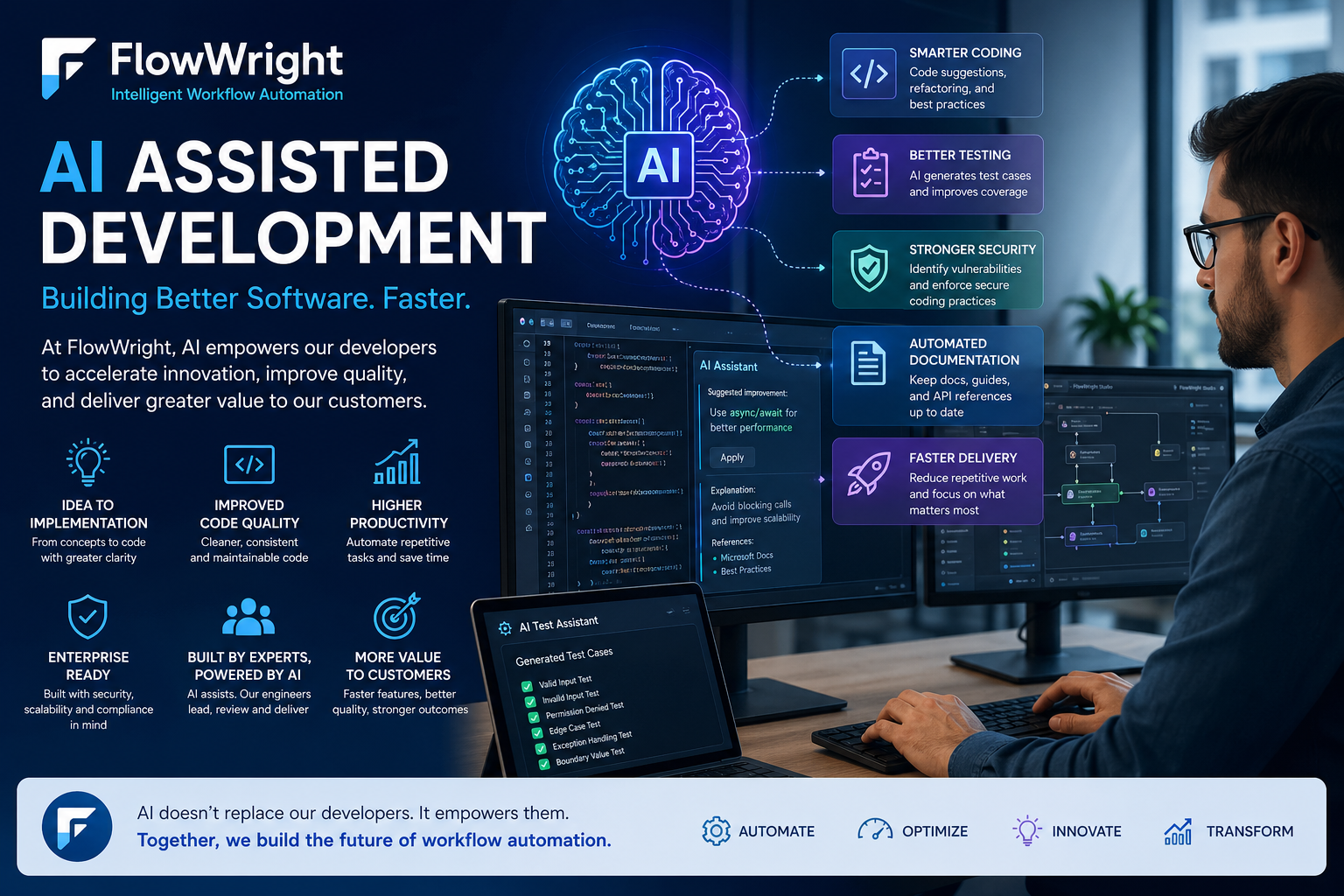
Let's cut through the noise around artificial intelligence. Behind the hype, a real transformation is happening in software engineering, and we want to show you how it actually works. We use AI assisted development every single day to build FlowWright—a complex platform where reliability and security are non-negotiable. This is your look inside our workshop. We’ll show you how our team uses AI as a copilot for everything from initial design to writing cleaner code, performing stronger security checks, and keeping documentation in sync. It’s a practical approach focused on real-world results.
How We Use AI to Build Better, Faster Automation Software
Software development has always been about improving productivity. Every generation of tools has helped developers move faster: compilers, frameworks, integrated development environments, source control, automated testing, CI/CD pipelines, cloud platforms, and now artificial intelligence.
At FlowWright, AI assisted development is not about replacing developers. It is about making skilled developers more productive, helping architects explore better designs, improving code quality, accelerating testing, and reducing the time required to turn ideas into production-ready functionality.
FlowWright is an enterprise workflow and business process automation platform. It is used to design, execute, monitor, and optimize complex business processes. Because FlowWright operates in environments where reliability, scalability, compliance, and security matter, software development cannot be casual. Every new feature must be designed carefully, implemented correctly, tested thoroughly, and delivered with enterprise-grade quality.
AI assisted development helps us do exactly that.
It gives our engineering team another layer of intelligence during design, coding, testing, documentation, and support. Instead of spending time on repetitive work, developers can focus more energy on architecture, security, performance, customer requirements, and product innovation.
Understanding the AI in AI-Assisted Development
To appreciate how AI helps us build better software, it helps to have a clear picture of what’s going on behind the curtain. The terms AI, GenAI, and ML are often used interchangeably, but they each describe a specific piece of the puzzle. Let's break down what these technologies are and how they come together to assist in development.
Defining Artificial Intelligence (AI)
At its core, AI-assisted development uses artificial intelligence to help create software. Think of it as an incredibly smart assistant that has studied millions of lines of code. It uses machine learning models, trained on vast datasets of code examples, to suggest the right tools and approaches for building software. This isn't about a machine taking over the creative process; it’s about augmenting a developer's skills. AI can analyze a problem, recommend an efficient path forward, and help with a wide range of software development tasks, from writing code and debugging to testing and documentation.
What is Generative AI (GenAI)?
Generative AI, or GenAI, is a specific type of artificial intelligence that excels at creating brand-new content. It learns patterns from existing data and then uses that knowledge to generate something entirely new, whether that's text, images, or even code. In development, this is a game-changer. A developer can describe a function in plain language, and a GenAI tool can produce the corresponding code. This is the technology that powers our own AI Copilot, allowing you to build complex processes and forms just by describing what you need. It streamlines the creation process, turning ideas into functional components much faster than manual coding alone.
The Role of Machine Learning (ML)
If AI is the brain, Machine Learning (ML) is the process of learning. ML is a method that allows computers to learn from data and make predictions or decisions without being explicitly programmed for every single step. Instead of following a rigid set of instructions, an ML model identifies patterns and improves its performance as it's exposed to more data. In AI-assisted development, this is crucial. ML is what enables an AI tool to get smarter, offer more relevant code suggestions, and accurately predict which tests are needed for a new feature. It handles repetitive work, freeing up developers to focus on innovation and complex problem-solving.
How AI Speeds Up Our Development Process
The biggest value of AI assisted development is acceleration.
Modern software platforms are large. A single product feature can touch user interface components, APIs, business logic, database tables, permissions, audit logging, configuration, reporting, integration points, and documentation. Developers need to think across the full stack.
AI helps accelerate many parts of that process.
For example, when building a new FlowWright feature, AI can help generate initial code patterns, suggest validation logic, review API contracts, produce unit test cases, document edge cases, and even help identify areas where security controls should be applied.
This does not mean the AI writes the product by itself. The architecture, final design, security decisions, coding standards, and product direction remain controlled by FlowWright engineers. AI is used as an assistant, not an authority.
That distinction is important.
In enterprise software, blindly accepting AI-generated code is risky. AI can produce code that appears correct but misses important details such as transaction handling, tenant boundaries, authorization checks, concurrency behavior, SQL performance, exception handling, or audit requirements.
At FlowWright, AI is used with engineering oversight. Developers review, refine, and validate the output. The result is faster development without sacrificing control.
The Rise of AI-Assisted Productivity
This shift toward AI-assisted development is about more than just writing code faster; it’s about changing what developers spend their time on. When AI handles the repetitive parts of the development cycle, it frees up engineering teams to concentrate on what really matters: solving complex problems, designing robust architectures, and innovating. Instead of getting stuck on routine tasks, developers can apply their expertise to create truly important software. This approach allows skilled professionals to use their creativity and critical thinking where it has the most impact, leading to better products and powerful new features. It’s a smarter way to build, where technology supports human ingenuity instead of trying to replace it.
A Look at the Numbers
This isn't just a theoretical benefit; the industry is actively embracing this change. Recent studies show that nearly a third of companies already see AI-assisted development as a vital part of how they build software. This statistic highlights a significant trend, showing that AI is quickly moving from a futuristic concept to a practical tool in the modern development kit. Businesses are recognizing that using AI in their workflow provides a real competitive edge, not just through speed, but by improving the quality and consistency of their output. It’s a clear signal that AI is becoming a standard practice for high-performing engineering teams that want to deliver better results.
Turning Ideas into Reality, Faster with AI
Every feature begins with an idea. Sometimes the idea comes from a customer requirement. Sometimes it comes from internal product strategy. Sometimes it comes from observing how users interact with workflow automation and identifying an opportunity to simplify or improve the experience.
AI helps during this early stage by turning rough ideas into structured implementation plans.
For example, a feature idea such as “improve document workflow approvals” can quickly be expanded into:
- User stories
- Database changes
- API endpoints
- Security requirements
- Workflow steps
- UI changes
- Audit log requirements
- Error scenarios
- Test cases
- Documentation topics
This helps the development team think through the full impact before writing code.
For a platform like FlowWright, this is extremely valuable. A feature is rarely isolated. It may affect process definitions, runtime execution, permissions, tasks, forms, dashboards, reports, documents, configuration, and integrations. AI helps expose these connections early.
That means fewer surprises later in the development cycle.
Broader Applications of AI in Software Creation
While AI is a powerful assistant for writing and testing code, its impact on software creation is much broader. Beyond the keyboard, AI is reshaping how teams plan, design, and integrate intelligent features into their applications. These capabilities help development teams work smarter, not just faster, by providing data-driven insights and automating complex tasks that once required specialized expertise. Understanding these wider applications shows how deeply AI is being woven into the entire software development lifecycle, from the initial concept to the final user-facing feature.
Predictive Analytics for Project Planning
One of the most challenging parts of software development is project planning. Accurately estimating timelines and resource needs is notoriously difficult, especially for large-scale enterprise systems. AI is changing this by using predictive analytics to forecast project outcomes. By analyzing data from past projects—including development times, bug reports, and resource allocation—AI models can predict future trends and identify potential risks before they become major roadblocks. This allows teams to make more informed decisions about feature prioritization and deadlines, leading to more successful and predictable project delivery.
Natural Language Processing (NLP) in Action
Natural Language Processing gives computers the ability to understand human language, and its applications in software development are incredibly practical. For instance, NLP can analyze user feedback from support tickets or reviews to automatically identify common pain points or feature requests. It also streamlines communication between users and software through chatbots or voice commands. This is the same technology that powers tools like FlowWright's AI Copilot, which allows users to build entire business processes and forms simply by describing what they need in plain English. This makes powerful automation accessible to everyone, not just developers.
Automated Machine Learning (AutoML)
Traditionally, incorporating machine learning into an application required deep expertise in data science. Automated Machine Learning, or AutoML, simplifies this process significantly. AutoML platforms automate the time-consuming tasks of building and training ML models, such as selecting the best algorithm and tuning its parameters. This allows development teams to build and deploy intelligent features—like fraud detection or customer churn prediction—more quickly and without needing a dedicated team of data scientists. It effectively democratizes machine learning, empowering more developers to create smarter, data-driven applications that can solve complex business problems.
Writing Cleaner, Better Code with AI Assistance
AI assisted development can improve code quality when used correctly.
Developers can use AI to review code for common issues such as missing null checks, inefficient loops, duplicated logic, unclear naming, inconsistent error handling, or potential race conditions. AI can also suggest cleaner implementations or more maintainable patterns.
For a C# and .NET-based platform like FlowWright, AI can assist with:
- Refactoring service-layer code
- Improving async/await usage
- Reviewing LINQ queries
- Optimizing SQL access patterns
- Generating DTOs and models
- Validating API request/response structures
- Reviewing exception handling
- Suggesting unit test coverage
- Identifying security-sensitive areas
AI is especially useful when reviewing repetitive patterns. Enterprise platforms often contain many places where the same style of logic is repeated: validation, configuration access, permission checks, database operations, logging, and workflow step execution.
AI can help detect inconsistencies in these areas.
But the final decision must still come from the developer. AI suggestions are reviewed against FlowWright’s architecture, coding standards, database conventions, and runtime behavior.
The best results come when AI is treated like a junior reviewer that can quickly point out possibilities, while experienced engineers decide what should actually be changed.
How AI Helps Us Test More Thoroughly
Testing is one of the strongest use cases for AI assisted development.
Writing good tests takes time. Developers must think about valid inputs, invalid inputs, boundary conditions, permission failures, missing configuration, database exceptions, concurrency issues, and integration behavior.
AI can help generate test ideas very quickly.
For example, when a new workflow step is created, AI can help identify test cases such as:
- Valid execution
- Missing required inputs
- Invalid input data types
- Empty result handling
- Exception handling
- Permission failure
- Retry behavior
- Audit logging verification
- Configuration missing
- Large data volume
- Concurrent execution
This gives developers a stronger starting point.
AI can also help create unit test scaffolding, generate mock objects, and suggest assertions. In C#, this can speed up test creation using frameworks such as MSTest, xUnit, or NUnit.
For FlowWright, where process execution reliability is critical, stronger test coverage directly improves product quality. Workflow automation often controls real business operations. A failure in execution logic can delay approvals, integrations, document routing, data updates, or compliance processes.
AI assisted testing helps reduce risk.
Using AI for More Rigorous Security Checks
Security is a major part of enterprise software development. FlowWright is often deployed in environments where access control, auditability, encryption, compliance, and data protection are critical.
AI can help developers perform security-focused reviews earlier in the process.
For example, when building an API endpoint, AI can help ask:
- Is authentication required?
- Is authorization checked?
- Are tenant boundaries enforced?
- Is input validated?
- Is output filtered?
- Is sensitive data exposed?
- Is audit logging required?
- Are file uploads scanned?
- Are SQL queries parameterized?
- Are secrets handled securely?
- Are error messages leaking internal details?
This helps shift security left.
Instead of waiting for a security review at the end, developers can use AI during implementation to identify potential weaknesses earlier.
AI can also help review code for common web application risks, including injection attacks, insecure direct object references, cross-site scripting, insecure file handling, weak headers, and improper configuration.
However, AI is not a replacement for formal security practices. FlowWright still requires disciplined engineering, manual review, automated scanning, penetration testing, secure configuration, and enterprise deployment best practices.
AI simply makes the security review process faster and broader.
Keeping Documentation in Sync with AI
Documentation is often one of the hardest parts of software development to keep current. Developers move fast, features evolve, and documentation can fall behind.
AI assisted development helps close that gap.
As new FlowWright features are designed and implemented, AI can help generate first drafts of:
- Feature descriptions
- Admin guides
- Developer guides
- API documentation
- Release notes
- Configuration documentation
- Troubleshooting guides
- Security explanations
- Blog posts
- Customer enablement material
This is especially useful for a platform like FlowWright, where many features have both business-user and developer-facing aspects.
For example, a workflow feature may need documentation for business analysts who design processes, administrators who configure the environment, developers who integrate through APIs, and security teams who review access controls.
AI can help tailor the same technical capability for multiple audiences.
The engineering team still validates the accuracy. But AI dramatically reduces the time needed to create useful documentation.
Writing Technical Design Documents
Before our team writes a single line of code, we need a solid plan. Technical design documents (TDDs) are the blueprints for new features, ensuring everyone from developers to security analysts is on the same page. This is where AI provides a massive head start. It helps us structure rough ideas into implementation plans by generating initial drafts that outline API endpoints, database schema changes, and user interface components. For a platform like FlowWright, where a new feature can impact many different parts of the system, this initial structure is invaluable. AI can even help tailor sections of the document for different audiences, explaining a feature's business logic for an analyst and its technical implementation for an engineer. Our team still provides the critical thinking and final validation, but AI dramatically cuts down the time it takes to get a comprehensive first draft ready for review.
Prototyping New Features at High Speed
AI is also useful for prototyping.
Before committing to a full implementation, FlowWright engineers can use AI to explore different approaches. This may include UI layouts, API structures, database schemas, workflow step designs, configuration screens, or integration patterns.
A prototype does not need to be perfect. Its purpose is to help the team evaluate the idea quickly.
For example, if FlowWright is adding a new AI-powered process design feature, AI can help sketch out:
- UI workflow
- Prompt structure
- JSON output format
- Validation rules
- Generated process model
- Error handling
- User correction flow
- Security boundaries
This allows the team to evaluate the design before investing heavily in production code.
Fast prototyping is valuable because it improves product decision-making. Some ideas look good conceptually but become complicated when mapped to real enterprise requirements. AI helps expose that complexity early.
Building Quick, Disposable Projects
The key to effective prototyping is treating the output as disposable. The goal isn't to write production-ready code, but to create a functional sketch that can be tested, discussed, and ultimately thrown away. AI is an excellent partner in this process because it can generate the necessary boilerplate for a user interface, an API, or a workflow in minutes. This allows our team to focus on the core concept without getting bogged down in perfecting the code. This rapid feedback loop helps us validate ideas and expose complexities early, which is essential for building the robust and scalable automation capabilities our customers rely on. By lowering the cost of experimentation, we can explore more innovative solutions before committing to a full development cycle.
Simplifying Database and Query Development with AI
FlowWright relies heavily on structured data. Process definitions, instances, tasks, users, permissions, dashboards, documents, configurations, audit logs, and execution history all require careful database design.
AI can assist with database development by helping create or review:
- Table schemas
- Indexing strategies
- SQL queries
- Stored procedures
- Data migration scripts
- Cleanup scripts
- Reporting queries
- Performance tuning ideas
- Relationship mapping
For enterprise workflow systems, database correctness is critical. A poorly written query can affect performance across thousands or millions of process instances. A missing index can slow down dashboards. A wrong join can expose incorrect security results. A migration script must preserve data integrity.
AI can help accelerate SQL development, but every query must still be tested against real data volume, execution plans, transaction behavior, and security constraints.
Used properly, AI helps developers move faster while still respecting database discipline.
An AI Co-Pilot for Full-Stack Developers
FlowWright development spans many layers:
- Front-end user interface
- ASP.NET Core application logic
- Workflow engine execution
- REST APIs
- SQL Server database
- Security and permissions
- Document management
- Reports and dashboards
- Integration connectors
- AI providers
- Deployment and configuration
AI assisted development is useful because it can work across all these layers.
A developer can ask AI to help design a UI screen, then review the API contract, then generate validation logic, then suggest test cases, then help write documentation. This full-stack assistance makes development more efficient.
It also helps developers maintain consistency. Enterprise platforms benefit from predictable patterns. When screens, APIs, error messages, logging, and configuration follow consistent structures, the product becomes easier to maintain and easier for customers to use.
AI helps reinforce those patterns.
The FlowWright AI Copilot
We believe so strongly in the power of AI assistance that we’ve built it directly into our own platform. The FlowWright AI Copilot is a feature that helps our customers build processes and forms, but the philosophy behind it started with our own development team. We use AI as an internal copilot, giving our engineers another layer of intelligence during design, coding, and testing. This approach allows our team to automate repetitive work and dedicate more energy to the things that require deep human expertise: architecture, security, performance, and genuine product innovation. It’s about augmenting our skilled developers, not replacing them, to build a more robust and intelligent automation platform for everyone.
Using AI for Skill Development and Learning
AI also serves as an incredible tool for continuous learning and skill development. When a developer is building a new feature, AI can act as an instant, on-demand reviewer, prompting them to consider best practices they might have overlooked. For instance, when creating a new API endpoint, AI can pose a series of critical security questions, like "Is authentication required?" or "Are SQL queries parameterized?" This creates a feedback loop that reinforces secure coding habits and helps developers internalize enterprise-grade standards. It’s like having a senior mentor available at all times, helping our entire team consistently apply the disciplined engineering practices that our customers rely on.
Modernizing Legacy Software
Many of our customers are working to modernize legacy systems, and our internal use of AI gives us direct insight into that challenge. AI is exceptionally good at analyzing older codebases and assisting with complex database development. It can help review and create table schemas, suggest indexing strategies for better performance, and generate data migration scripts. This is a huge advantage when dealing with systems where the original developers are long gone. By using AI to help map relationships and understand old SQL queries, we can more effectively build tools and strategies, like our ETL capabilities, that help our customers connect to, transform, and modernize their critical data without starting from scratch.
AI Is a Tool, Not a Replacement for Our Experts
AI assisted development is powerful, but it does not replace engineering judgment.
FlowWright’s value comes from deep domain knowledge: workflow automation, BPM, process orchestration, enterprise security, integration, document management, compliance, and scalable runtime execution.
AI can generate code. It can suggest patterns. It can summarize documentation. It can review logic. But it does not understand FlowWright’s product strategy, customer history, architecture decisions, performance expectations, or compliance obligations the way the engineering team does.
That is why human expertise remains central.
The best model is not “AI instead of developers.”
The best model is “AI with experienced developers.”
Developers remain in command. AI helps them move faster, think broader, and reduce repetitive work.
The "Autonomous Driving" Analogy
It’s helpful to think about AI in software development like the driver-assist features in a modern car. Things like lane-keeping and adaptive cruise control are fantastic for handling the routine parts of a long drive, reducing fatigue and letting you focus on the bigger picture. But you wouldn’t close your eyes and let the car navigate a complex city center during rush hour. You, the driver, are still in control and fully responsible for making critical decisions.
This is exactly how we see AI’s role in building enterprise software. It’s a powerful assistant for handling repetitive tasks, but our expert engineers remain firmly in the driver’s seat. This is especially true when navigating the complex requirements of security, scalability, and reliability that our customers depend on for their most critical operations.
Navigating the Challenges and Limitations
While AI offers a huge boost to productivity, it’s not a magic wand. To use it effectively, we have to be honest about its limitations. The current state of AI is impressive, but it doesn’t possess true understanding or consciousness. It’s a highly advanced pattern-matching machine, which means it can generate code that looks correct on the surface but might contain subtle flaws, security holes, or performance issues.
Because of this, every piece of AI-generated code must be carefully reviewed and verified by a human developer. For a platform with as many interconnected features as FlowWright, this human oversight isn’t just a best practice; it’s an absolute necessity. It’s how we ensure the enterprise-grade quality and stability our platform is known for, and it’s why understanding these challenges is the first step to using AI responsibly.
Legal and Ownership Questions
The rise of AI-generated code brings up some tricky legal and ethical questions. If an AI model is trained on a massive dataset of public code, who truly owns the output it generates? More importantly, if that code causes a data breach or a critical system failure, who is liable? These questions don’t have simple answers yet, and for enterprise and government organizations, that ambiguity creates significant risk.
This is why we maintain a clear line of accountability at FlowWright. AI is a tool that assists our developers, but the final code is owned, validated, and signed off on by our engineering team. Our customers need to know that there is human responsibility behind every feature, ensuring that our software is not only innovative but also secure and dependable.
Struggles with Code Complexity
You’ll find that AI assistants are great at generating boilerplate code or solving well-defined, common problems. Where they often struggle is with the deep, nuanced complexity inherent in large-scale software. Identifying and fixing elusive bugs, handling unique edge cases, and ensuring long-term maintainability are tasks that still require human experience and intuition.
An AI can’t fully grasp the architectural history of a platform or understand how a seemingly small change could have ripple effects on performance or scalability. That’s where the deep domain knowledge of our engineering team becomes irreplaceable. They use AI to handle the straightforward parts, which frees them up to focus their expertise on solving the most complex and critical challenges.
The Pitfall of "Vibe Coding"
One of the biggest risks of over-relying on AI is a phenomenon some call "vibe coding"—accepting code simply because it seems to work, without fully understanding how or why. This can lead to a dangerous lack of accountability, where no single person is responsible for the code's quality or behavior. It also creates a technical debt nightmare, resulting in a codebase that is brittle and nearly impossible to maintain or update over time.
This approach is the exact opposite of our engineering culture. We encourage our developers to use AI as a brainstorming partner, but they must be able to explain and defend every line of code that gets committed. This discipline ensures that our platform remains robust, maintainable, and transparent from the inside out.
Dependence on the Tech Stack
The effectiveness of an AI coding assistant can vary significantly depending on the technology stack it's being used with. An AI might generate excellent, idiomatic code for a popular language like Python or JavaScript, where it has been trained on countless public examples. However, its performance might be less reliable when working with more specialized or complex frameworks.
Our engineers have found that getting high-quality output for our .NET-based platform requires skill and experience. It involves crafting precise prompts, guiding the AI, and knowing when to reject a suggestion that doesn't align with our established patterns and best practices. It proves once again that AI is most powerful not on its own, but in the hands of an expert who knows how to direct it.
Weaving AI into Our Team's Daily Workflow
AI assisted development is not just a tool. It is becoming part of the development culture.
Teams that use AI well develop new habits:
They ask better design questions earlier.
They generate more complete test cases.
They review code from more angles.
They document features sooner.
They prototype faster.
They evaluate security impact earlier.
They spend less time on repetitive boilerplate.
They spend more time on architecture and product value.
At FlowWright, this aligns directly with the platform’s own mission: automation should help people perform better work.
FlowWright helps organizations automate business processes. AI assisted development helps FlowWright engineers automate parts of the software development process itself.
The principle is the same: remove friction, improve quality, increase visibility, and help people focus on higher-value decisions.
Best Practices for Effective AI Prompts
The quality of AI-assisted output depends entirely on the quality of your prompts. Think of the AI as a junior partner; it needs clear direction and context to be helpful. Instead of asking a vague question, provide specific details about the task. For example, when asking for a code review, include the code snippet and specify your goals: "Review this C# method for potential null reference exceptions and suggest a more efficient way to handle the loop." You can also assign the AI a role, like "Act as a security expert and help me identify potential vulnerabilities in this API endpoint." The best results come from an iterative process. Use the AI's first response as a starting point and provide feedback to refine it, ensuring the final output aligns with your project's specific architectural and security standards.
What Our AI-Assisted Development Means for You
The ultimate benefit is not just internal productivity. It is customer value.
When AI helps accelerate development, FlowWright customers benefit through:
- Faster feature delivery
- Better tested functionality
- Stronger documentation
- Improved security reviews
- More consistent user experiences
- Faster response to customer needs
- Better quality across releases
- More innovation in the product roadmap
Customers do not buy software because the vendor used AI. They buy software because it solves real problems.
AI assisted development helps FlowWright solve those problems faster and better.
It allows the team to move quickly while still maintaining the engineering discipline required for enterprise software.
What's Next for AI Development at FlowWright?
AI assisted development will continue to evolve. The tools will become more capable. Code generation will improve. Testing assistance will become deeper. Documentation automation will become more accurate. AI agents may eventually help perform more complex development workflows.
But the core principle will remain the same at FlowWright: AI assists, humans decide.
Enterprise automation software requires trust. Customers depend on FlowWright to run critical business processes. That means every feature must be reliable, secure, scalable, and maintainable.
AI can help us get there faster, but engineering discipline is what makes the result trustworthy.
FlowWright’s approach to AI assisted development is practical and controlled. We use AI where it adds value. We validate what it produces. We keep developers and architects in command. We focus on real business outcomes.
That is the right way to use AI in enterprise software development.
The Future of Agentic Coding
Looking ahead, the concept of agentic coding is set to mature significantly. Imagine describing a new workflow function in plain language, and an AI agent doesn't just suggest code snippets but generates the complete, functional component for you. This is the direction AI-assisted software development is heading. For a platform like FlowWright, this could mean an architect describes a custom integration point, and an AI agent builds the necessary connectors and API logic, all while adhering to our platform’s strict standards. This evolution moves beyond simple code completion, empowering developers to orchestrate development at a higher level. They can focus on the "what" and let the AI handle more of the "how," which is a game-changer for building complex enterprise solutions.
Real-Time Visual Updates
The next frontier for AI in development involves turning descriptions into visual reality, instantly. Developers will be able to describe an application's interface or a process flow, and the AI will render it visually in real-time. This is a powerful extension of the principles behind FlowWright's graphical process designer. Instead of manually dragging and dropping steps, a process analyst could simply state, "Create an approval workflow for invoices over $10,000 that requires two levels of sign-off and integrates with our document storage." The AI would then visually construct this entire process within the designer, allowing for immediate review and refinement. This capability will dramatically shorten the distance between an idea and a working prototype.
Seamless Integration with AI Services
Ultimately, the goal is to create a development environment where AI services are seamlessly integrated, handling routine tasks so developers can concentrate on innovation. This is achieved by using machine learning models trained on vast datasets of code, which allows the AI to suggest optimal patterns and tools for a given task. At FlowWright, we're already applying this principle with our AI Copilot, which assists users in building processes and forms. We use the same philosophy internally. By offloading routine coding, testing, and documentation tasks to AI, our engineering team can invest more time in complex problem-solving and building the next generation of automation features that our customers need.
Our Commitment to Smart Innovation
AI assisted development is changing how modern software is built. It gives developers faster access to ideas, code patterns, test cases, documentation, and review suggestions. It reduces repetitive work and helps teams think through complex systems more efficiently.
At FlowWright, AI assisted development is part of a broader commitment to innovation. We use AI to improve how we build the platform, just as FlowWright helps customers improve how they run their business processes.
The result is better software, faster delivery, stronger quality, and more time spent on the work that truly matters: architecture, security, performance, usability, and customer success.
AI is not replacing the developer.
AI is empowering the developer.
And at FlowWright, that means building the future of intelligent workflow automation with greater speed, precision, and confidence.
Frequently Asked Questions
How is FlowWright using AI in its development process? We use AI as a smart assistant for our engineering team across the entire development lifecycle. It helps us with everything from brainstorming initial feature ideas and structuring technical plans to writing cleaner code, generating thorough test cases, and performing more rigorous security checks. Think of it as a copilot that handles repetitive tasks, allowing our expert developers to focus on complex architecture, security, and innovation.
Does AI write the code for FlowWright's software by itself? No, it doesn't. While AI can generate code snippets and suggest patterns, our experienced engineers are always in control. They review, refine, and validate every piece of AI-generated output to ensure it meets our strict standards for security, performance, and reliability. We see AI as a powerful tool that assists our developers, not as an autonomous coder. Human expertise and accountability are central to our process.
What's the difference between AI-assisted development and FlowWright's AI Copilot feature? AI-assisted development is our internal methodology for building the FlowWright platform itself; it's how our engineers use AI to create better software, faster. The FlowWright AI Copilot, on the other hand, is a feature we built into our platform for our customers. It allows users, even those without coding skills, to build their own complex business processes and forms simply by describing what they need in plain language.
Is it risky to use AI-generated code in enterprise software? It can be, which is why human oversight is non-negotiable for us. Blindly accepting AI-generated code is dangerous because it can miss critical details like security protocols, data privacy rules, or performance requirements. Our process ensures that every AI suggestion is carefully vetted by our engineering team, who have deep knowledge of our platform's architecture and our customers' needs. This approach allows us to gain speed without sacrificing quality or control.
What are the main benefits for customers of FlowWright using AI to build its product? When our development process becomes more efficient, you see the benefits directly. It means we can deliver new features and improvements to you faster. The software you receive is more thoroughly tested and comes with stronger security reviews and more consistent documentation. Ultimately, it allows our team to spend less time on routine tasks and more time innovating and responding to your needs, resulting in a more powerful and reliable platform.
Key Takeaways
- AI is a copilot, not the pilot: We use AI as a powerful assistant to handle repetitive tasks like generating initial code, creating test cases, and drafting documentation. This frees up our expert engineers to focus on what truly matters: architecture, security, and complex problem-solving.
- AI improves the entire development lifecycle: Our team applies AI from the initial idea to the final release. It helps us plan features, write cleaner code, perform more rigorous security checks, and keep documentation in sync, which means we deliver higher-quality, more reliable features faster.
- Responsible AI use requires human expertise: Blindly accepting AI-generated code is risky, especially for enterprise software. We treat AI suggestions as input that our senior engineers must validate against our strict standards for performance, security, and reliability, ensuring every feature is trustworthy.
















